8.3 Useful Tools for Creating a Manual
8-39
8
Useful Functions
Operating Procedure
1. Open the screen data file.
2. Copy the screen image displayed on the editor (page 8-39).
3. Paste the copied image on another application software (page 8-40).
Copying an Image Displayed on the Editor
1. Open the desired screen on the editor.
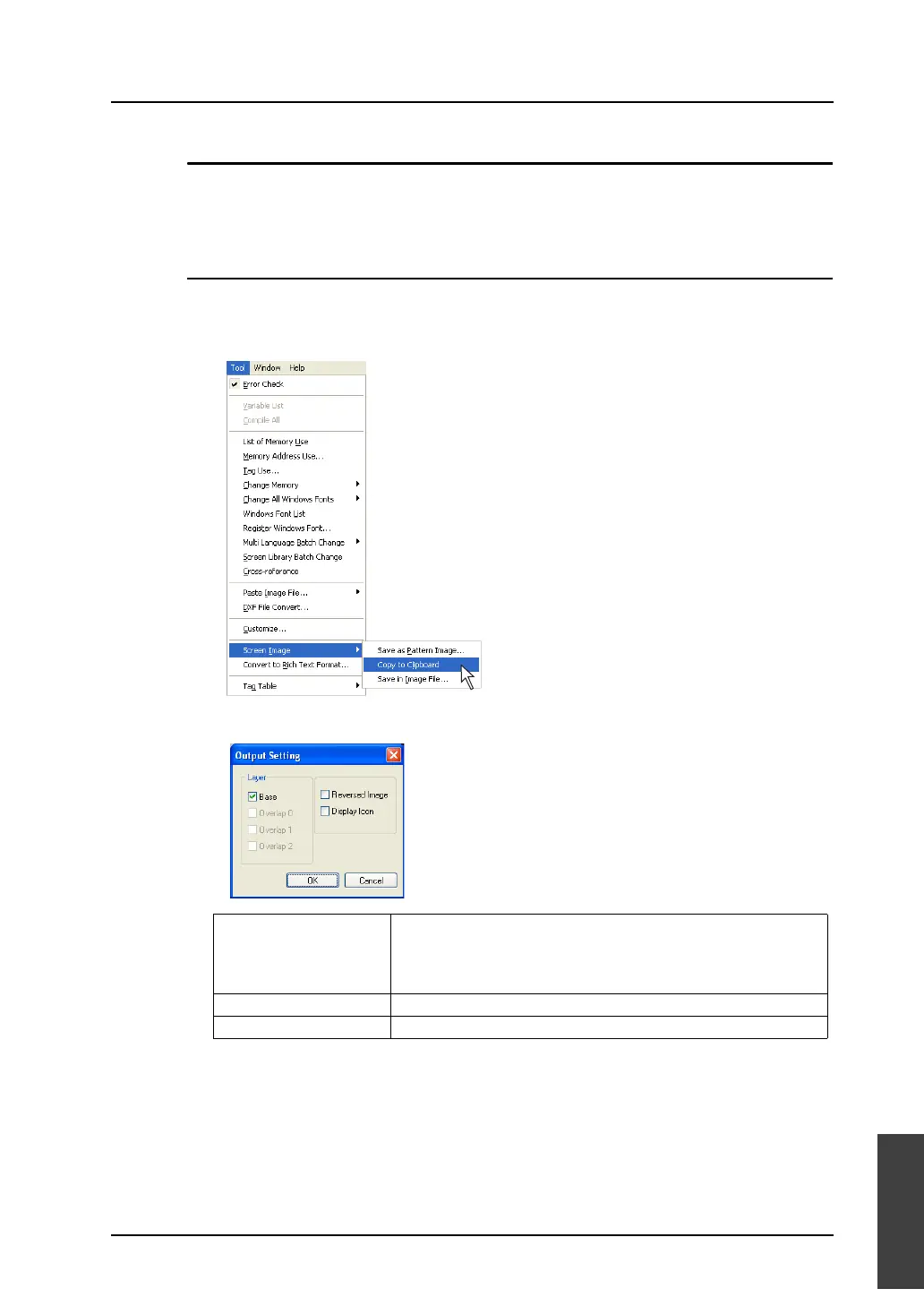
2. Click [Tool] → [Screen Image] → [Copy to Clipboard].
3. The following dialog is displayed. Check the option you wish to output to the clipboard. Click [OK].
The screen image has been copied to the clipboard.
Layer
Base
Overlap 0
Overlap 1
Overlap 2
Select a layer to be output to the clipboard.
Reversed Image Check this option when you output an image in reverse video.
Display Icon Check this option when you output the icon of MLIB, SLIB, or entry mode.



 To Next Page