5.6 Graphic Library
5-22
Data Display
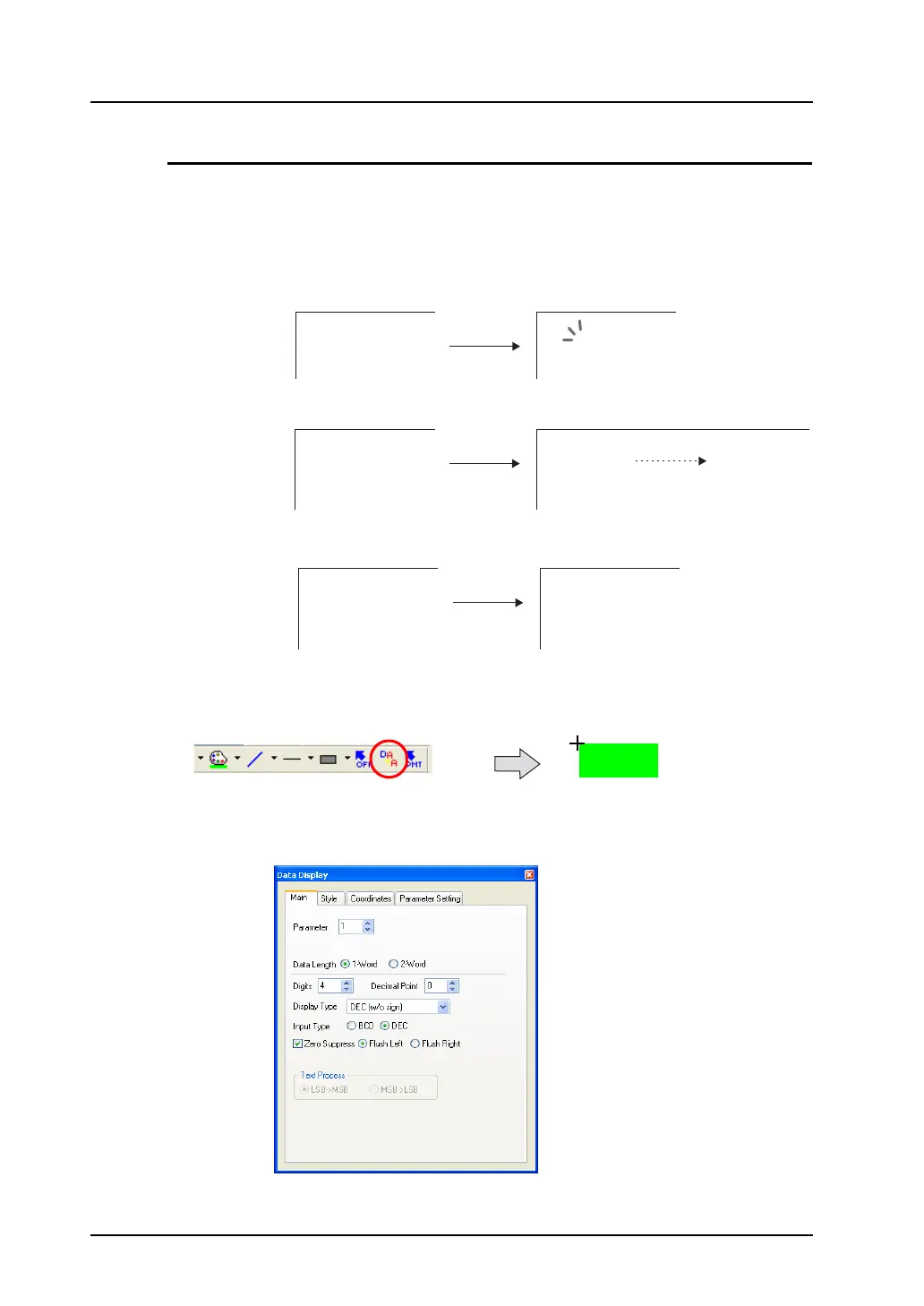
Outline of data display in graphic library
In the graphic library, it is possible to use a function similar to data display parts as used on the screen.
The usage is as follows:
• Showing/deleting a data display through bit setting (ON)/resetting (OFF)
• Moving a data display on the screen (by parameter setting)
• Showing variations in data (by parameter setting)
Data display placement procedure
1. Go to the drawing toolbar and click the [Data Display] icon.
Dragging the mouse to the screen shows a data display with a cross-shaped cursor.
2. The [Data Display] dialog for the placed data display opens.
(If the dialog does not appear, double-click the data display.)
3426
Bit OFF Bit ON
3426
3426
3426
6243
3426
Displayed with a cursor
1234



 To Next Page