Parts Editing
A3-24
Data Sampling
A data sampling part is displayed when you select [Trend Graph] from the [Parts] menu and then
select [Data Sampling].
Structure
A data sampling part consists of data display fields in addition to the basic area and the graphic data.
The data display fields, which are different from data display parts, exist only in data sampling parts.
The data display fields are placed only in the first line. (The data display fields are movable only to
right and left.)
Procedure
* The components of a data sampling part are linked. Therefore, the components need to be
unlinked prior to editing. In the right-click menu, click [Link] → [Link Cancel]. Or, click
[Edit] → [Link] → [Link Cancel].
Once the components are unlinked, linking them again is recommended after editing is
finished.
1. Select the data sampling part you wish to edit, and open the [Modify Part] window.
1234 1234 1234 1234 1234 1234 1234 1234
Data display fields
(position movable horizontally)
Part basic area
Graphic data
Frame (part area)
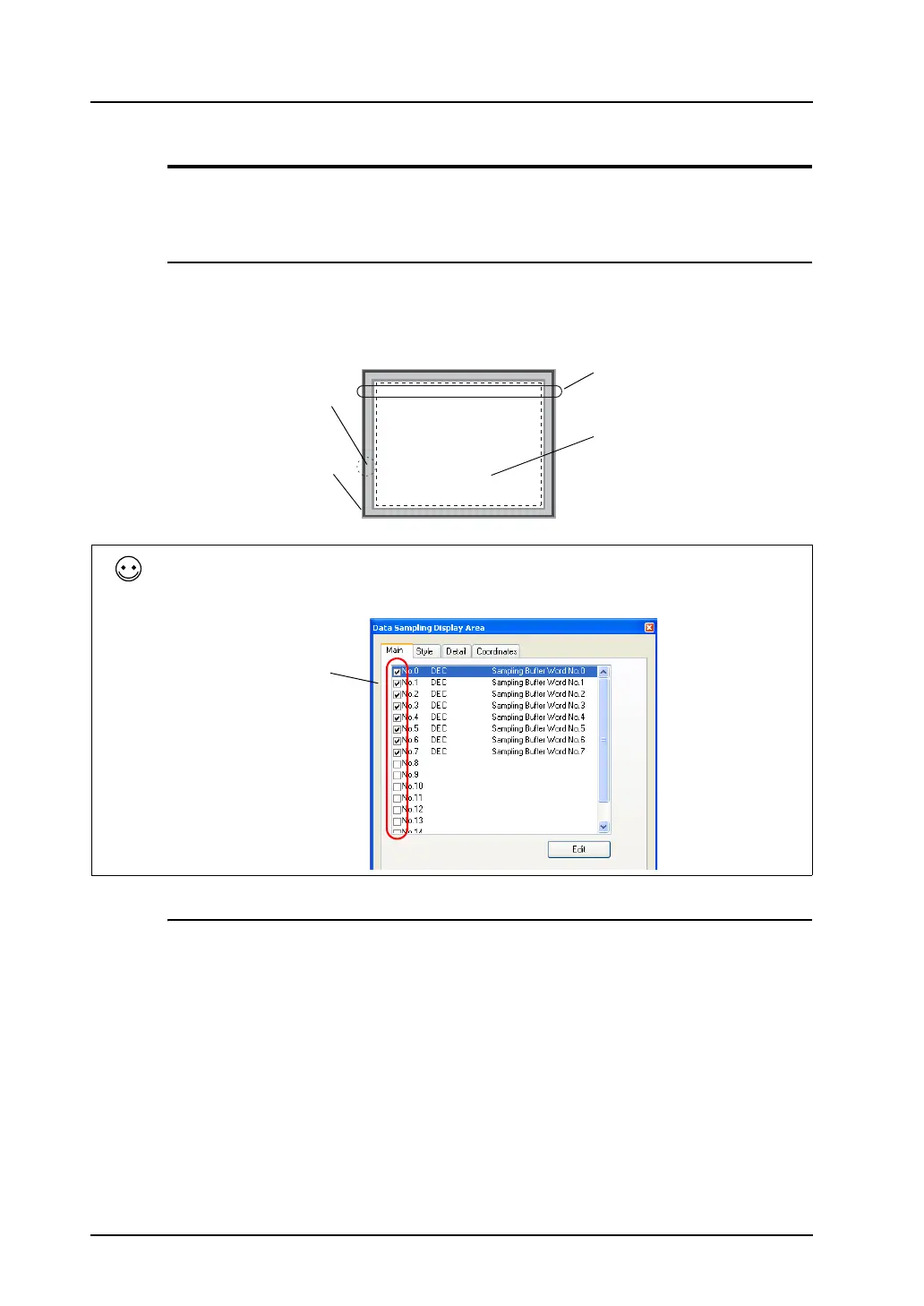
One data sampling part can show a maximum of 16 data display fields. Whether or not to show data
Nos. 1 to 16 is selectable in the [Data Sampling Display Area] dialog.
For more information on the features of data sampling, refer to the V8 Series Reference Manual.
Check or uncheck
the boxes to show
or hide the data
items.



 To Next Page