Parts Editing
A3-25
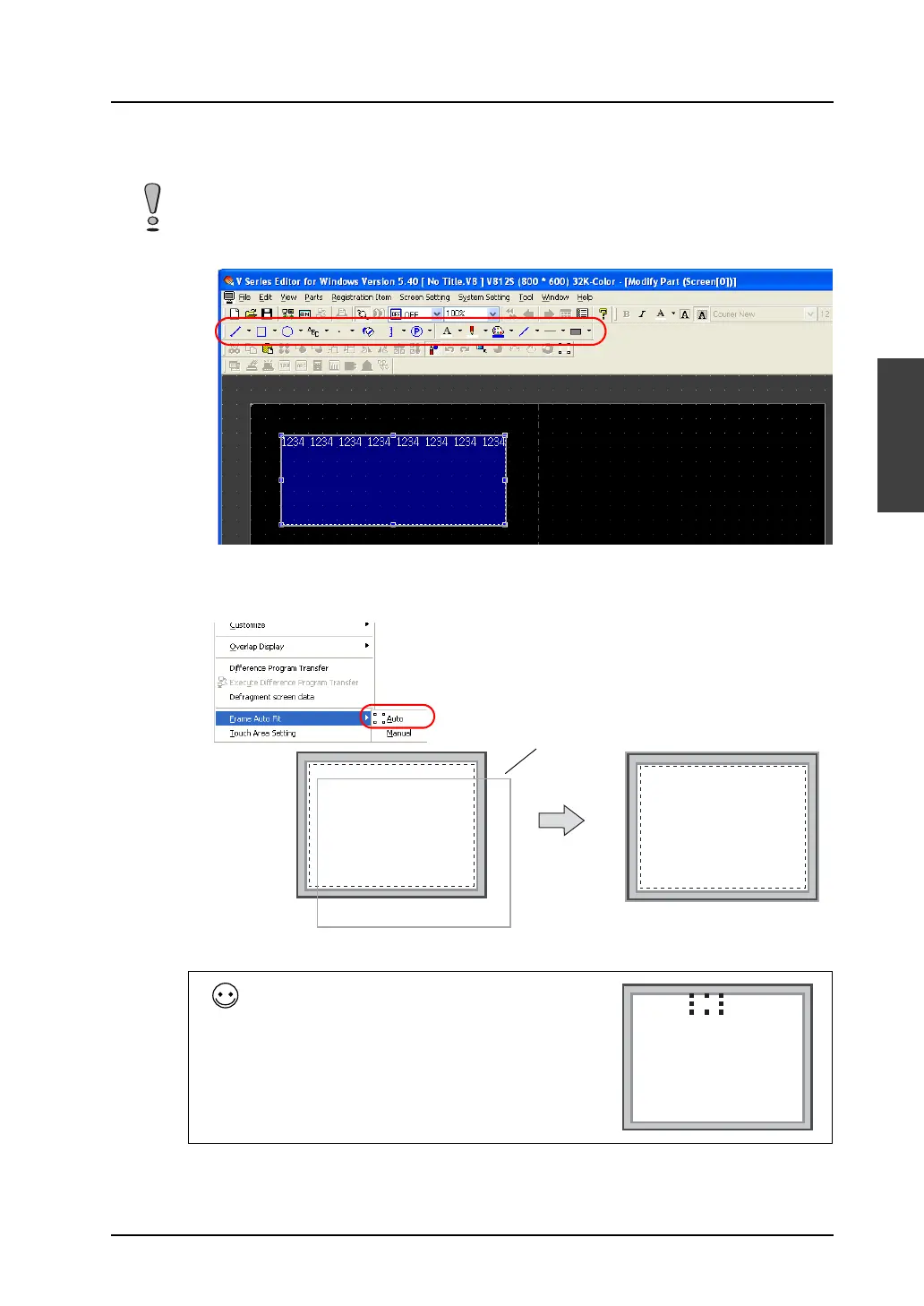
A3
Parts Editing
2. Using drawing icons etc., edit its design as desired.
For editing procedure with icons, refer to “4 Drawing” page 4-1.
3. On completion of editing, click [Frame Auto Fit] in the right-click menu.
For more information on the frame and its setting method, refer to “Re-setting the frame” (page
A3-9).
4. Go back to the base screen.
Note that graphics drawn in the part basic area will not be displayed correctly on MONITOUCH.
Moving the data display fields on a data sampling
part
1. Click the data sampling part so that handles are
shown.
2. Click one data display field you wish to move.
Only the field is selected with handles.
3. Drag the clicked field to the right or left.
1234 1234 1234 1234 1234 1234 1234 1234
1234 1234 1234 1234 1234 1234 1234 1234
Frame
1234 1234 1234 1234



 To Next Page