6.3 Preliminaries
6-8
Existing MONITOUCH
When the existing MONITOUCH is started, it is in a RUN state.
The data can be transferred in the RUN mode or after the Main Menu screen is displayed.
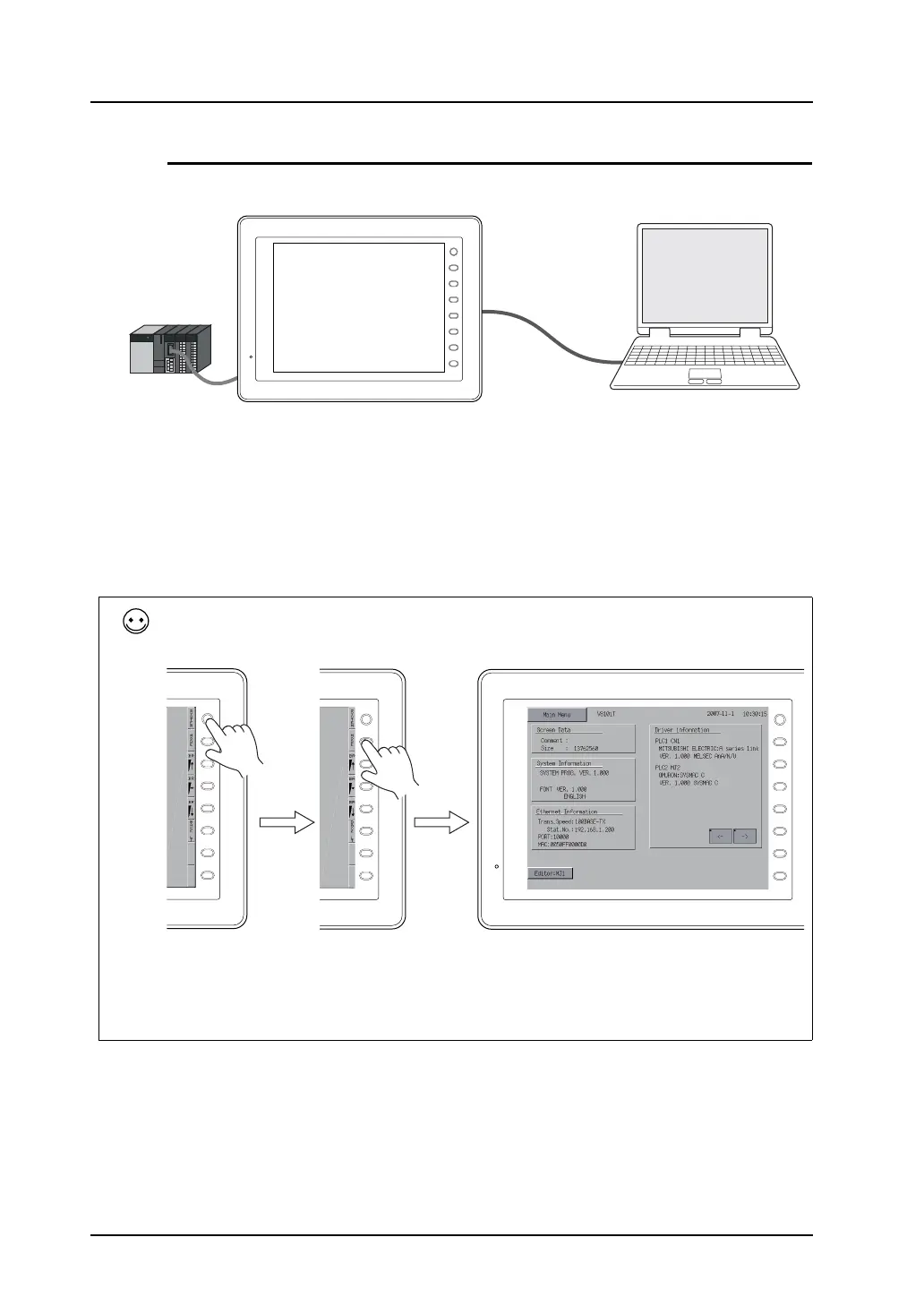
When transferring via V-CP:
When [No connection] is specified for [MJ1] (modular jack 1) in the Project View associated with the
screen data already transferred to MONITOUCH, data transfer is allowed even while MONITOUCH is
in RUN mode.
However, if anything other than [No connection] is set for [MJ1], the MONITOUCH screen must be
switched to the Main Menu before data transfer.
PLC
V-CP
F 1
F 2
F 3
F 4
F 5
F 6
F 7
SYSTEM
RUN
(= communicating
with the PLC)
To display the Main Menu screen:
Press the [SYSTEM] switch. When the menu is displayed, press the [F1] switch. Then the Main Menu screen is
displayed.
If the screen is not changed by pressing the [SYSTEM] or [F1] switch, the switch may be prohibited or set to
become active when the switch is held down for a certain time.
Hold down the [SYSTEM] and [F7] ([F5] for the 5.7-inch model) switches at the same time. Alternatively press the
[SYSTEM] switch and then hold down the [F1] and [F7] ([F5] for the 5.7-inch model) switches at the same time.
For more information, refer to the description regarding the function switch in the V8 Series Hardware
Specifications.
F 1
F 2
F 3
F 4
F 5
F 6
F 7
SYSTEM
F 1
F 2
F 3
F 4
F 5
F 6
F 7
SYSTEM
F 1
F 2
F 3
F 4
F 5
F 6
F 7
SYSTEM



 To Next Page