3.8 Useful Functions for Screen Editing
3-104
Arrangement (Equal) (E.g. Vertically)
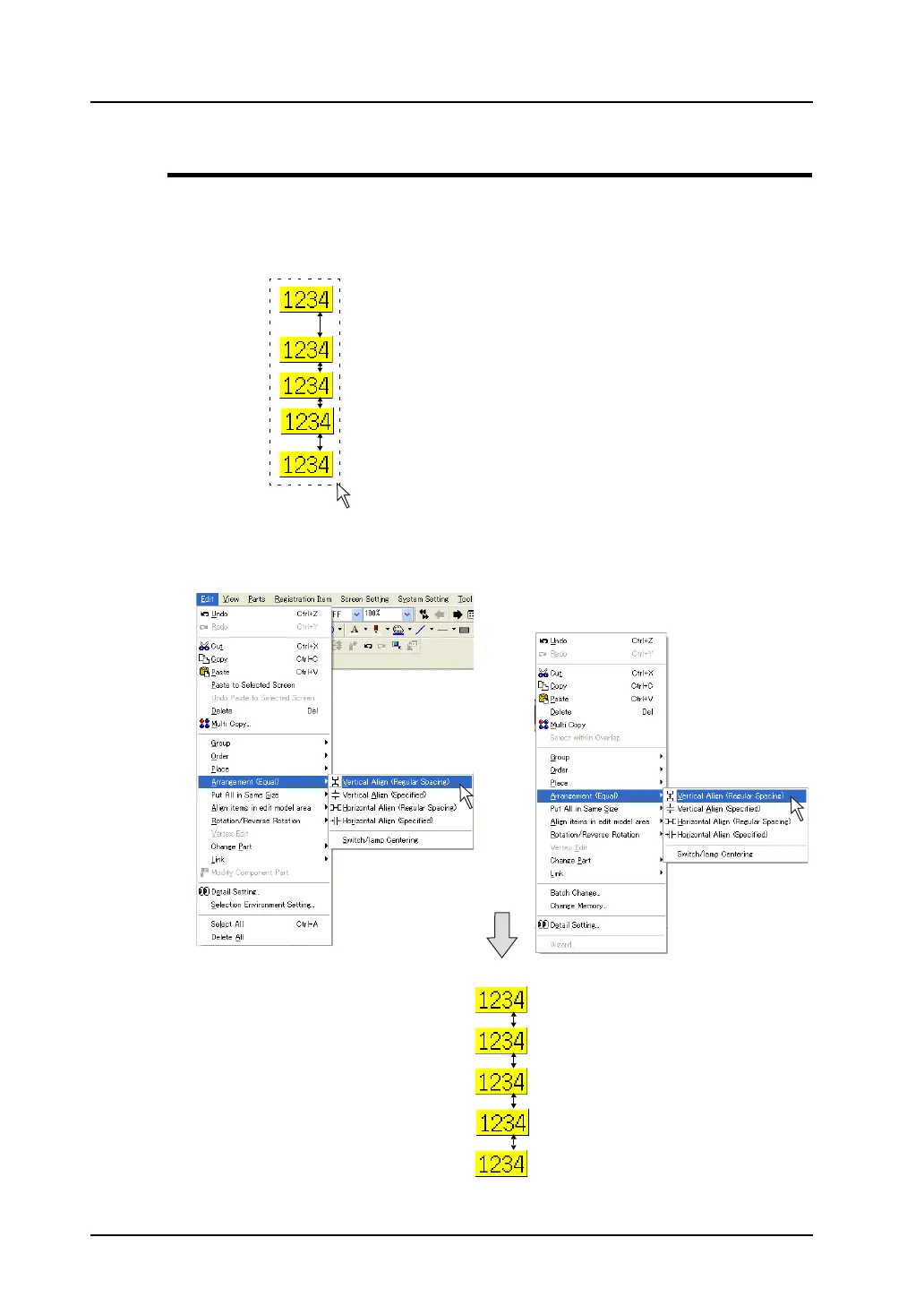
This section describes the procedure to arrange numerical data display parts vertically at equal
spacings.
1. Select the five numerical data display part placed as shown below at one time.
2. Click [Edit] → [Arrangement (Equal)] → [Vertical Align (Regular Spacing)], or right-click the mouse
and click [Arrangement (Equal)] → [Vertical Align (Regular Spacing)].
The numerical data display part is arranged at equal spacings within the selected area.
OR
Right-click.



 To Next Page