3.8 Useful Functions for Screen Editing
3-103
3
Screen Editing
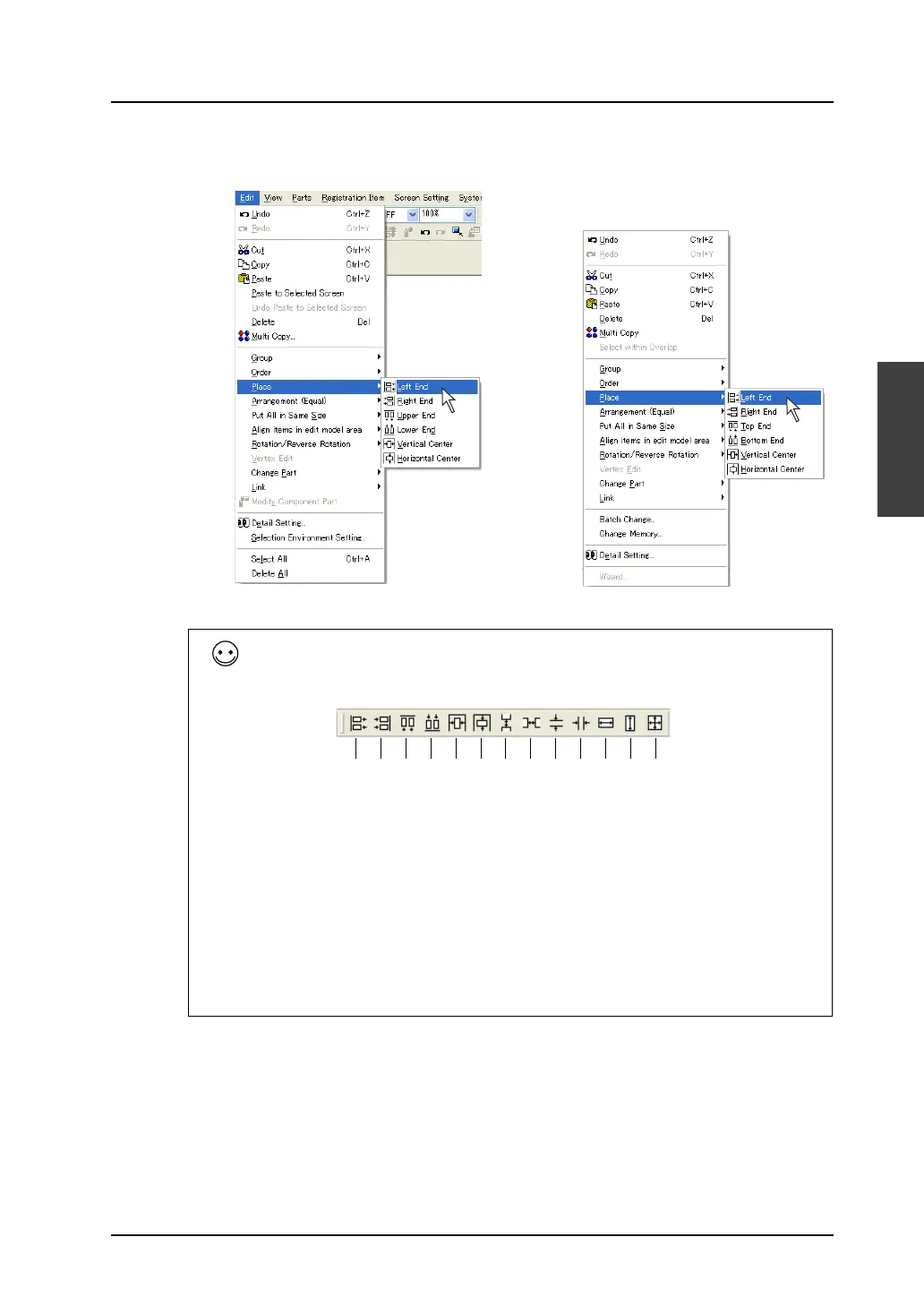
3. Click [Edit] → [Place] → [Left End], or click [Place] → [Left End] from the right-click menu.
All boxes are left-aligned with reference to the box with the blue handle.
Alignment can be performed not only from the [Edit] menu but also from the [Layout] toolbar displayed
by clicking [View] → [Toolbar] → [Layout].
OR
Right-click.
1. 2. 3. 4. 5. 6. 7. 8. 9. 10. 11. 12. 13.
[Layout] toolbar
1. Flush Left
2. Flush Right
3. Flush Top
4. Bottom Align
5. Vertical Center Align
6. Horizontal Center Align
7. Vertical Align (Regular Spacing)
8. Horizontal Align (Regular Spacing)
9. Vertical Align (Specified)
10. Horizontal Align (Specified)
11. Align Width
12. Align Height
13. Align Size



 To Next Page