8.9 Wizard
8-93
8
Useful Functions
8.9 Wizard
Overview
The wizard function is provided to aid you to set the entry mode or alarm tracking mode, which might
seem difficult because it is necessary to combine with other parts like switches or display areas.
Screens in these modes can be created with ease by following the following step-by-step instructions.
Starting Wizard
Open the [Wizard] dialog from Catalog View or from the [Parts] menu.
Start from Catalog View
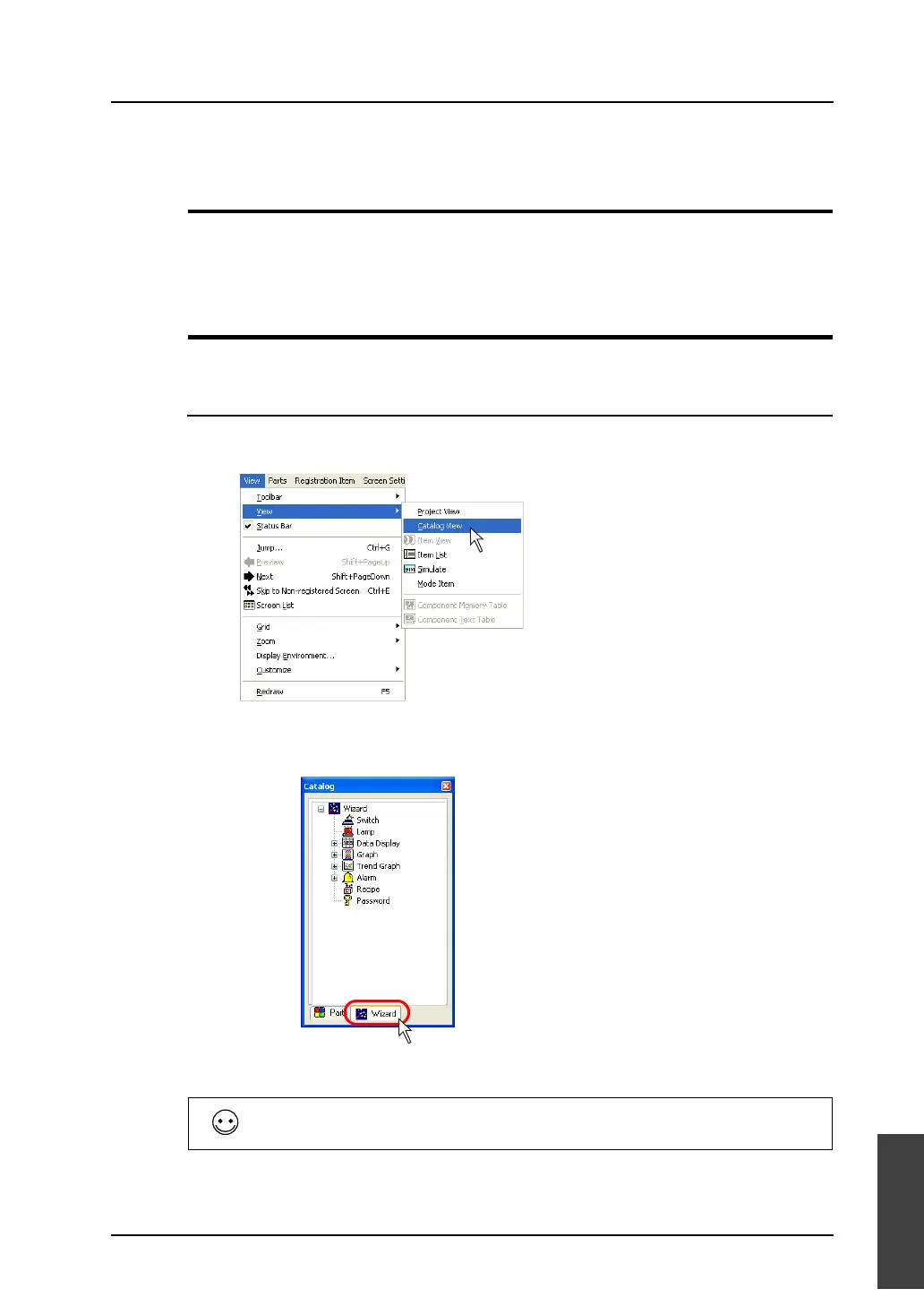
1. Display Catalog View.
If Catalog View is not displayed on the screen, click [View] → [View] → [Catalog View].
2. Click [Wizard] in Catalog View.
The list of the item which can be set through the wizard is displayed.
3. Double-clicking a listed item starts the wizard.
Not all parts are available in [Wizard].
To place parts not included in [Wizard], use another tool like the [Parts List] menu.



 To Next Page