6.4 Transfer Procedure (Using a Communication Cable)
6-27
6
Transfer with V8
Data Comparison between Editor and MONITOUCH
Screen data can be compared between MONITOUCH and the computer.
Data comparison is useful to check if there are any differences between the data transferred from
MONITOUCH and the original existed in MONITOUCH.
1. Connect the LAN port of MONITOUCH (or LAN port of CU-03-3) and the computer using a LAN
cable.
Check the setting, such as connecting status or IP address setting, on the Main Menu screen.
2. Start up the editor and open the screen data file to be compared.
(The native data file transferred from MONITOUCH is acceptable.)
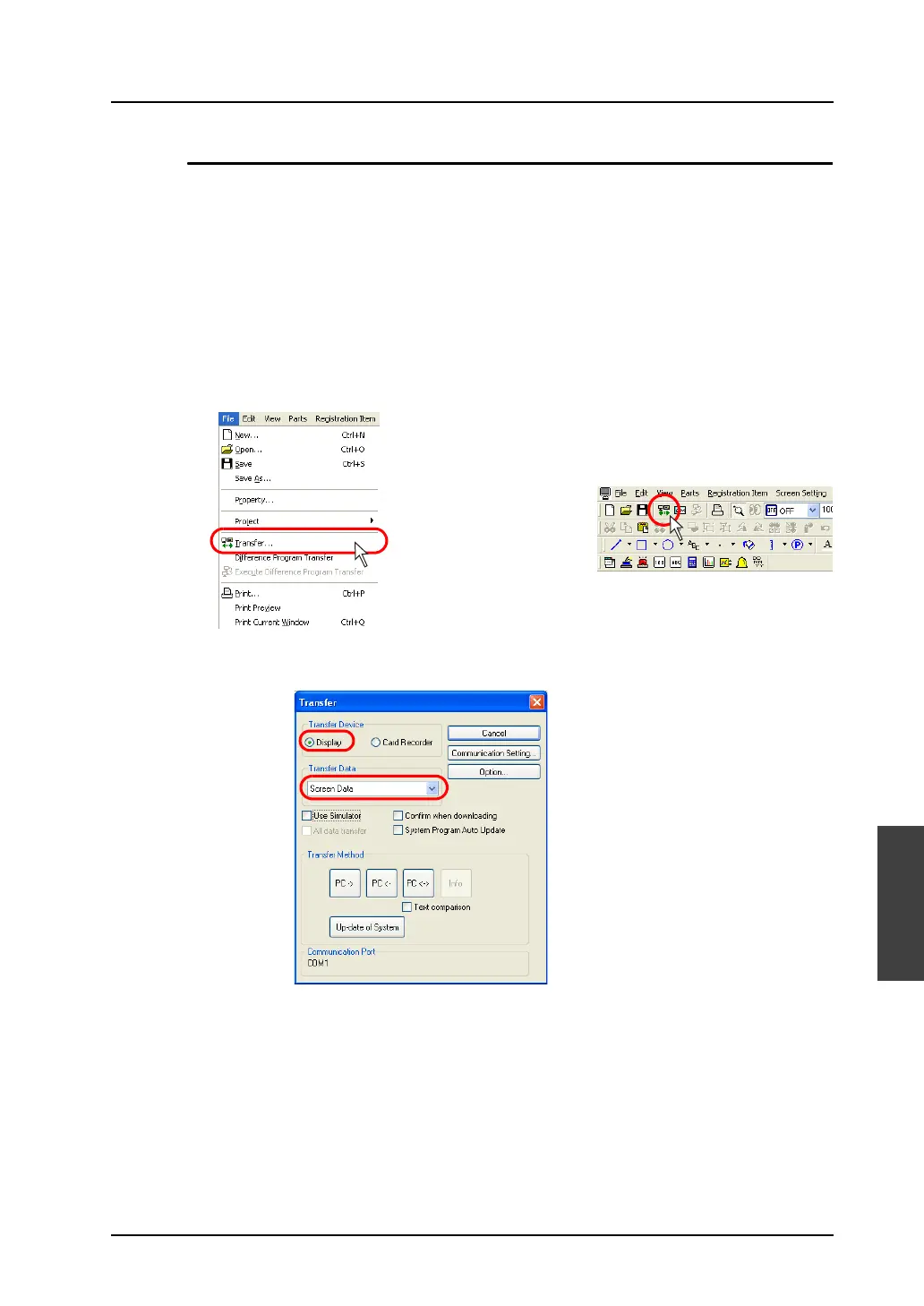
3. Click [Transfer] from the [File] menu or click the [Transfer] icon on the toolbar.
4. The [Transfer] dialog is displayed.
Select [Display] for [Transfer Device], and [Screen Data] for [Transfer Data].
OR



 To Next Page