6.4 Transfer Procedure (Using a Communication Cable)
6-28
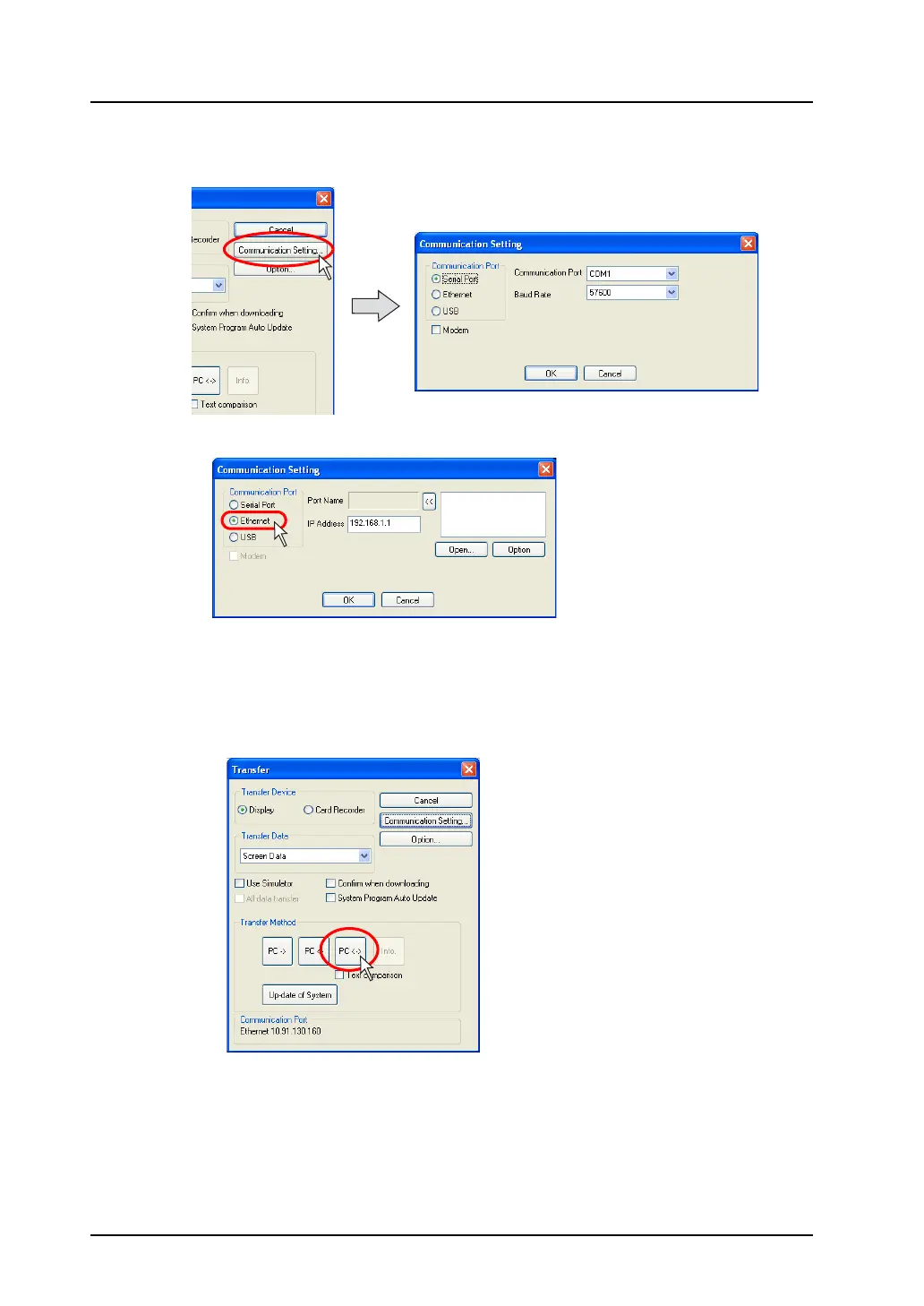
5. Click the [Communication Setting] button.
The [Communication Setting] dialog is displayed.
6. Select [Ethernet] for [Communication Port].
Specify the IP address of MONITOUCH for [IP Address].
7. When settings are completed, click [OK]. The former [Transfer] dialog is displayed again.
8. Click the [PC <->] button. Data comparison is started.
Follow the same procedure as the case using V-CP.
For more information, refer to page 6-16.



 To Next Page