8.1 Simulator
8-20
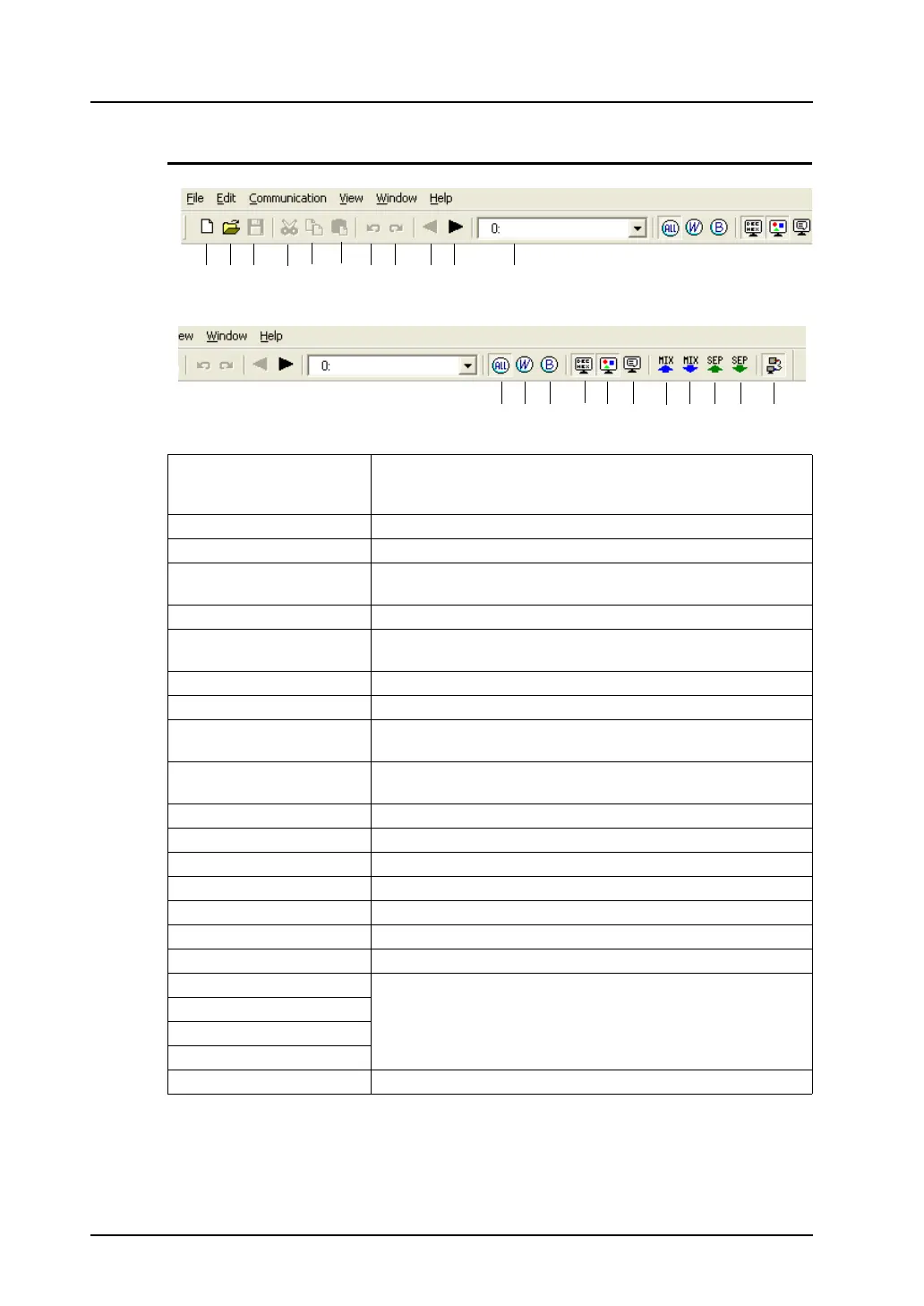
Icon Menu
1. New Opens a new sheet [Untitled]. With this sheet, you can register and
check addresses that do not exist on the [System] or [Scrn xxxx]
sheet automatically created. (Refer to page 8-23.)
2. Open Opens an already stored sheet.
3. Save Saves an [Untitled] sheet under a new name.
4. Cut This icon is active on the [Untitled] sheet.
Cuts selected address.
5. Copy Copies selected address.
6. Paste This icon is active on the [Untitled] sheet.
Pastes copied or cut address.
7. Undo Cancels actions performed.
8. Redo Reverts to the state prior to undo.
9. Previous Screen This icon is active on the [Scrn xxxx] sheet.
Displays the previous screen.
10. Next Screen This icon is active on the [Scrn xxxx] sheet.
Displays the next screen.
11. Active Screen Displays screen numbers currently opened.
12. Display All Displays all word items and bit items.
13. Word Displays word item.
14. Bit Displays bit item.
15. Format Display Displays [Type] / [Data Length] / [ASCII].
16. Item Display Displays item.
17. Comment Display Displays comment.
18. Mix Sort (numerical)
Sorts memory addresses.
19. Mix Sort (reverse)
20. Separate Sort (numerical)
21. Separate Sort (reverse)
22. Communication Starts or stops communication. (Refer to page 8-13.)
12. 13. 14. 15. 16. 17. 18. 19. 20. 21. 22.
1. 2. 3. 4. 5. 6. 7. 8. 9. 10. 11



 To Next Page