6.3 Preliminaries
6-7
6
Transfer with V8
6.3 Preliminaries
Preparation for MONITOUCH
The screen status before starting transfer varies between new MONITOUCH and the existing one.
New MONITOUCH
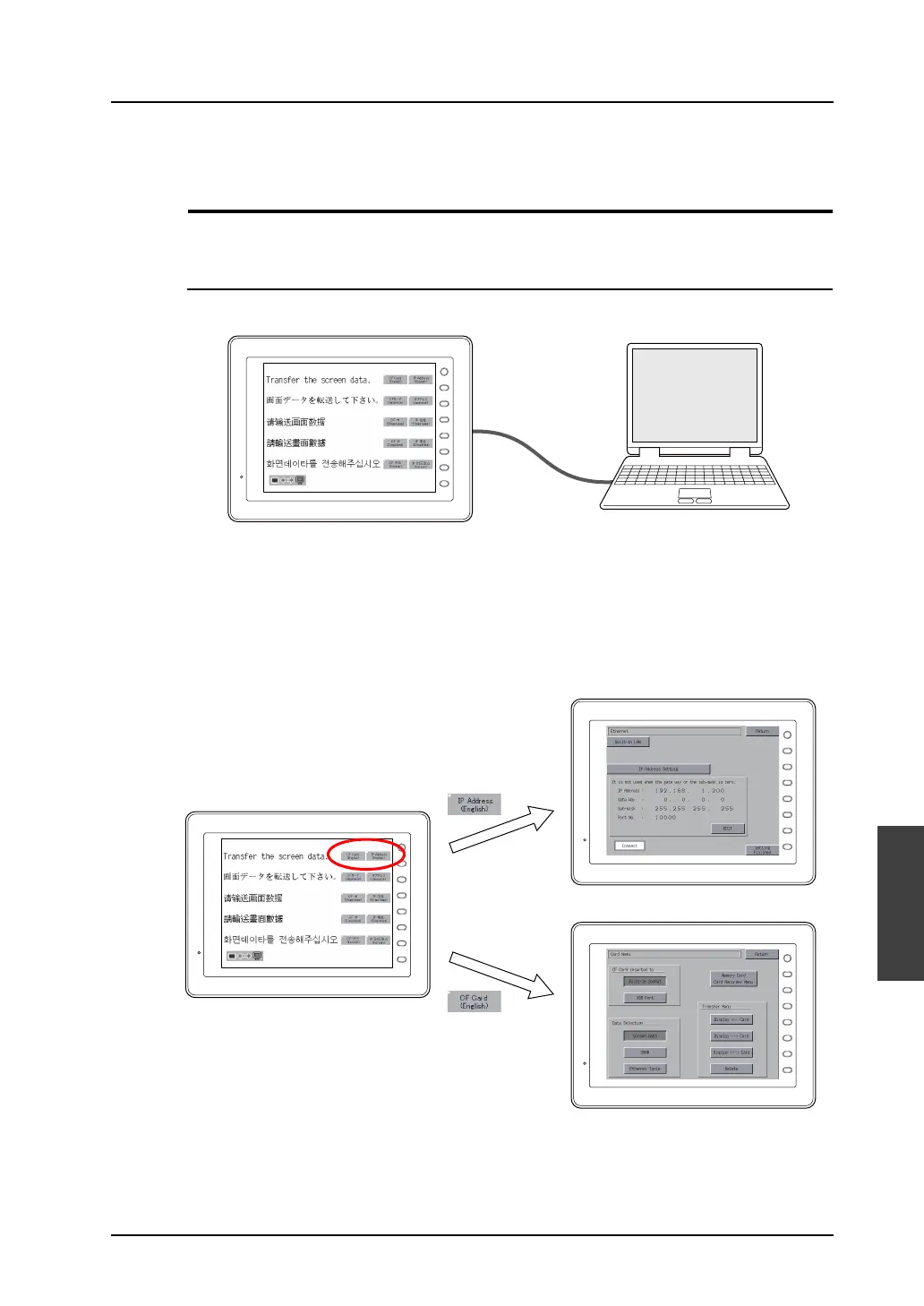
When a new MONITOUCH is started for the first time, the following screen appears.
When transferring via V-CP or USB:
The data can be transferred from the screen shown above.
When transferring via Ethernet or a card:
Press the switch on the screen and bring up each setting menu or transferring screen.
V-CP
F 1
F 2
F 3
F 4
F 5
F 6
F 7
SYSTEM
F 1
F 2
F 3
F 4
F 5
F 6
F 7
SYSTEM
F 1
F 2
F 3
F 4
F 5
F 6
F 7
SYSTEM
F 1
F 2
F 3
F 4
F 5
F 6
F 7
SYSTEM
Ethernet
Card



 To Next Page