6.5 Transfer Procedure (Using a Card)
6-43
6
Transfer with V8
Memory Card
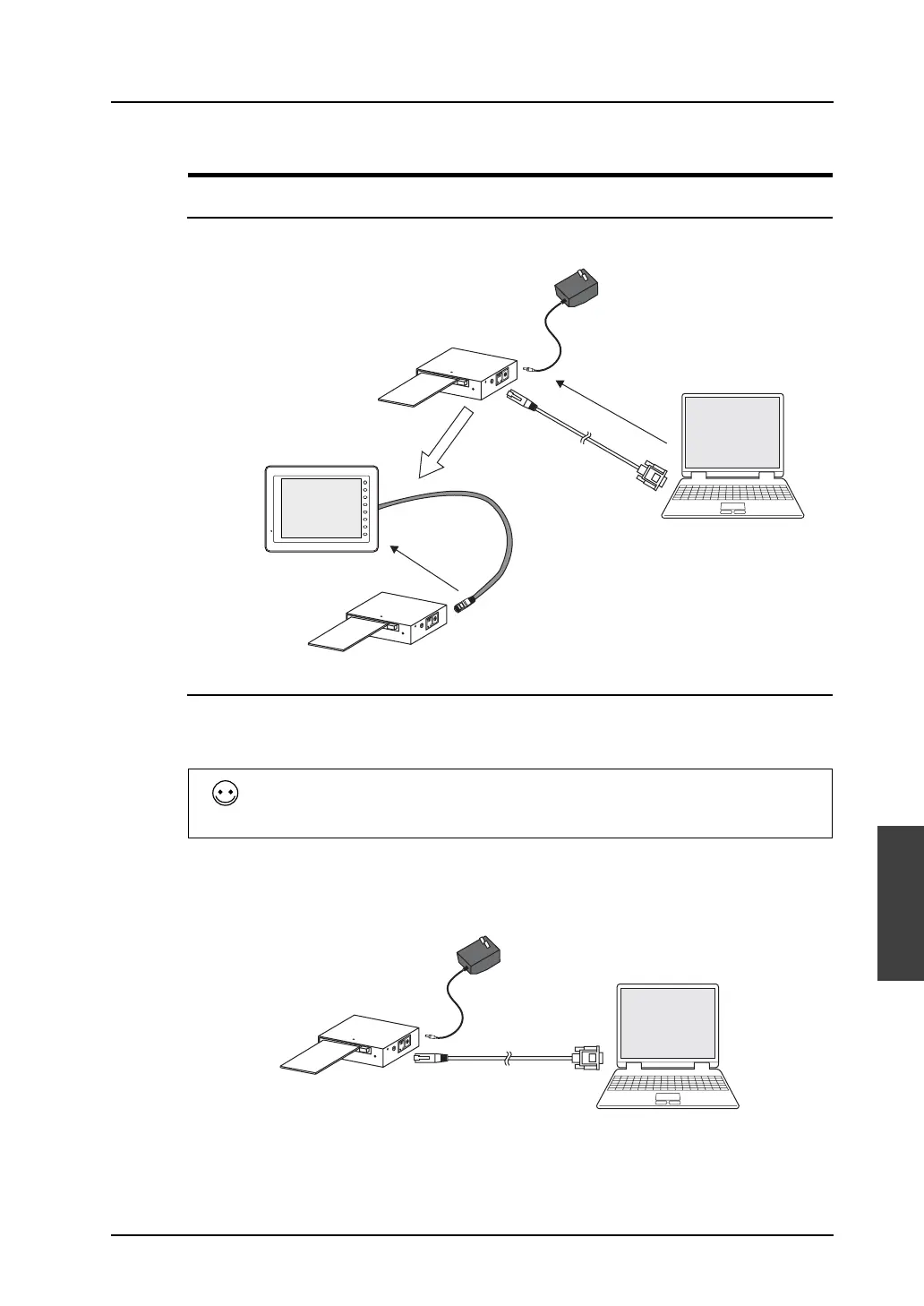
System Configuration
Data is transferred in the following system configuration using a memory card.
Transfer Procedure from Memory Card to MONITOUCH
When a memory card is used, data is transferred by following the procedure described below.
1. Transfer from the editor to the memory card
2. Transfer from the memory card to MONITOUCH
1. Transfer procedure from the editor to the memory card
1) Connect the computer and CREC (card recorder), and insert the memory card into CREC.
Connect the AC adaptor (included as an accessory) to CREC.
CREC
CREC-CP
CREC
V-CP
F 1
F 2
F 3
F 4
F 5
F 6
F 7
SYSTEM
Memory card
V8 series
Memory card
AC adaptor
Connecting to serial port
Conversely, to transfer data from the memory card to MONITOUCH, follow the two steps described
below.
1. Transfer from the memory card to MONITOUCH
2. Transfer from the editor to the memory card
CREC
V-CP
Memory card
AC adaptor



 To Next Page