Font Types
A1-6
Transfer Font Setting
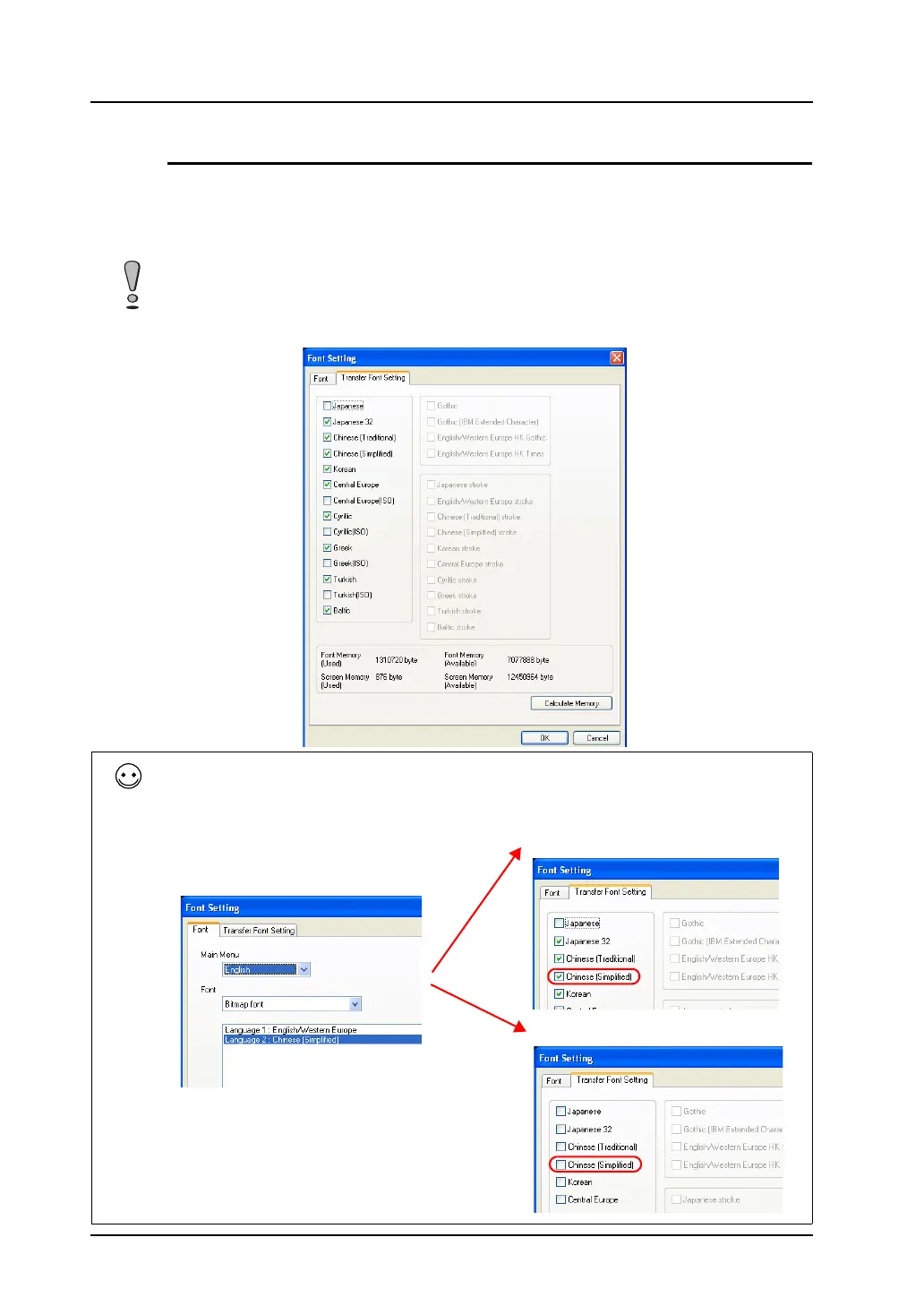
This section explains the font settings for transfer to MONITOUCH.
The V8 series is capable of storing multiple font settings. When necessary fonts are selected in the
dialog below, the language displayed on the V8 unit can be switched to any of these languages without
the use of a CF card.
More fonts to be transferred to MONITOUCH will decrease the screen data capacity. In terms of
avoiding memory shortage, do not select unnecessary fonts.
Default settings
Notes on creating multi-language screens
When all of the languages selected as [Interface Language: 2 - 8] in the [Font] tab window are selected in the
[Transfer Font Setting] tab window, no CF card is required. However, if a font selected in the [Font] tab window is
deselected in the [Transfer Font Setting] tab window, a CF card must be used.
Interface Language: 2
Language 1: English/Western Europe
Language 2: Chinese (Simplified)
CF card unnecessary
CF card necessary



 To Next Page