EasyManua.ls Logo

Hakko Electronics V8 series - Starting and Stopping Communication; Starting Communication; Stopping Communication

Hakko Electronics V8 series
610 pages
Print Icon
To Next Page IconTo Next Page
To Previous Page IconTo Previous Page
Loading...
8.1 Simulator
8-13
8
Useful Functions
Starting and Stopping Communication
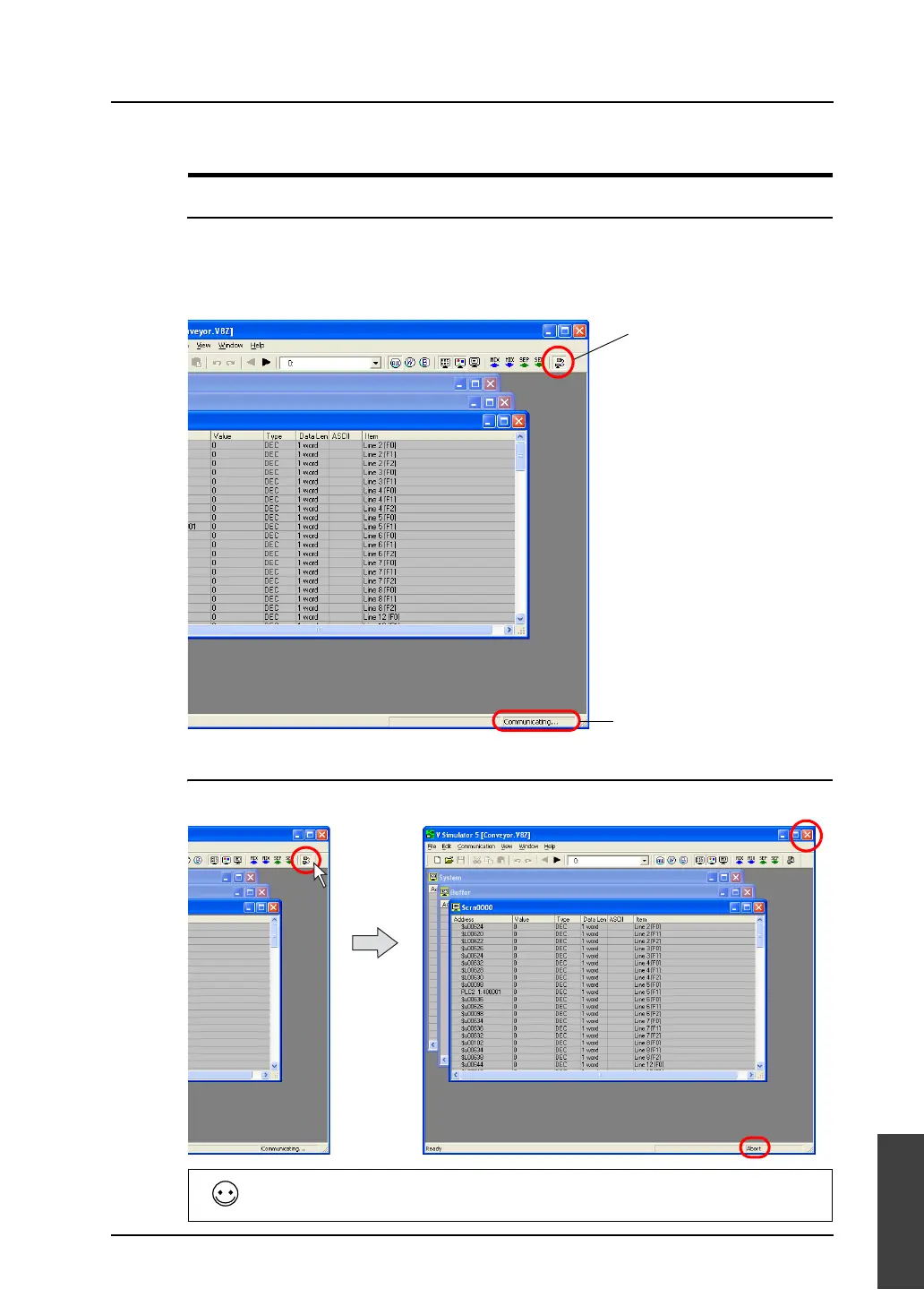
Starting Communication
Communication using Simulator is started when the [Simulator] window is opened.
The communication status is shown on the [Communication] icon or on the status display at the bottom
of the window.
Stopping Communication
Click the [Communication] icon and make it raised (communication stopped).
The message “SIM Communication Error Simulator Not Connected” appears at the upper left of the
screen on MONITOUCH.
Status display
Depressed: Communicating
Raised: Interrupted
Click.

Table of Contents