5.11 Data Sheet
5-56
5.11 Data Sheet
When data sheet screens have been registered, data in the format of data sheet can be printed out
from MONITOUCH by means of the data sheet function.
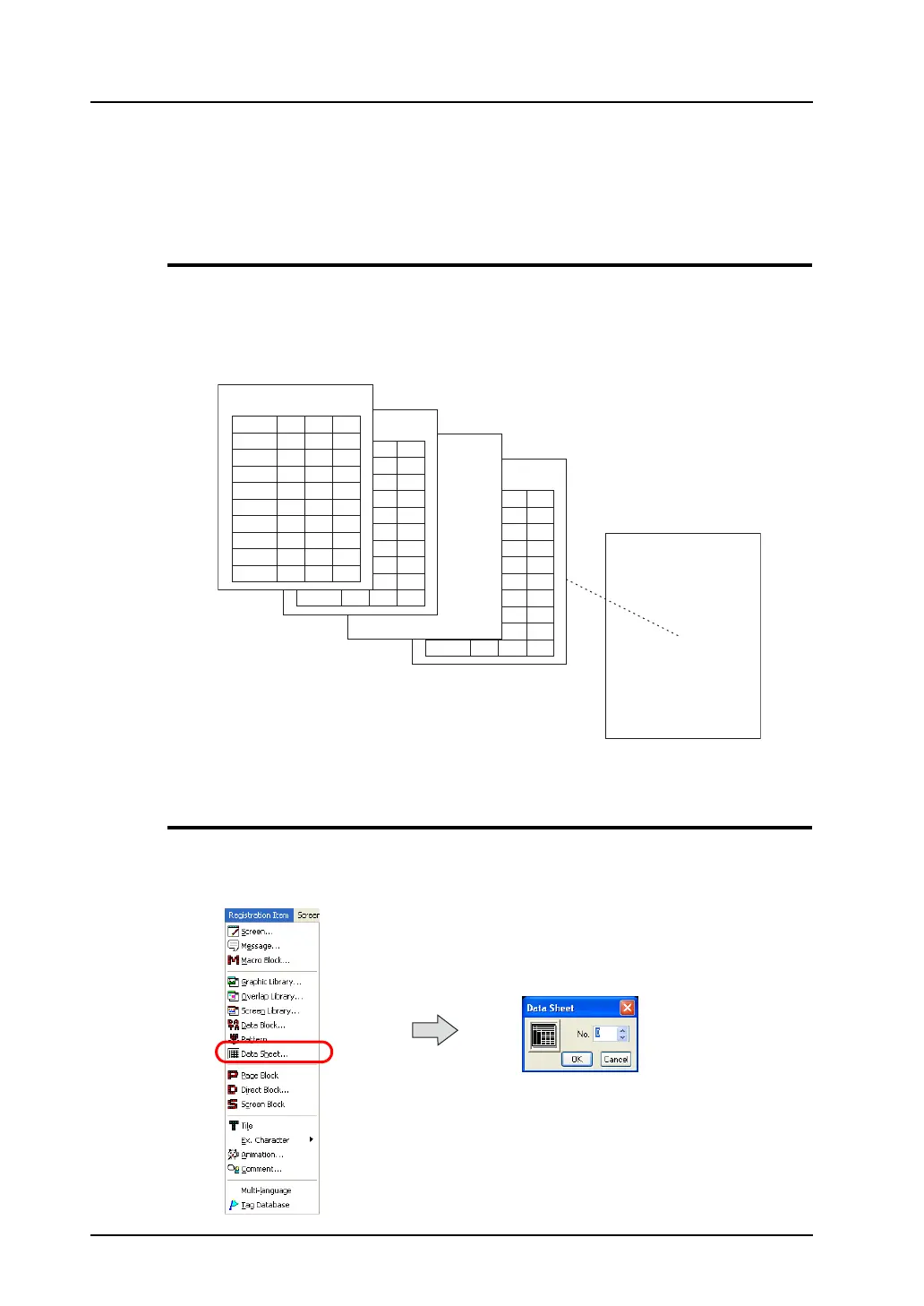
Data Sheet Structure
A maximum of 1,024 data sheets can be registered.
Make settings for a data sheet including the size and orientation in the [Data Sheet Page Setting]
dialog.
For information on the dialog, refer to the next page.
Calling a Data Sheet
Select [Data Sheet] from the [Registration Item] menu.
The [Data Sheet] dialog is displayed. Specify the data sheet number to be opened and click [OK].
(Alternatively, you can call the screen from the [Screen] menu in Project View.)
1
2
3
4
5
1234
1234
1234
1234
1234
1234
1234
1234
1234
1234
6
7
8
9
1234
1234
1234
1234
1234
1234
1234
1234
1234
1234
1234
1234
1234
1234
1234
1234
1234
1234
1234
1234
1
2
3
4
5
1234
1234
1234
1234
1234
1234
1234
1234
1234
1234
6
7
8
9
1234
1234
1234
1234
1234
1234
1234
1234
1234
1234
1234
1234
1234
1234
1234
1234
1234
1234
1234
1234
1234
1234
1234
1234
1234
1234
1234
1234
1234
1234
1234
1234
1234
1234
1234
1234
1234
1234
1234
1234
1234
1234
1234
1234
1234
1234
1234
1234
1234
1234
No. 0
No. 1
No. 2
No. 3
No. 1023
Data sheet
Data 1
Data 2
Data 3
Data 4
Data 5
Data 6
Data 7
Data 8
Data 9
Data 10
Data 10
Data 10
Line A setting
Setting
Setting
A maximum of 1,024 data
sheets can be registered.



 To Next Page