5.4 Message
5-8
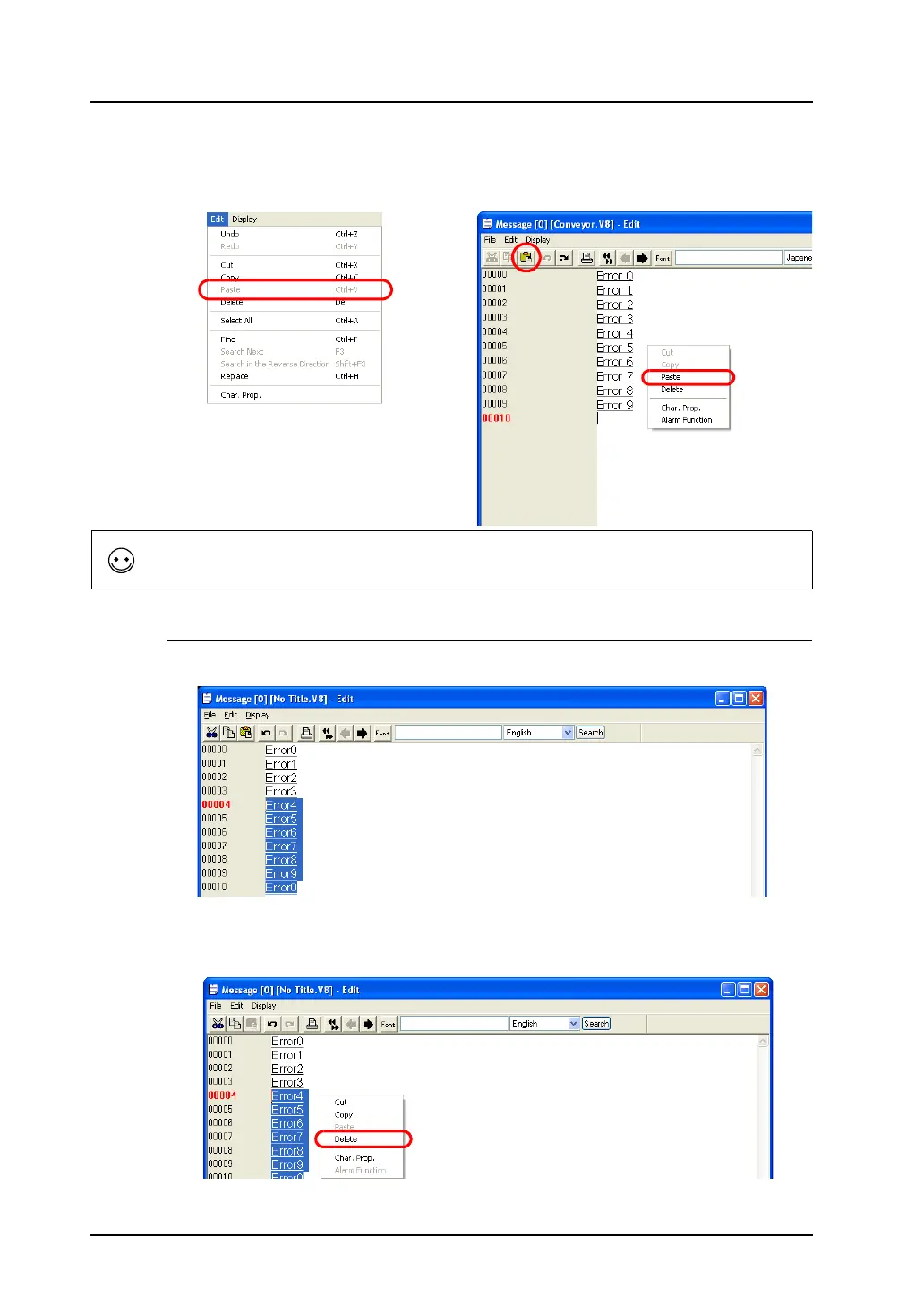
3. Move the cursor to the copy target position. Select [Paste] from the [Edit] menu or the right-click
menu, or click the [Paste] icon on the edit toolbar.
The specified messages are copied to the position.
Deleting Messages
1. Specify messages to be deleted by dragging the mouse. The messages are highlighted.
2. Select [Delete] from the [Edit] menu or the right-click menu (or press the Delete key on the
keyboard).
The specified messages are deleted.
OR
Right-click.
The [Paste] command inserts messages into the specified position so that the following lines move
down accordingly.
Right-click.



 To Next Page