5.7 Overlap Library
5-29
5
Registration
Other Settings
Make the following settings as desired for the overlap library.
Base Screen Display
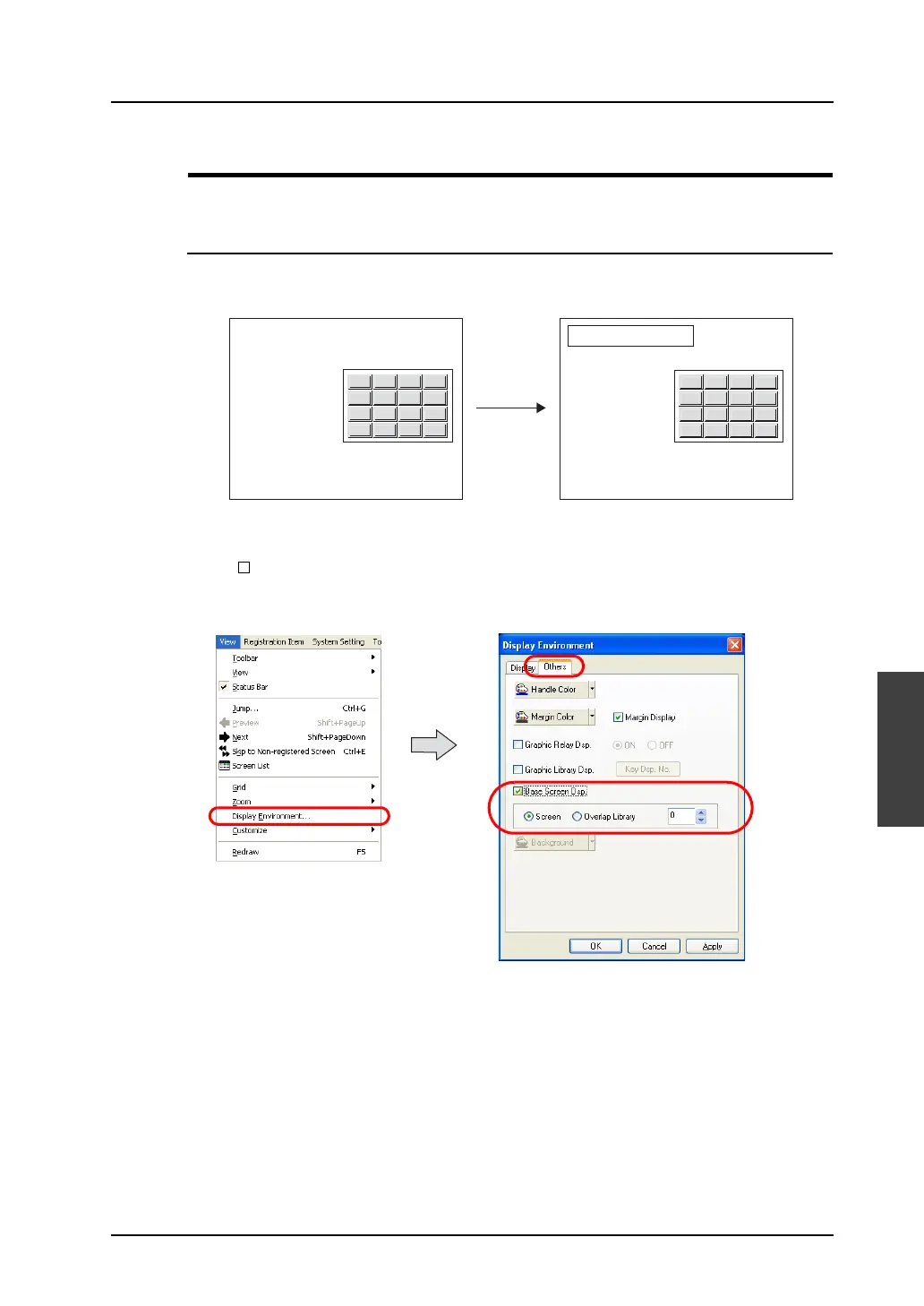
During overlap library editing, a screen can be placed behind the overlap to check the actual image.
Select [View] → [Display Environment].
The [Display Environment] dialog is displayed. Open the [Others] tab window.
Check [ Base Screen Dsp.]. [Screen] becomes active. Click [Screen] and specify the desired
number.
Click [OK]. The selected screen is placed behind the overlap display.
If no screen is displayed, select [Redraw] from the [View] menu or press the F5 key on the keyboard.
0 . CLR CR
1 2 3 +-
4 5 6 DW
7 8 9 UP
1234
1234
1234
1234
1234
0 . CLR CR
1 2 3 +-
4 5 6 DW
7 8 9 UP
Only overlap library Displayed on a base:
Change set value
Data A
Data B
Data C
Data D
Data E



 To Next Page