HK Gothic and HK Times
A1-22
1. Font Type Setting
In the [Font Setting] dialog selected from the [System Setting] menu, select [English/Western Europe
HK Gothic] or [English/Western Europe HK Times] for [Font].
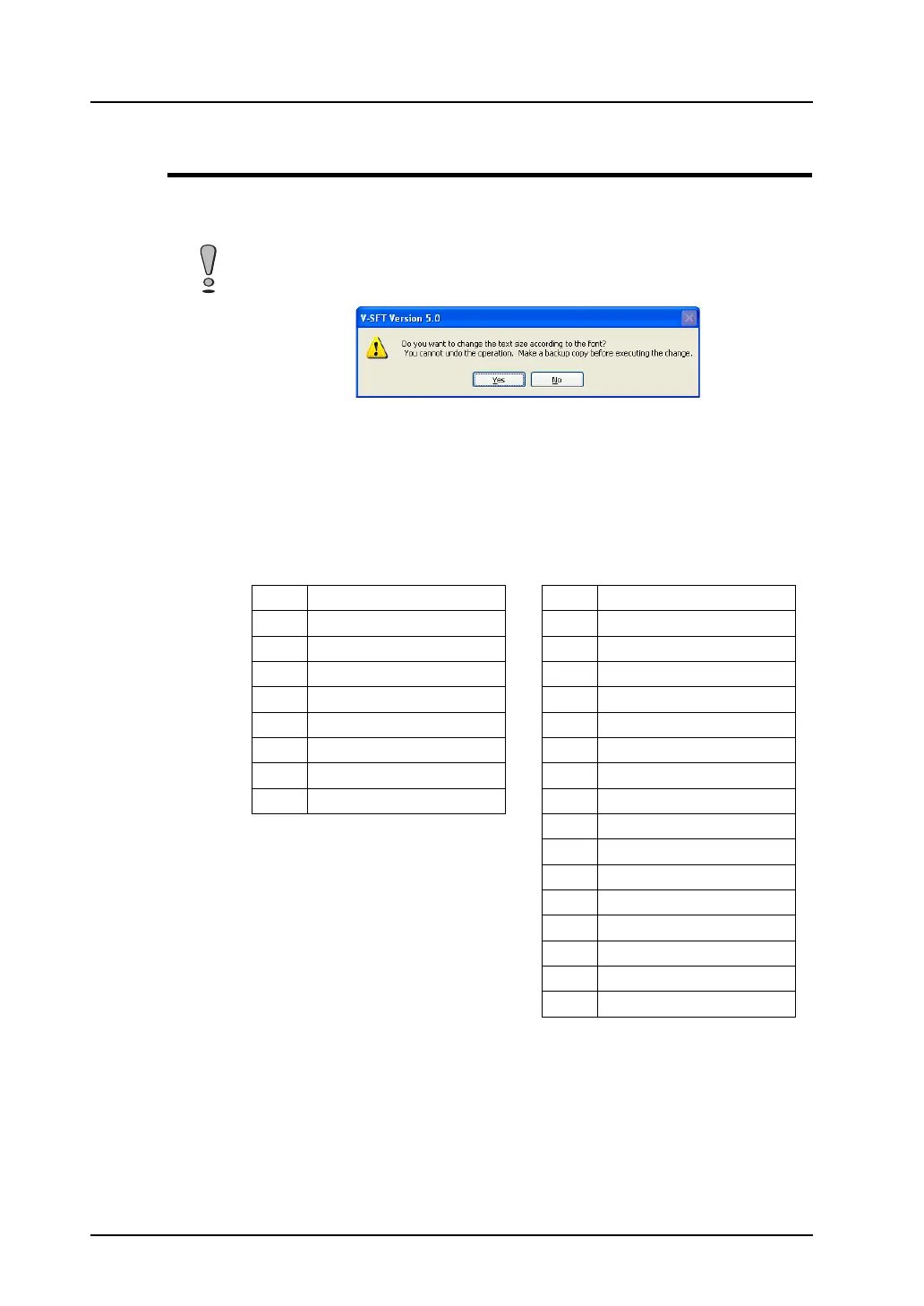
If you attempt to change a [Font] setting from [English/Western Europe] to
[English/Western Europe HK Gothic] or [English/Western Europe HK Times], the following
alarm message appears.
When [Yes] is clicked, the English/Western Europe font is converted into the HK Gothic or
HK Times (whichever is selected) that is in the number of points closest to the X
enlargement factor of the English/Western Europe font. If no backup copy of the screen
data is saved, click [No] and save a backup copy.
If you attempt to change a [Font] setting from [English Western Europe HK Gothic] or
[English/Western Europe HK Times] to [English/Western Europe], an alarm message
appears as well. The table below shows the character sizes in relation to font conversion.
HK Fonts → [English/Western Europe]
Points X and Y enlargement factors
81
× 1
91
× 1
10 1
× 1
11 1
× 1
12 1
× 1
14 1
× 1
16 1
× 1
18 1
× 1
20 2
× 2
22 2
× 2
24 2
× 2
26 2
× 2
28 2
× 2
36 3
× 3
48 4
× 4
72 6
× 6
[English/Western Europe] → HK Fonts
Points X enlargement factor
112
224
336
448
572
672
772
872



 To Next Page