5.16 Animation
5-72
5.16 Animation
This area is provided for the use of the animation function.
Graphics for animation are registered.
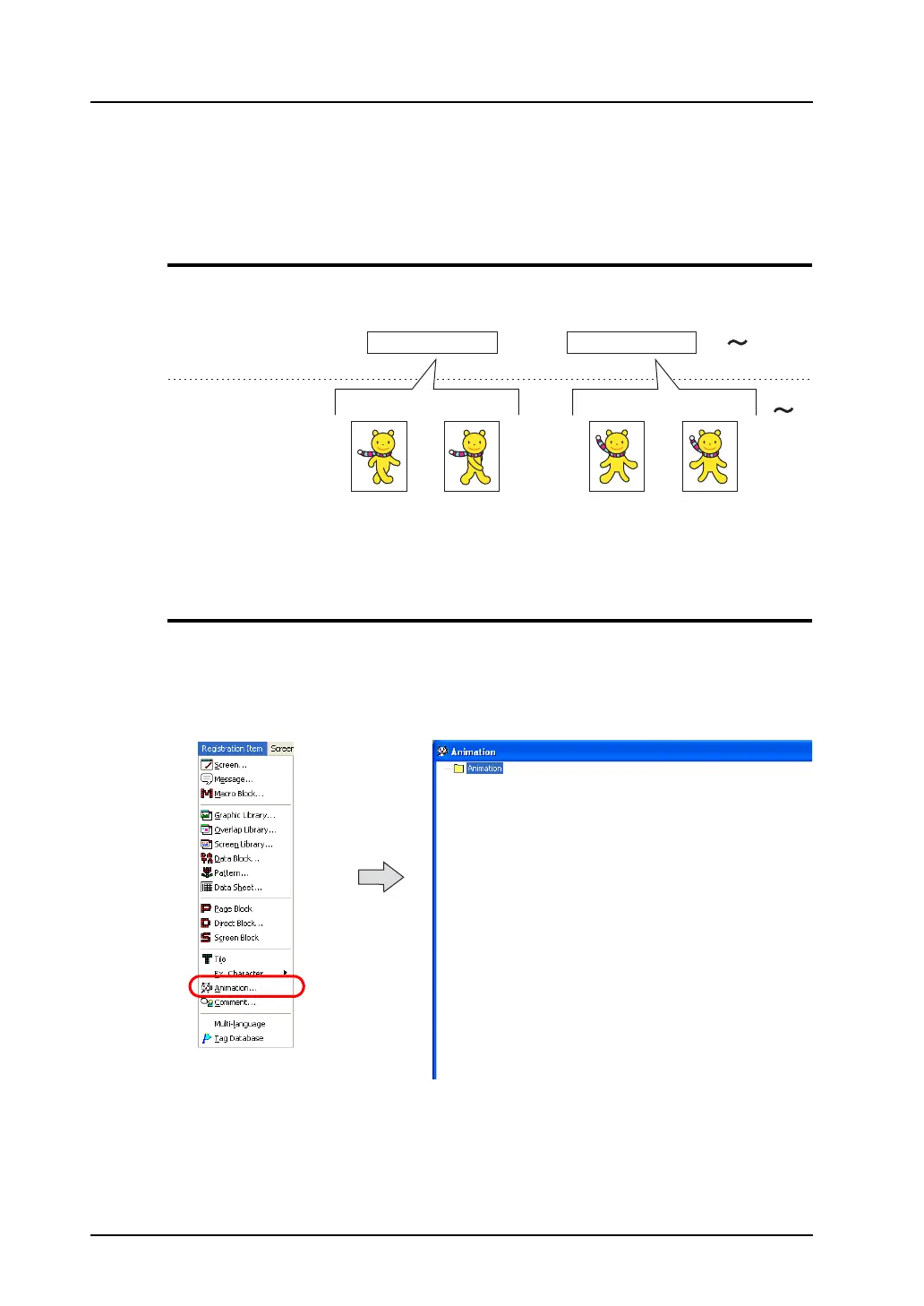
Animation Function Structure
There are [Animation] and [Frame] sections in the animation function. Graphics are registered in
[Frame] sections and graphics to be used are selected in [Animation] sections.
A maximum of 1,024 animation settings from No. 0 to No. 1,023 can be registered.
A maximum of 1,023 frames from No. 0 to No. 1022, which are defined in [Animation], can be
registered.
Calling an Animation Function
Select [Animation] from the [Registration Item] menu.
The [Animation] window is displayed.
By making necessary settings in the window, [Animation] folders and their respective [Frame] folders
are displayed.
(Alternatively, you can call the screen from the [Screen] menu in Project View.)
Animation (0 to 1023)
Frame (0 - 1,022)
Animation No. 0 Animation No. 1
Frame No. 0
Frame No. 1
Frame No. 2
Frame No. 3



 To Next Page