8.1 Simulator
8-14
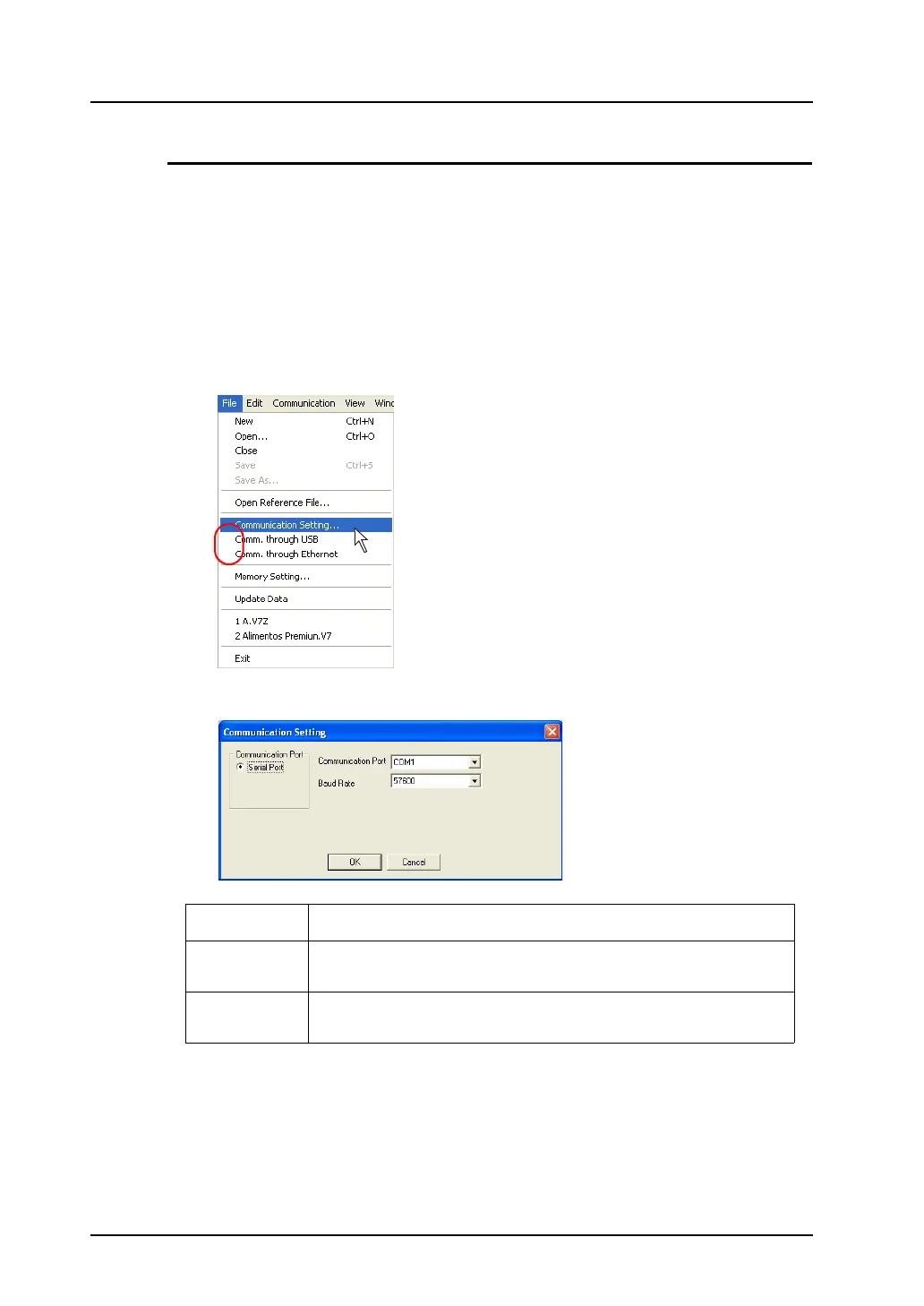
Communication Setting
Make the required settings for communications between the computer and the V8 series.
If the settings are faulty, the V8 series and computer will not communicate correctly.
In such an event, be sure to check the settings.
* Before checking the communication settings, suspend the communication between
devices.
Serial communication
1. Click [File] on Simulator.
Check that [Comm. through USB] and [Comm. through Ethernet] are unchecked. Click
[Communication Setting].
2. The [Communication Setting] dialog is displayed.
Communication
Port
Serial Port
Communication
Port
COM1 - COM256
Select a communication port number for RS-232C of the computer.
Baud Rate Set a baud rate used between the V8 series and the computer.
(This has no relation to the actual communication baud rate between the V8 series
and the PLC.)



 To Next Page