4.3 Drawing Methods
4-18
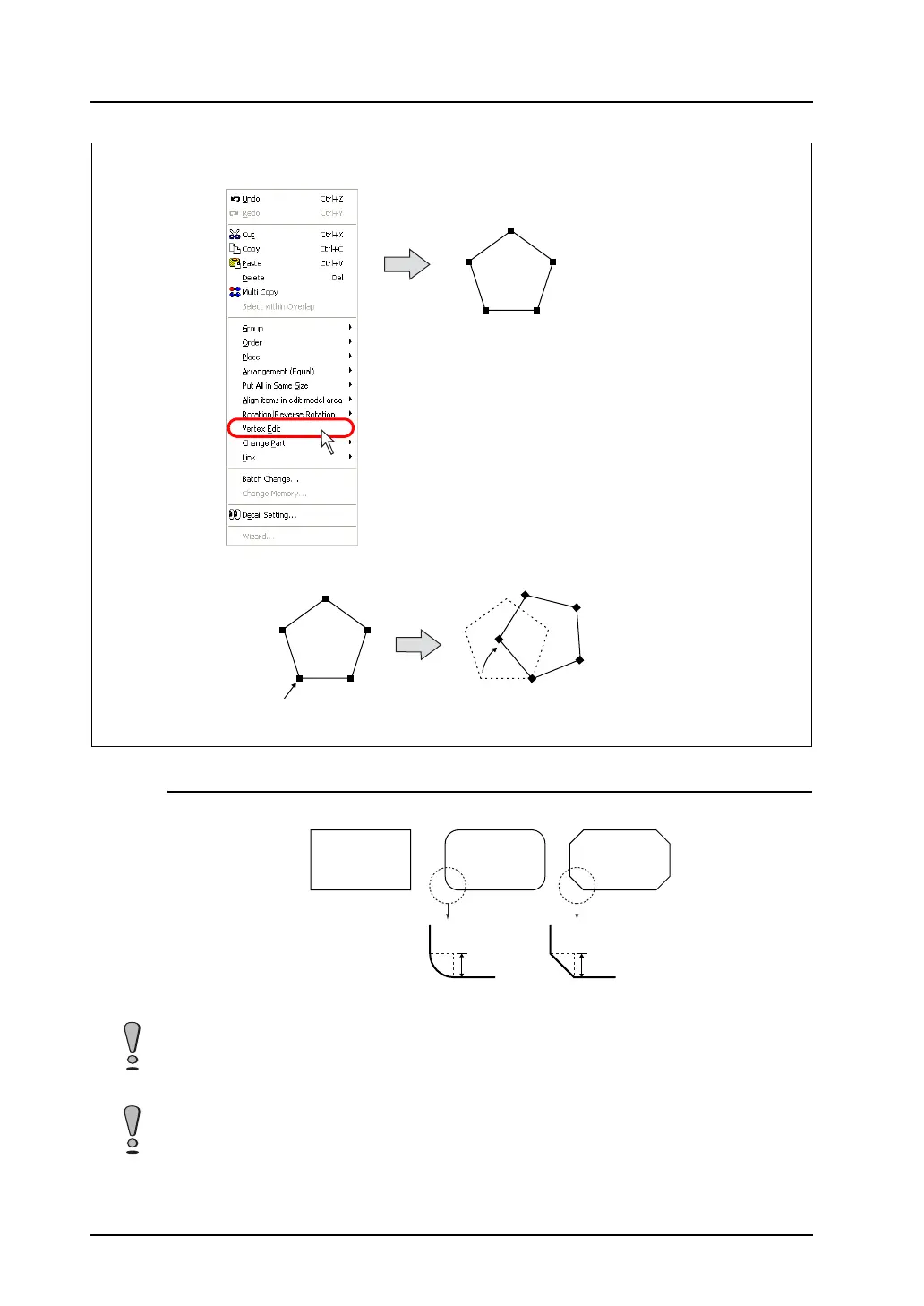
Round Chamfering / Chamfering
A “chamfered box” is created by transforming the corner of a rectangle (box).
Select either [Round Chamfering] or [Chamfering] before drawing the rectangle.
Click [Vertex Edit].
Handles are shown at its corners.
Dragging the handle allows you to move the polygon or change the radius.
Click [Vertex Edit].
The handle position is changed.
Drag this.
The graphics can be rotated,
enlarged or reduced.
No
chamfering
Round
Chamfering
Chamfering
Radius Radius
When a chamfered box is selected, it is impossible to change a line style. All the lines are drawn in
solid lines.
When [With Frame (Paint)] for a round-chamfered box is selected, XOR display cannot be used. For
example, if [With Frame (Paint)] is specified for a round-chamfered box in graphic-relay mode, its
display is disabled on MONITOUCH. For more information on XOR display, refer to “Chapter 11
Graphic” in the V8 Series Reference Manual.



 To Next Page