4.3 Drawing Methods
4-31
4
Drawing
Text
How to Enter or Place Text and Multi-text
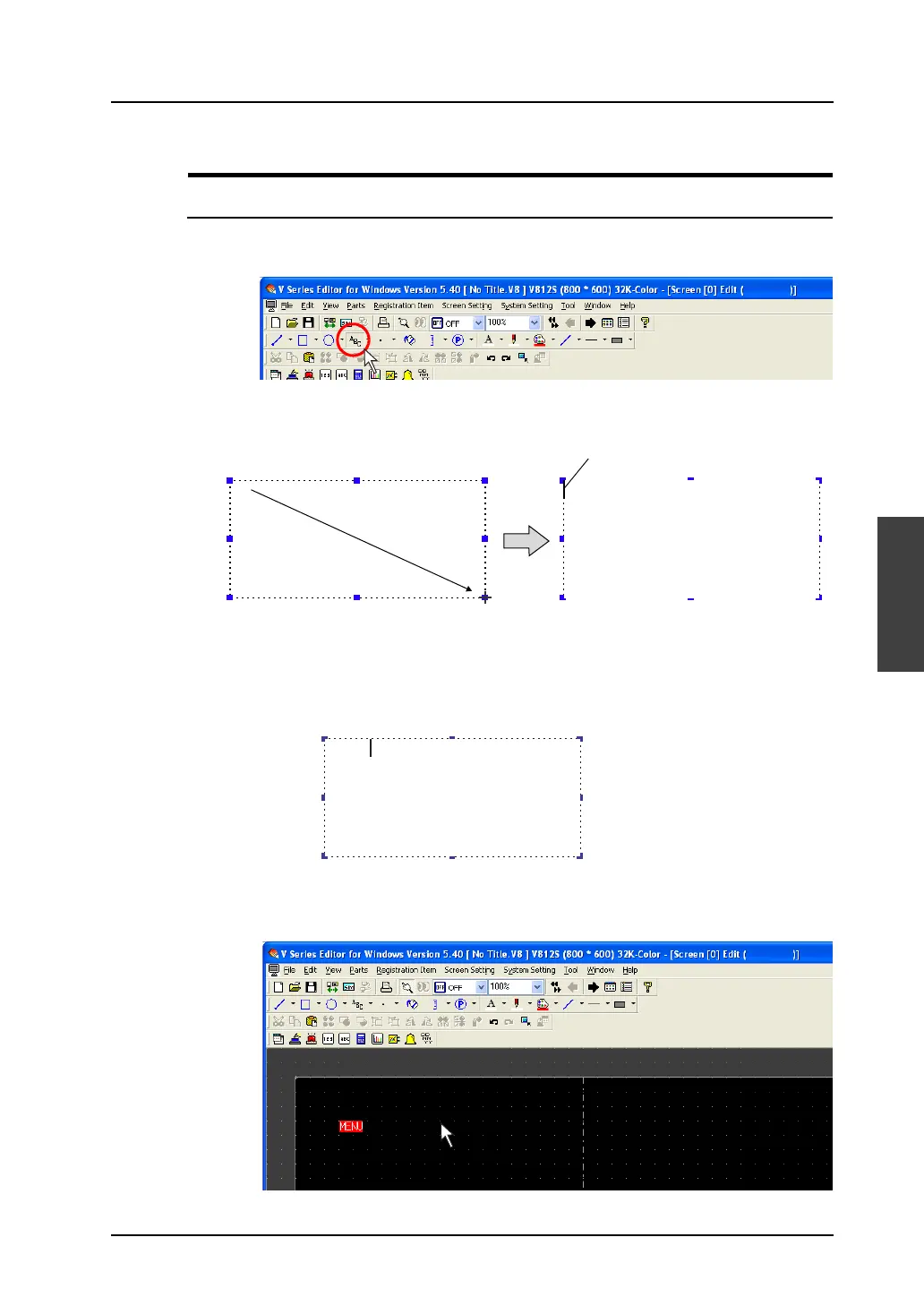
1. Click the [Text] icon on the toolbar.
The [Text] icon is depressed and the mouse cursor is turned into a cross-shaped cursor.
2. Drag the mouse from the start point to the end.
The field is created and the blinking cursor appears.
3. Enter text.
(The text is displayed with tentative properties at this time. The text properties are reflected after
performing step 4.)
4. Click the mouse at any position other than the text.
The text entered in step 3. is displayed.
5. Change the text properties in the item dialog.
Drag.
The cursor blinks.
Menu



 To Next Page