5.15 Tile
5-69
5
Registration
5.15 Tile
For painting a graphic, a paint pattern can be selected from eight default types plus up to eight extra
patterns that you register.
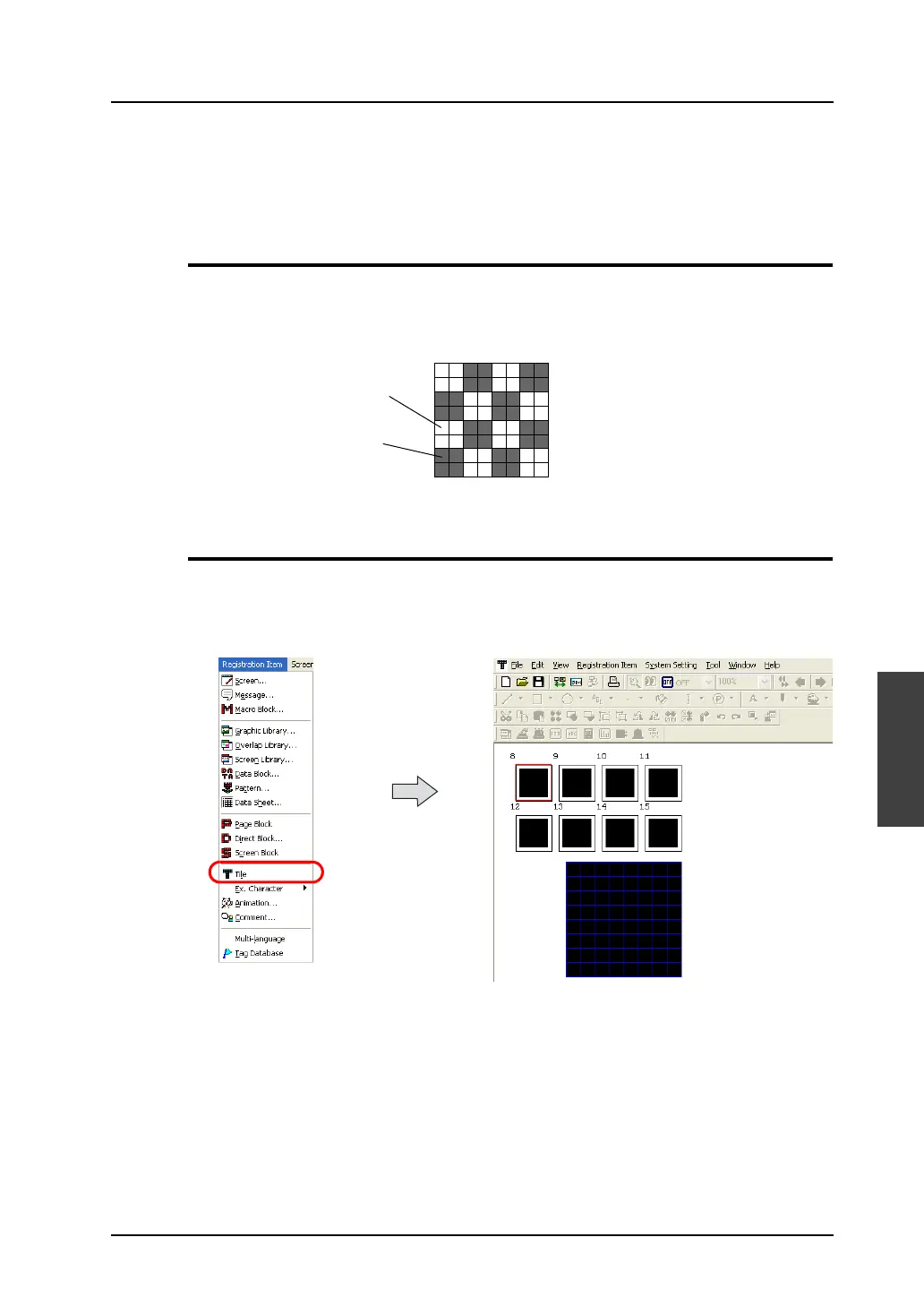
Tile Structure
A maximum of 8 tiles can be registered.
The size of one tile is 8 × 8 dots.
White dots specified on a tile are regarded as areas in the foreground color and black dots are
regarded as areas in the background color.
Calling a Tile
Select [Tile] from the [Registration Item] menu.
The [Tile Edit] window is displayed.
(Alternatively, you can call the screen from the [Screen] menu in Project View.)
White dots specified in tile editing are
colored in the foreground color and black
dots are colored in the background color.
Foreground
Background



 To Next Page