5.14 Screen Block
5-68
Screen Block Editing
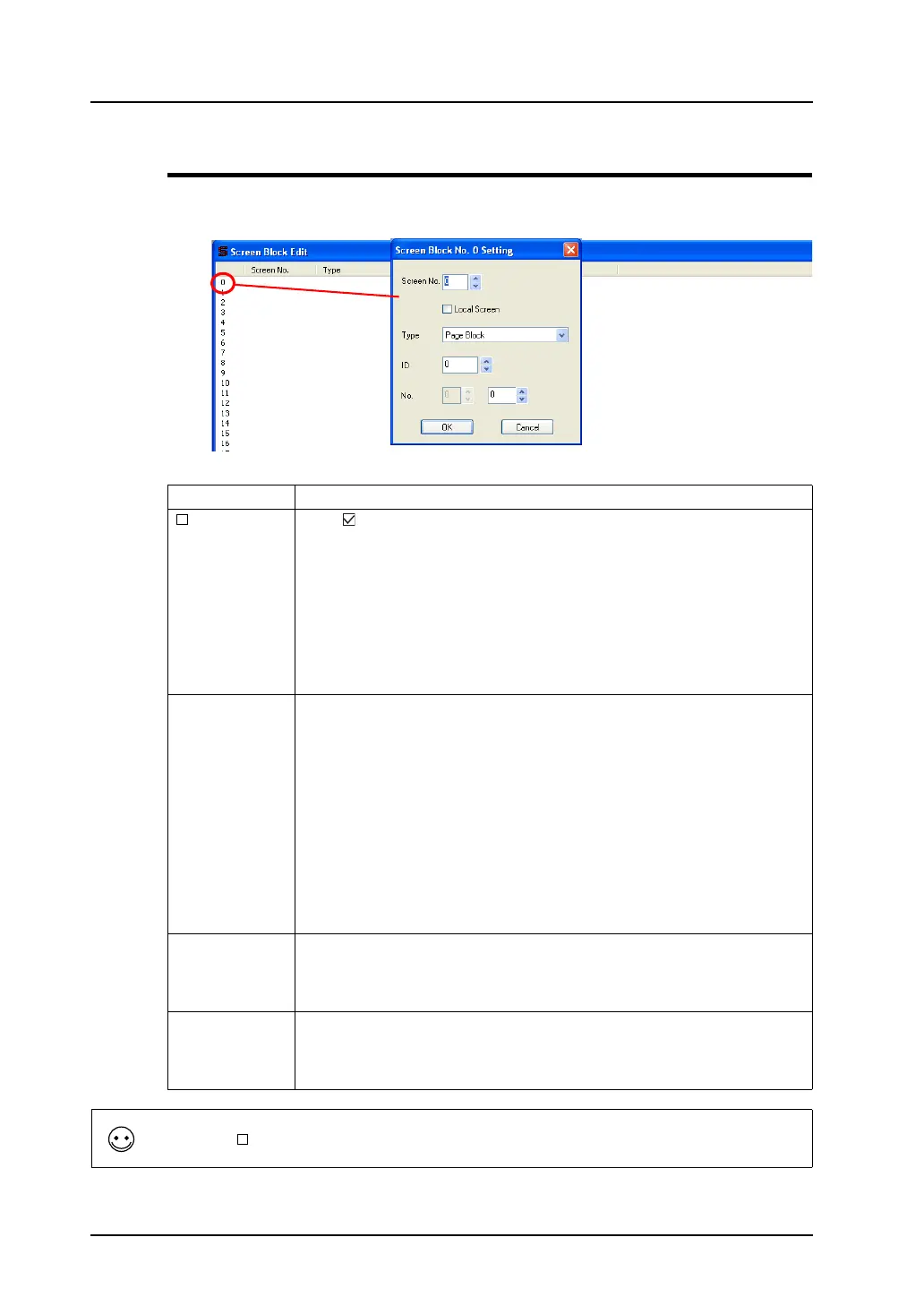
Double-click the block No. 0.
The [Screen Block No. 0 Setting] dialog is displayed.
Set each option in the window, referring to the description below.
Screen No. Specify the screen number to be used as a screen block.
Local Screen Click ( ) this option when the original bit order alarming mode screen and the
screen to be called as a screen block are the same.
In the case that alarm messages linked to different data blocks respectively, it is
convenient that only the data block numbers are switched on the same screen
according to the currently active message.
For this operation, in the [Screen Block Edit] window, change only the numbers
for [Block No.] related to the same screen. Register several screen blocks of
the same screen number with [Local Screen] checked. With these settings, a
screen call is set where different blocks are displayed depending on the bit
activation.
Type Select the part type included in the screen that is specified for [Screen No.].
• Page Block/Direct Block
These blocks are available when the message mode is selected. Select
either one in accordance with the block used in the message mode on the
specified screen.
• Graphic Library
When the graphic mode is used on the specified screen, choose this option.
• Data Block
When [Block] is chosen for [Type] in the [Entry] dialog (for the entry mode)
or a data block area is set on the specified screen, choose this option.
• No Designation
When no part (= mode) as the above is used on the specified screen,
choose this option.
ID This option is necessary when something other than [No Designation] is
selected for [Type].
Specify the same ID as the one where the mode selected by [Type] is
registered.
No. This option is necessary when something other than [No Designation] is
selected for [Type].
Specify the block or library number of the contents that are applied to the
sub-display of the original alarm message.
Double-click the
number.
Checking [ Local Screen] shows “Local Screen” in the cell under [Screen No.].



 To Next Page