3.8 Useful Functions for Screen Editing
3-101
3
Screen Editing
Setting Example
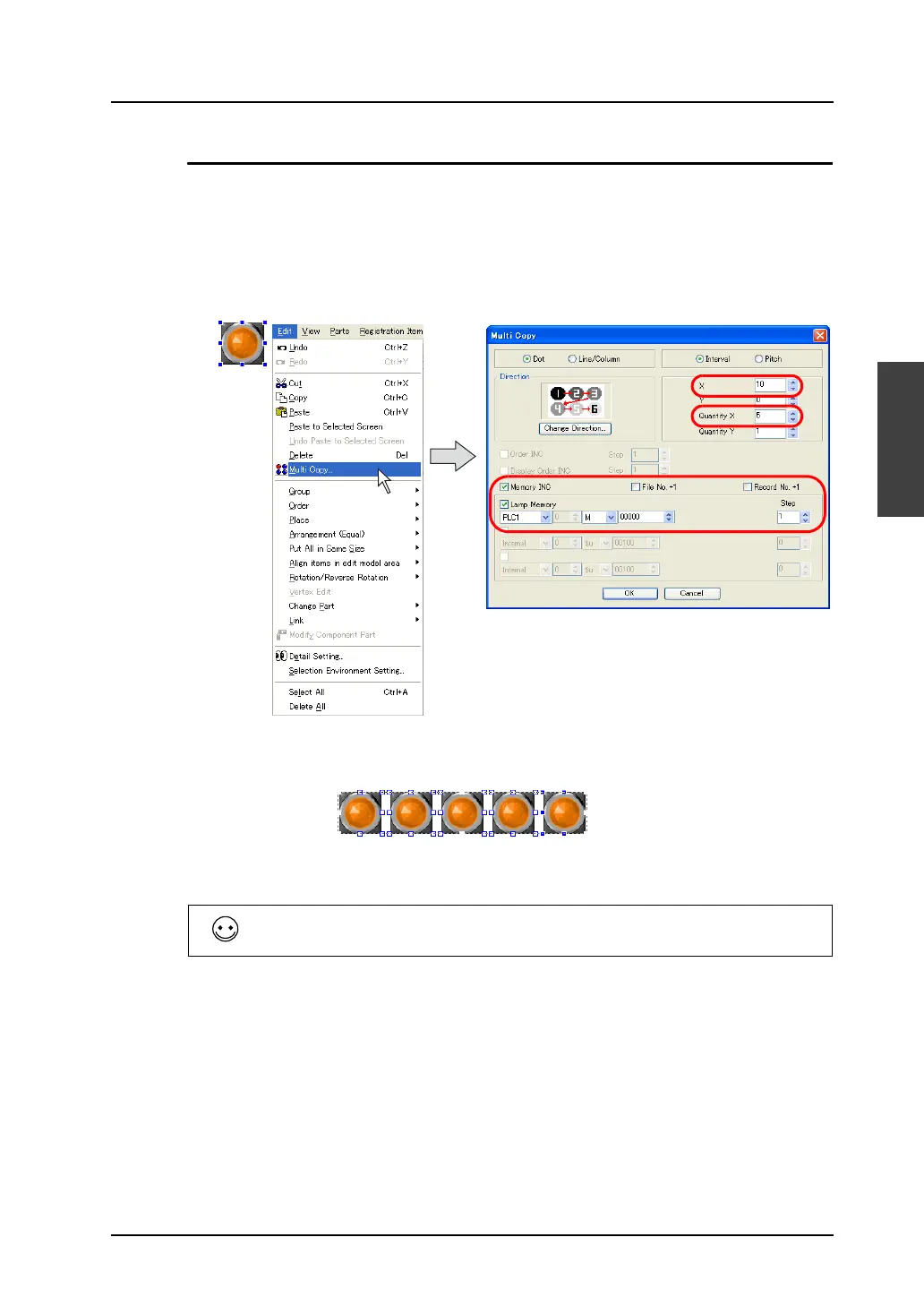
This section provides the procedure to make five copies of the lamp part and place them horizontally
using the multiple copy function.
1. Select the lamp part, and click [Multi Copy] from the [Edit] menu, click the [Multi Copy] icon or from
the right-click menu. The [Multi Copy] dialog opens.
2. Set as shown below.
3. Click [OK]. Five copied lamps are horizontally placed.
The valid setting items in the [Multi Copy] dialog vary depending on the selected parts.
The above example shows the setting items for the lamp part only.
M0 M1 M2 M3 M4



 To Next Page