5.5 Macro Block
5-12
5.5 Macro Block
Macro programs are registered in macro blocks.
Macro blocks are executed by CALL commands in the macro mode or in other macro programs.
Macro Block Structure
A maximum of 1,024 macro blocks can be registered. A maximum of 1,024 lines can be set for one
macro block.
Calling a Macro Block
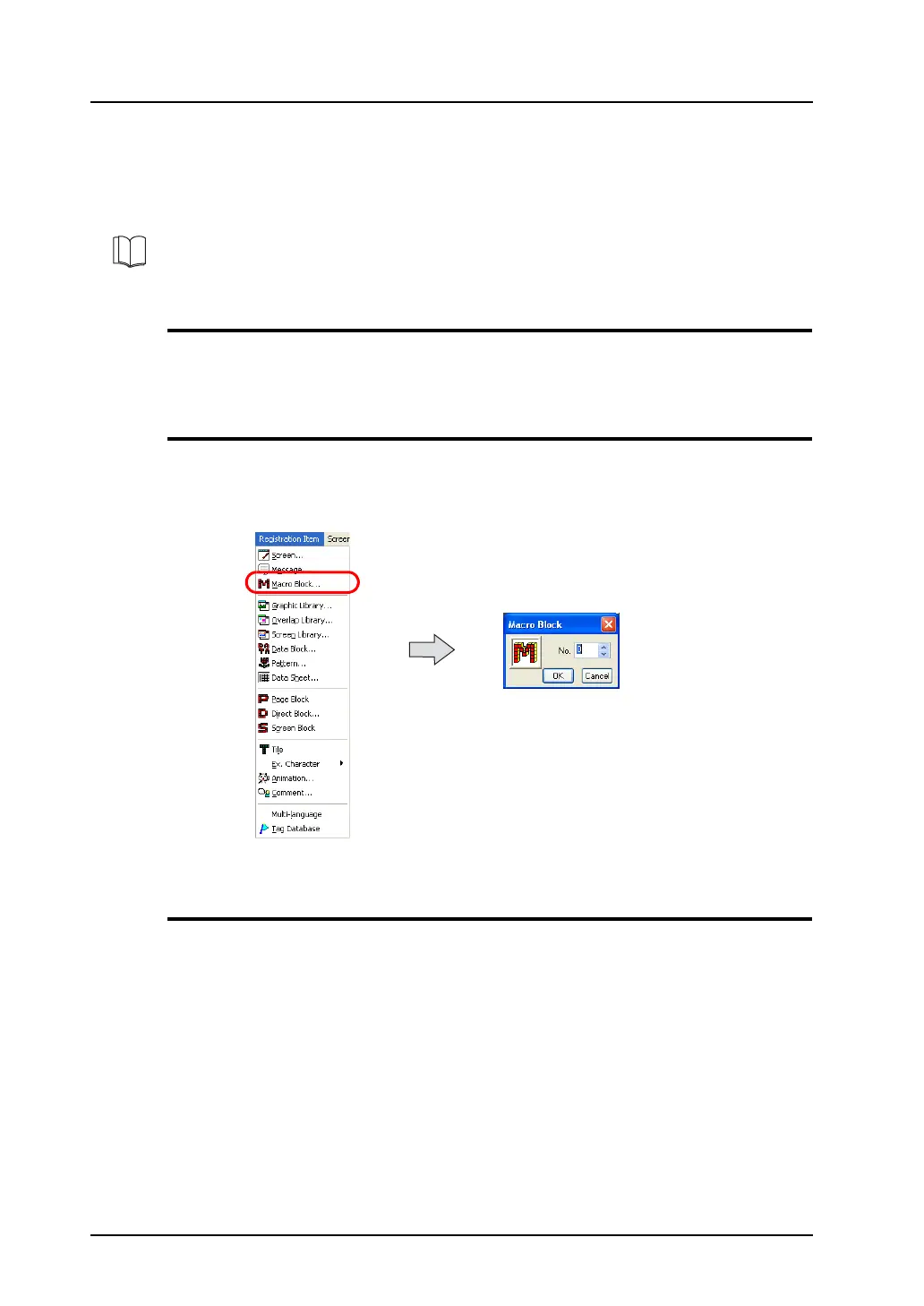
Select [Macro Block] from the [Registration Item] menu.
The [Macro Block] dialog is displayed. Specify the macro block number to be opened and click [OK].
(Alternatively, you can call the screen from the [Screen] menu in Project View.)
Macro Block Editing
For more information on macro editing, refer to “Chapter 2 Edit” in the V Series Macro Reference
Manual.
For more information on macros, refer to the V Series Macro Reference Manual.



 To Next Page