4.2 Attribute Setting Icon
4-5
4
Drawing
Selecting Colors
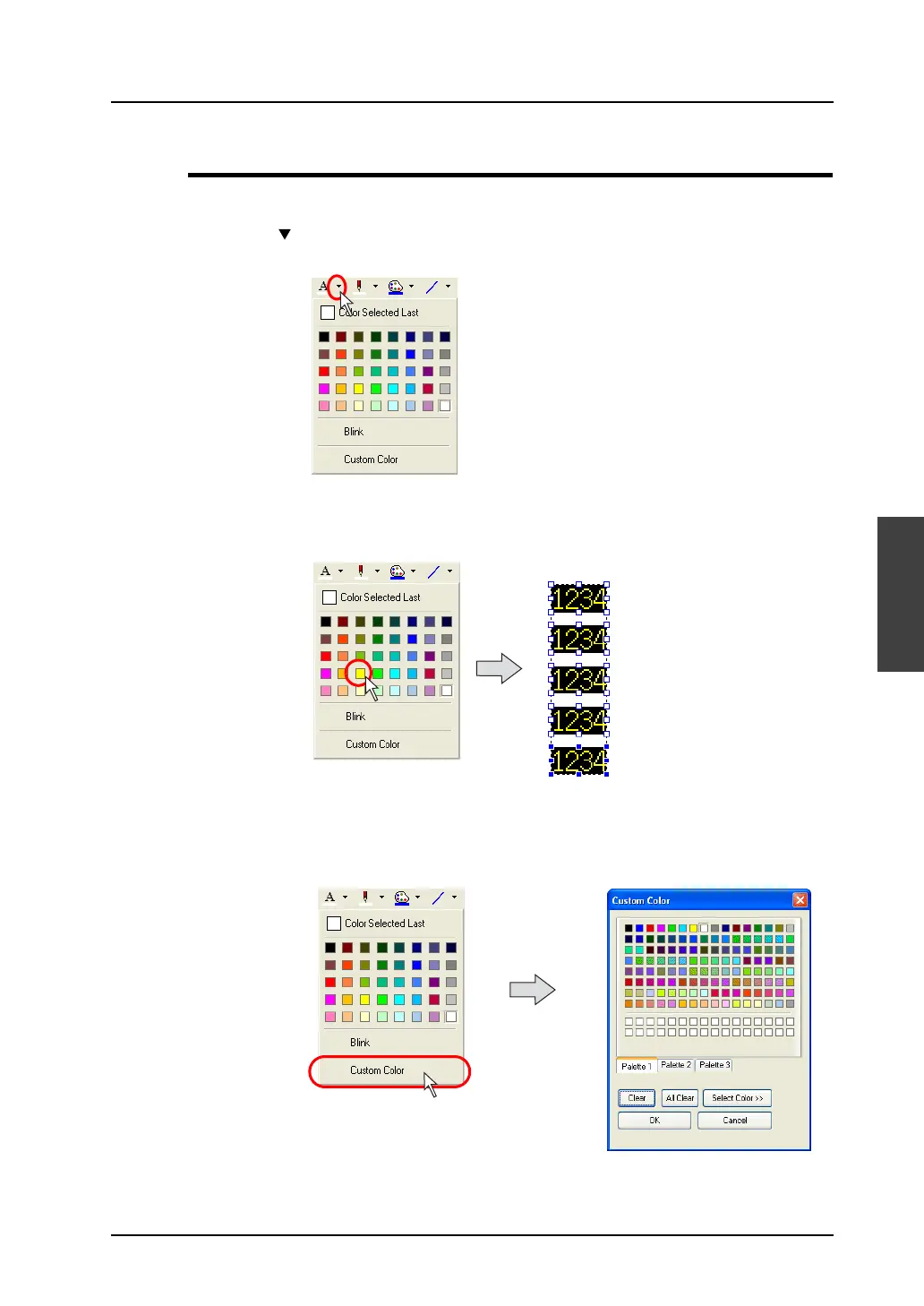
Select colors for text, line, frame, paint or background by following the procedures shown below.
1. Click the “ ” mark on the right of each icon.
The pull-down menu for selecting a color is displayed.
2. If you find a color you like in the menu, click the color.
The item is displayed in the selected color.
3. If you want to select any colors other than the ones in the menu, click [Custom Color].
The [Custom Color] dialog is displayed.
Click.
Yellow is selected as a
foreground color.



 To Next Page