8.5 List of Memory Address in Use
8-55
8
Useful Functions
Searching the Whole File
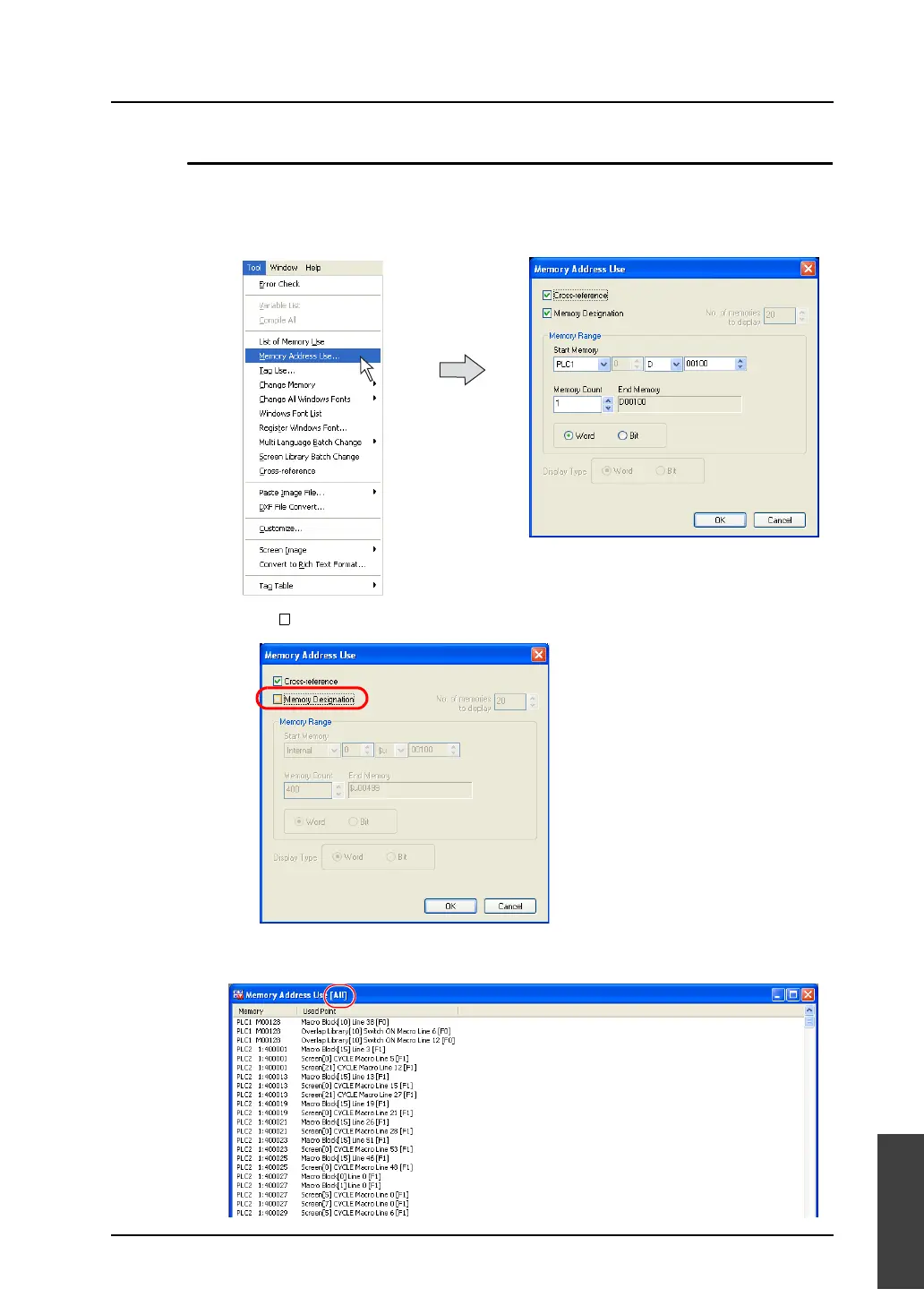
This section explains how to find which memory is used and where it is allocated in the whole file.
1. Click [Memory Address Use] from the [Tool] menu.
The [Memory Address Use] dialog is displayed.
2. Uncheck [ Memory Designation].
3. Click [OK].
The memory address list of the whole file is displayed in the [Memory Address Use] window.



 To Next Page