2.6 Screen Composition
2-35
2
Editor
ID Number Check
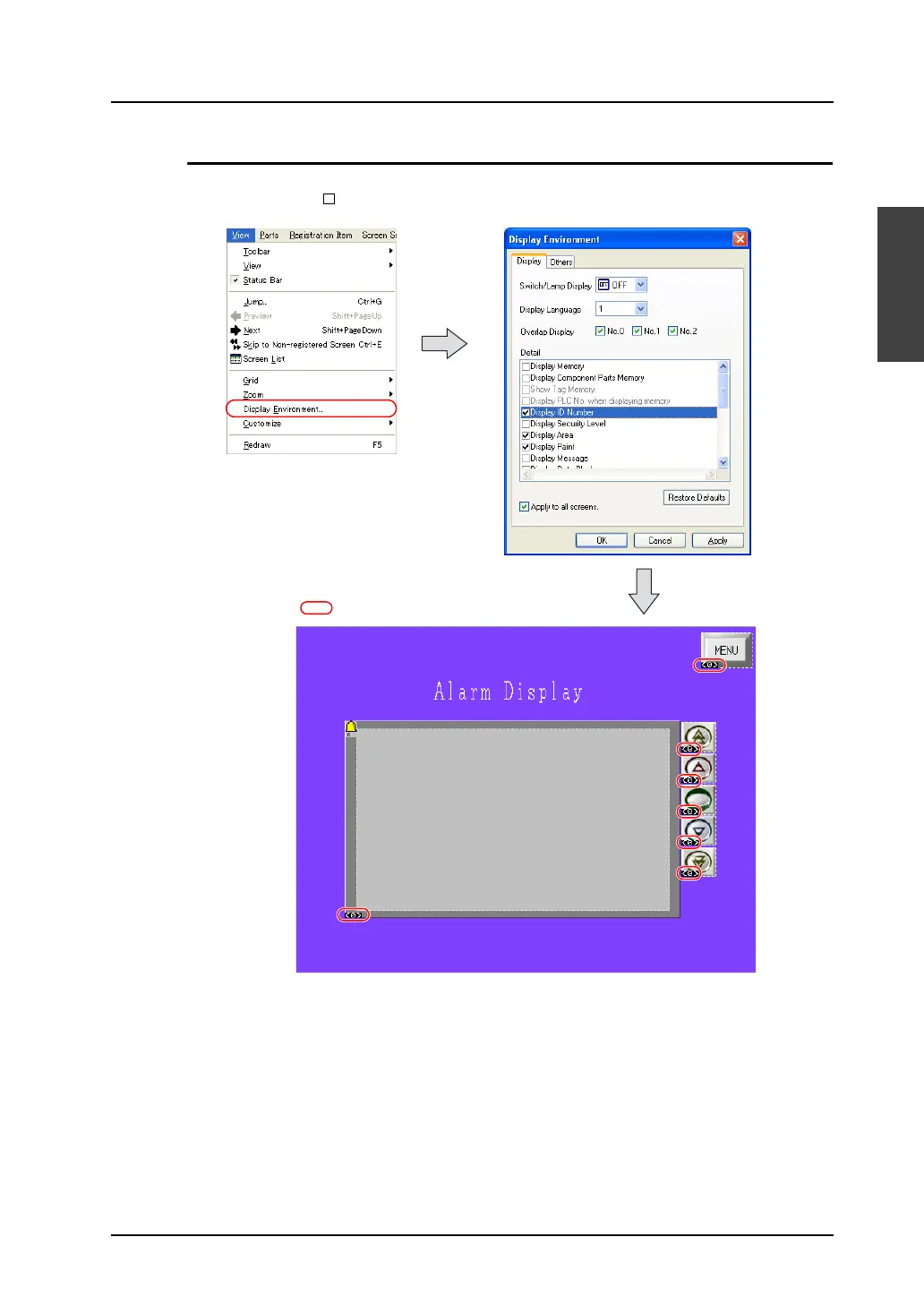
To check the ID number of the part placed on the screen, click [Display Environment] from the [View]
menu. Then, check [ Display ID Number] for [Detail].
For more information on the [Display Environment] setting, refer to “Display Environment Setting” in
“3.2 Setting Up Editing Environment” (page 3-7).
Displayed ID number



 To Next Page