2.6 Screen Composition
2-34
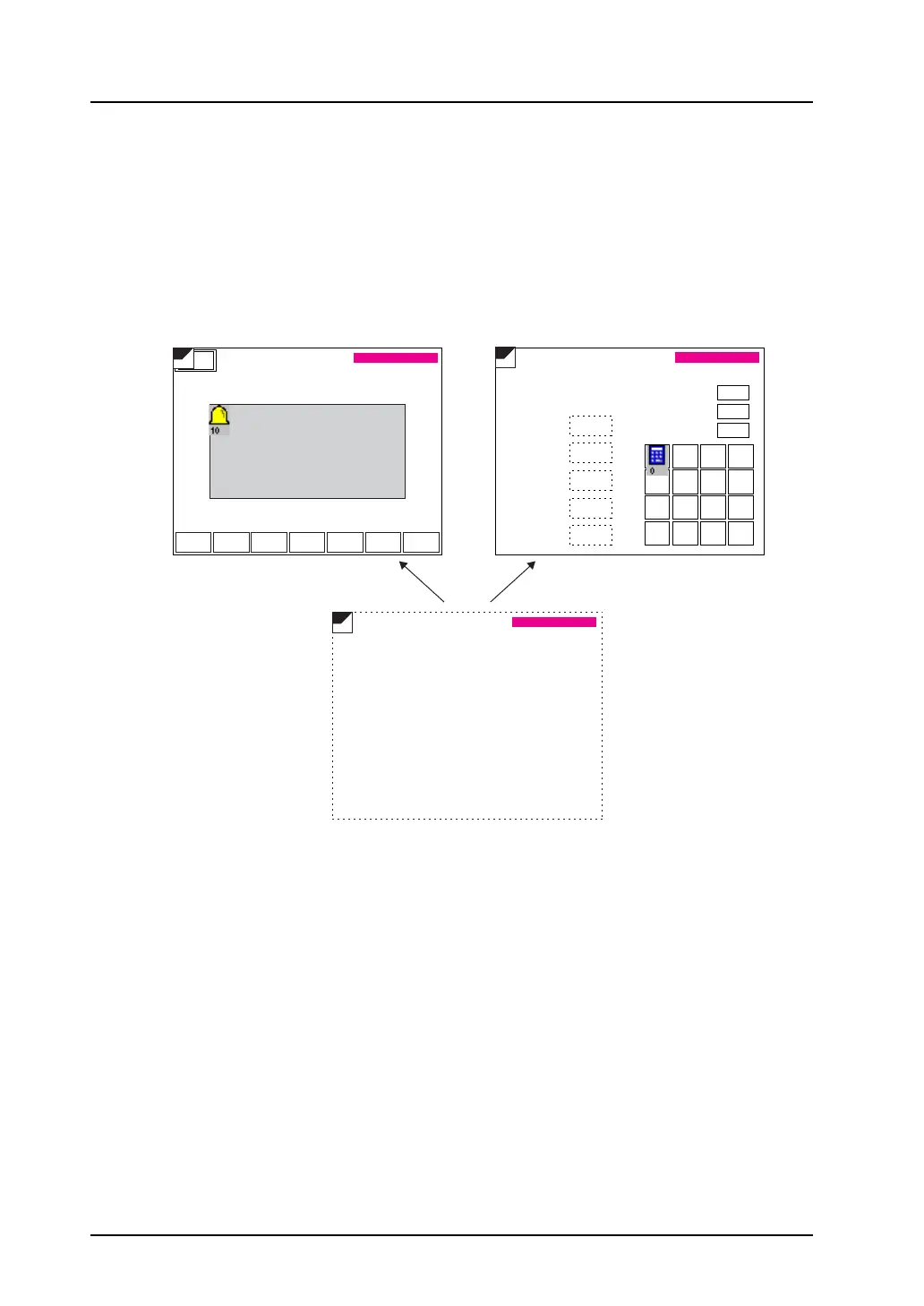
When using screen library:
With the use of an editing area called “screen library,” the same part can be placed repeatedly on
multiple screens.
Before using this area, check that the ID number registered in the screen library is different from the ID
numbers of the parts already placed on screens.
In the case of parts limited in number, using the same ID number will prevent these parts from working
correctly.
(For more information on the screen library, refer to “5.8 Screen Library” (page 5-31).)
When the ID number for the alarm
display is set to “10”:
When the ID numbers for the entry mode
part is set to “0”:
Menu
DWUP
-+
DELRET RESET
16:15:43 16:21:12
16:15:51 16:21:54
16:15:52 16:21:55
17:05:02 18:08:01
17:06:31 18:08:01
19:21:30 21:09:44
19:22:45 21:10:22
1234
1234
1234
1234
12.34
12.34
ABCD
0 . +/- CR
1 2 3 CL
4 5 6 DW
7 8 9 UP
1234
SLIB
YY/MM/DD hh:mm:ss
SLIB
YY/MM/DD hh:mm:ss
SLIB
YY/MM/DD hh:mm:ss
#2 Roller error
#1 Sensor error
#1 Roller error
#2 Sensor error
#3 Sensor error
#5 Roller error
#4 Sensor error
Alarm Tracking Entry Screen
Value 1
Value 2
Value 3
Value 4
Text 1
Max.
Min.
Key-in
For the calendar part that is
placed on both screens, the
ID number must be set to the
number other than “0” or “10”.



 To Next Page