5.11 Data Sheet
5-58
Drawing
Straight Line
Straight lines can be drawn by dragging.
Rectangle
Only boxes without painting can be drawn.
Text
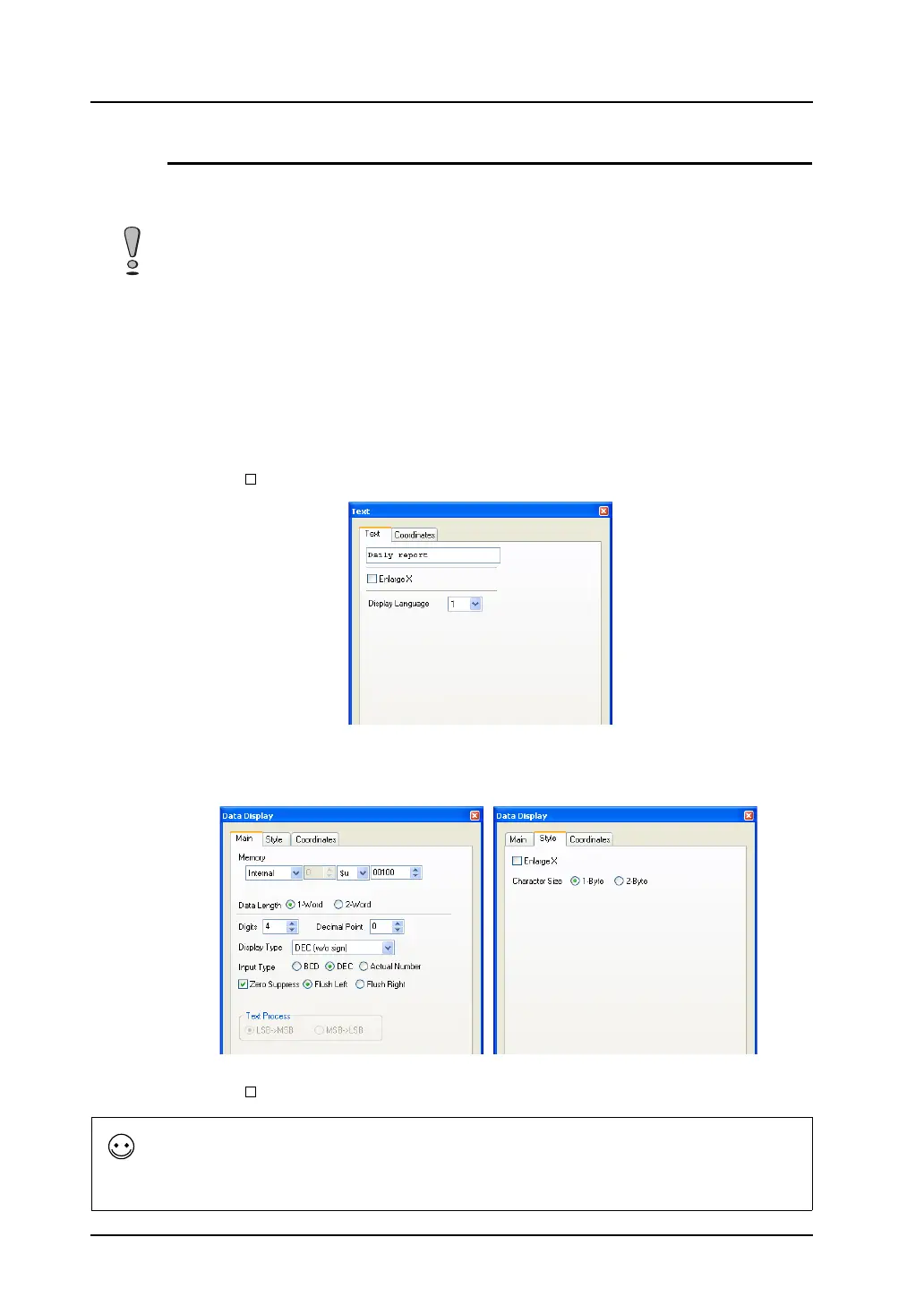
When the [Text] icon is clicked and then the mouse is clicked on or dragged to the screen, the text
entry area is created on the screen. The [Text] dialog is displayed at the same time.
If you make changes to the properties after entering text, go to the [Text] dialog.
The X and Y enlargement factors for text are set to 1.
Only when [ Enlarge X] is checked, the X size is doubled.
Data Display
Clicking (or double-clicking) the data display part placed by clicking the [Data Display] icon brings up
the [Data Display] dialog shown below.
Character enlargement is limited to X: 1 x Y: 1.
Only when [ Enlarge X] is checked, the X size is doubled.
It is possible to draw lines only horizontally or vertically. Continuous lines as well as diagonal lines are
not available.
Displaying the calendar part
A calendar display can be set on a data sheet using a numerical data display.
The calendar data is stored in system memory addresses $s160 to 166.
By placing the calendar data with numerical data display on a data sheet, the calendar is also printed out at the time
of data sheet printing.



 To Next Page