3.8 Useful Functions for Screen Editing
3-97
3
Screen Editing
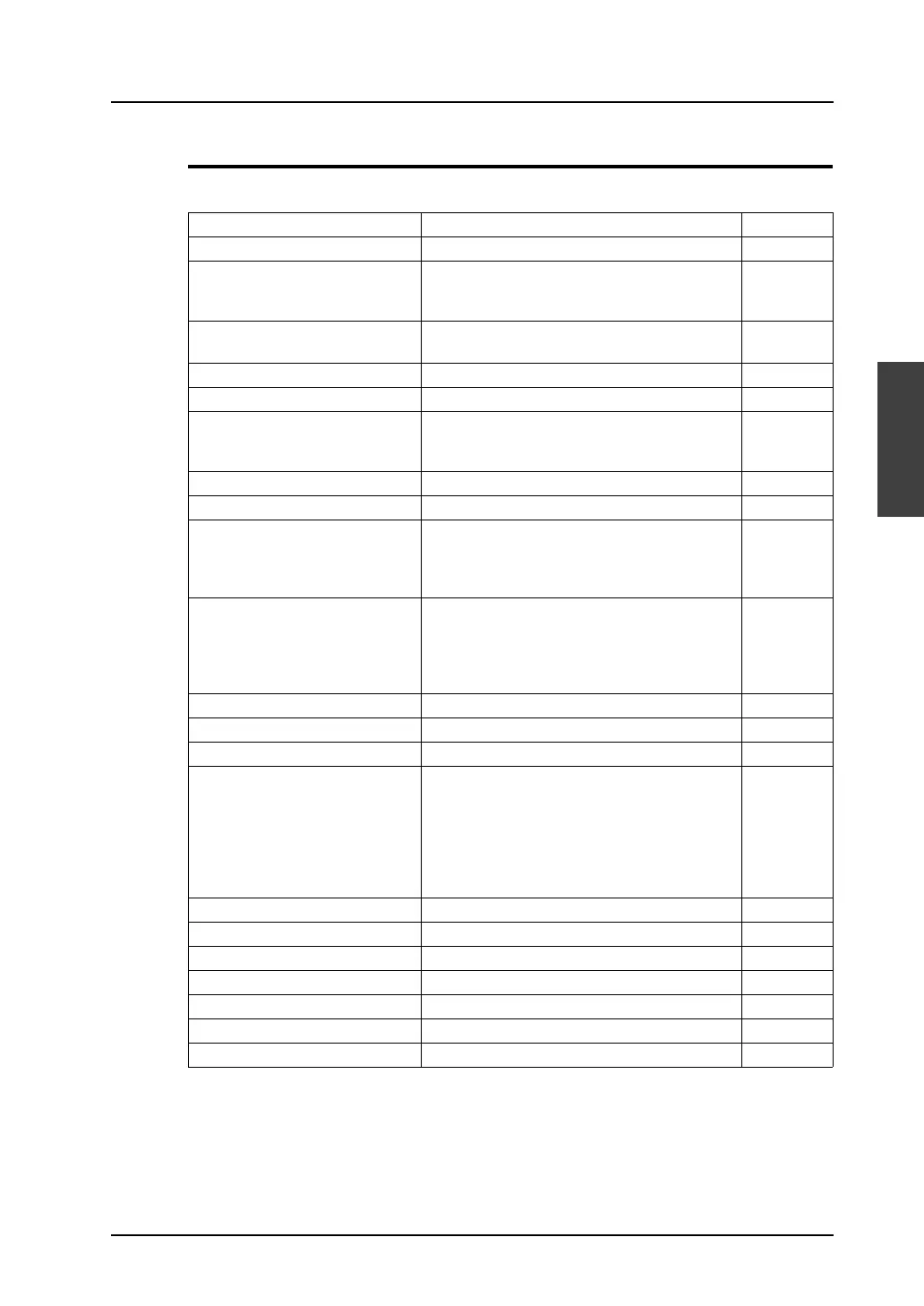
Right-click Menu (with an Item Selected)
The right-click menu provides the following menu items:
Edit Content Refer to:
Undo Cancels actions performed. −
Redo Becomes active when [Undo] is performed. This
menu item restores the screen to the state
before the execution of [Undo].
−
Cut Cuts the selected item and moves it to the
clipboard.
−
Copy Copies the selected item to the clipboard. −
Paste Pastes the item in the clipboard to the screen. −
Delete Deletes the selected item(s). Select a part or a
graphic (or parts or graphics) to be deleted with
handles, and click this menu item.
−
Multi Copy − page 3-99
Select within Overlap − page 3-98
Group Groups the selected items. Select multiple
items at the same time and click this menu item.
To cancel, select the grouped items and click
[Ungroup].
−
Order Offers four sub-menu items [Bring to Front],
[Send to Back], [Bring to Top], and [Send to
Bottom].
An item selected on the screen is moved
according to the selection from the four.
−
Place − page 3-102
Arrangement (Equal) − page 3-104
Put All in Same Size − page 3-105
Rotation/Reverse Rotation Offers four sub-menu items [Rotate 90 degrees
CCW], [Rotate 90 degrees CW], [Horizontal
Flip], and [Vertical Flip].
An item selected on the screen is rotated or
flipped according to the selection from the four.
(This menu item applies to only graphics, except
for text).
−
Vertex Edit − page 4-17
Change Part − page 3-106
Link − page 3-61
Batch Change − page 3-109
Change Memory − page 8-69
Detail Setting − page 3-111
Wizard − page 8-93



 To Next Page