3.8 Useful Functions for Screen Editing
3-102
Alignment (E.g. Flush Left)
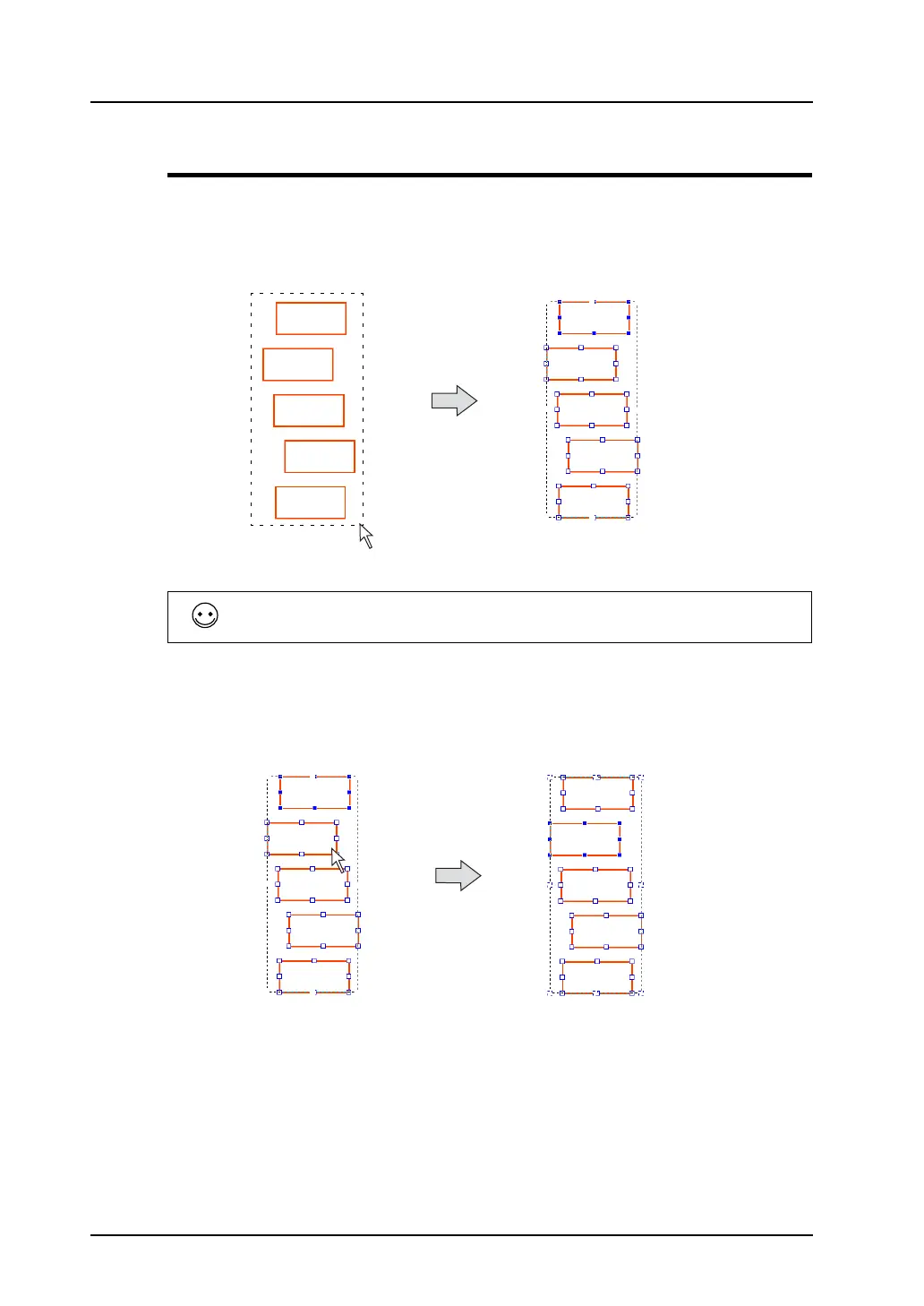
The procedure for aligning five boxes randomly placed with a box placed at the extreme left is shown
below.
1. Select the five boxes randomly placed at one time.
The reference item for alignment is selected and has a blue handle.
* When the box on the extreme left is designated with the blue handle, go to step 3.
2. To make the box on the extreme left as the reference, change the handle color of the box on the
extreme left to blue. Click the box on the extreme left while holding down the Ctrl key.
The handle of the box on the extreme left will turn blue.
When multiple items are selected, the most recently created or placed item is given the blue handle.
In the example above, the uppermost
box is selected with the blue handle.
The blue handle moves to
the clicked box.
Click the box on the extreme left
while holding down the Ctrl key.



 To Next Page