6.6 Transfer Procedure (Using a Modem)
6-54
Connection between modem and telephone line (B)
Connect the modular cable accompanying the modem between the modular jack (LINE) for telephone
line on the back of the modem and the telephone line modular socket.
If the distance between the modem and the telephone line is as long as tens of meters, data transfer
failure may occur.
Connection between modem and computer (C)
Connect the RS-232C cable accompanying the modem between the RS-232C connectors on the back
of the modem and on the computer.
Screen Data Transfer
1. Start up V-SFT and open the screen data file to be transferred.
2. Click the [Transfer] icon on the toolbar or click [Transfer] from the [File] menu.
The [Transfer] dialog is displayed.
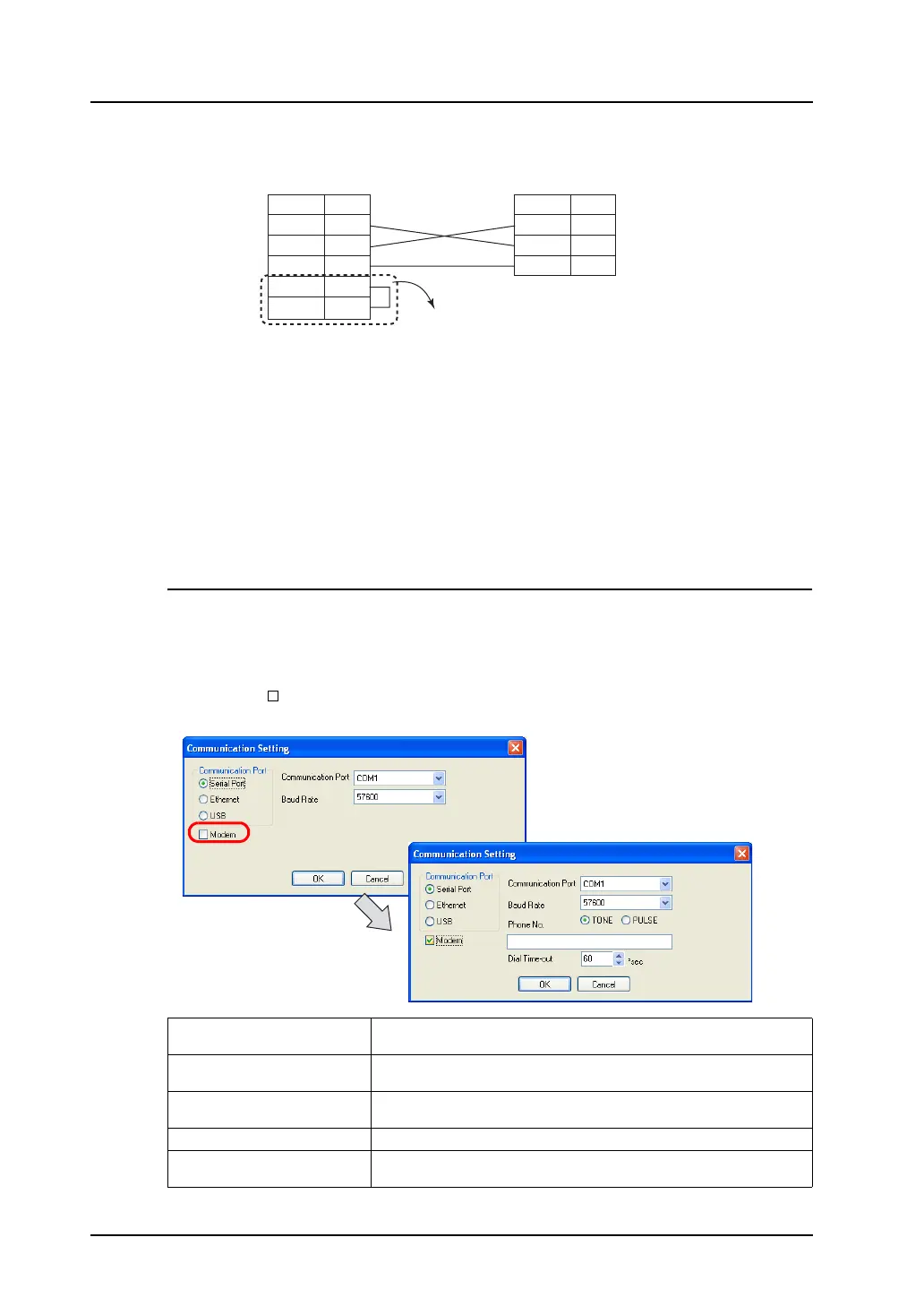
3. Click [Communication Setting]. The [Communication Setting] dialog is displayed.
4. Check the [ Modem] box.
The following setting options for the modem is displayed.
RD
SD
SG
3
2
7
RTS
CTS
4
5
RD
SD
SG
2
3
5
25-pin connector of the modem
* For a modem that is not capable of flow control
setting, install a jumper between RTS and CTS.
Modem (25-pin)
Signal Name
Pin No.
Signal Name
Pin No.
V-CP (9-pin) male
Communication Port
(COM1 to COM256)
Select a serial port.
Baud Rate
(9600/19200/38400/57600)
Select a data transfer rate between the computer and the modem.
TONE/PULSE Select [TONE] (pushbutton) or [PULSE] (dial) according to the telephone line
type in use.
Telephone No. Specify the telephone number of the receiver.
Dial Time-out (sec) Set a timeout period until a normal response is given from the receiver.
The default is 60 seconds.



 To Next Page