8.2 Emulator
8-36
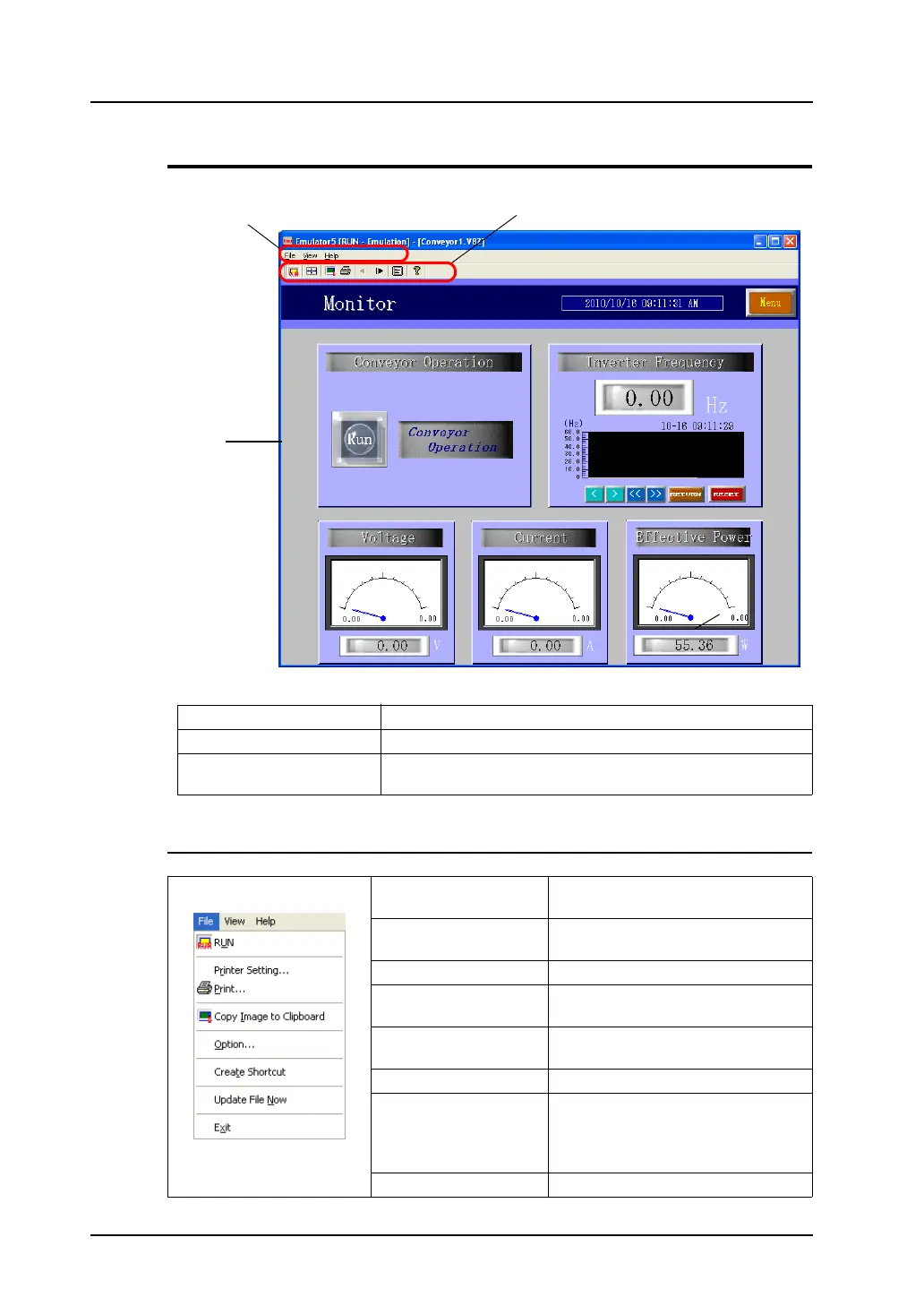
Structure of the [Emulator] Window
Menu Bar
Menu bar For more information, refer to page 8-36.
Icon menu For more information, refer to page 8-37.
Emulator screen Operations to be performed on the V8 unit can be emulated on
Emulator.
[File] menu RUN Switches the status of Emulator (RUN
or STOP).
Printer Setting Allows you to make printer settings for
printing Emulator screens.
Print Prints out Emulator screen.
Copy Image to Clipboard Copies Emulator screen image to the
clipboard.
Option Allows you set optional settings
associated with Emulator startup.
Create Shortcut Creates Emulator shortcut.
Update File Now Updates the screen data file.
* The same operation is executable
from [Update Emulator Data] in the
[File] menu in V-SFT.
Exit Terminates Emulator.
Menu bar
Icon menu
Emulator
screen



 To Next Page