3.6 Parts
3-55
3
Screen Editing
How to Modify the Placed Part
For Single Part
Item dialog
The setting for all parts placed on the screen can be changed or checked in the item dialog.
Setting options contained in the item dialog vary depending on the item; however, the operation
procedure is roughly the same.
The item dialog is displayed by clicking or double-clicking the parts placed on the screen.
For the procedure to move the dialog, refer to “2.3 Menu Item [View]” (page 2-11).
Changing part design
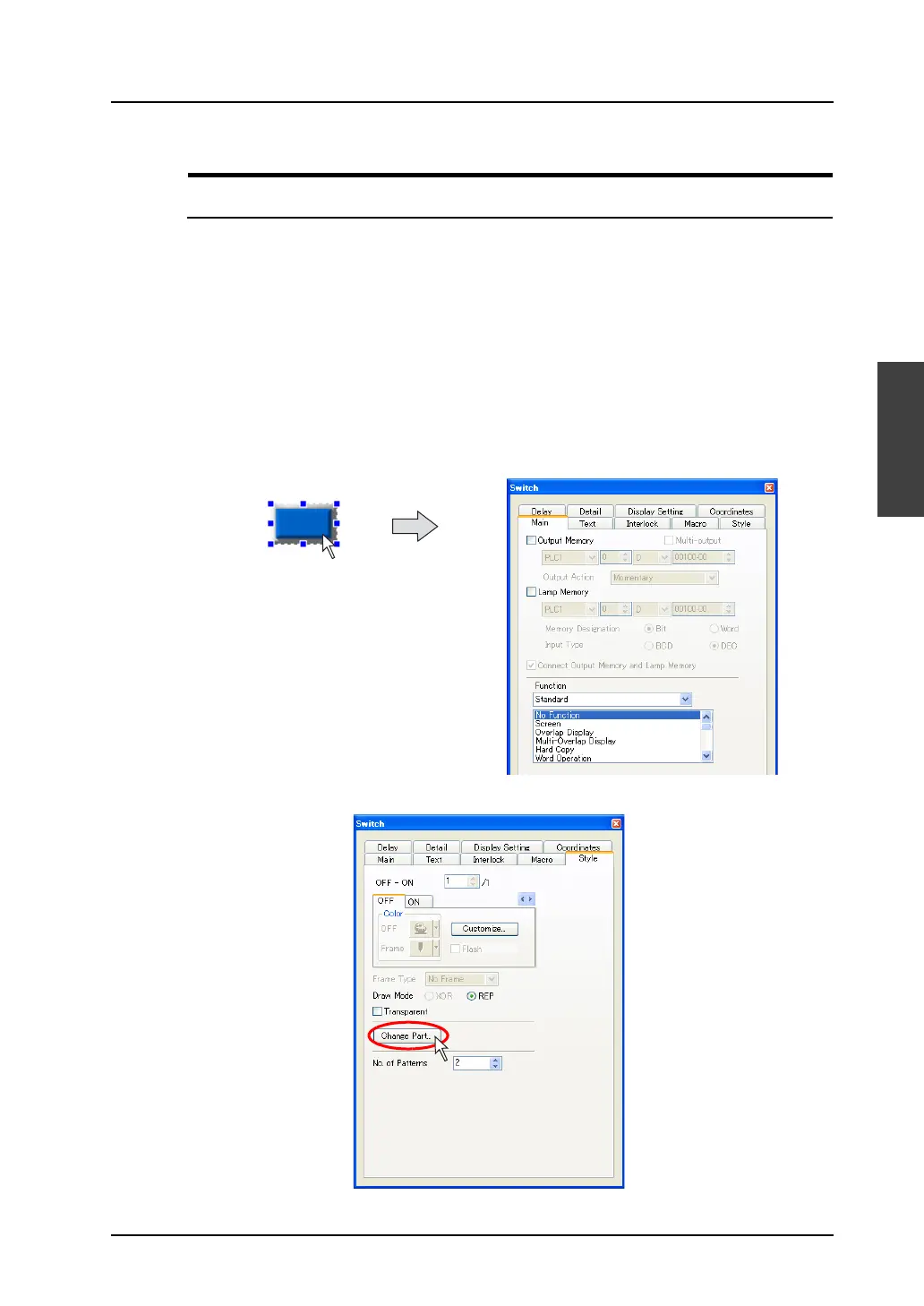
When modifying the design of the placed part, operate the item dialog following the procedure below.
(e.g. switch)
1. Click the switch part and bring up the [Switch] item dialog.
2. Open the [Style] tab window and click the [Change Part] button.
Click.



 To Next Page