3.6 Parts
3-54
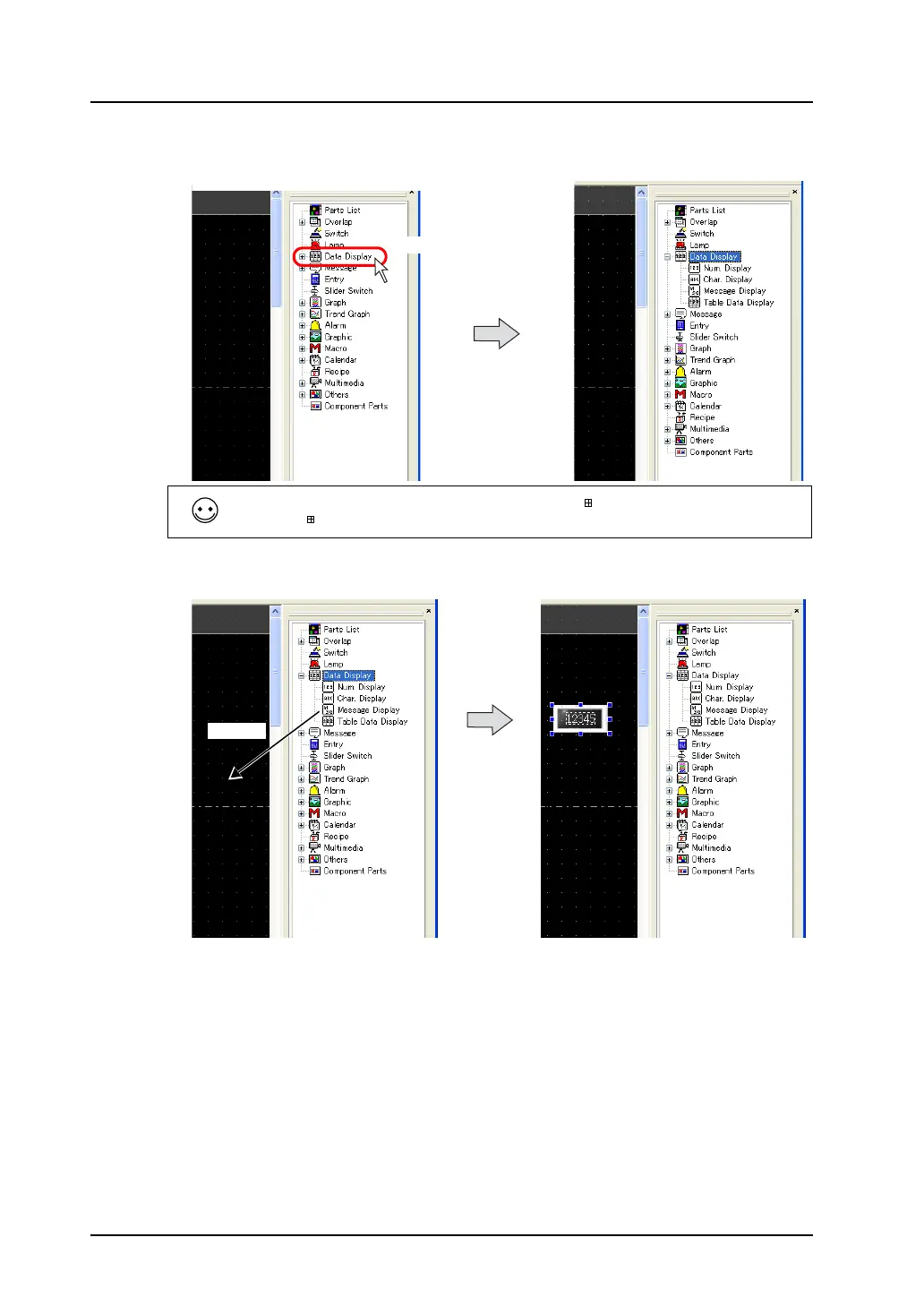
2. Double-click [Data Display] on Catalog View.
The lower hierarchy appears.
3. Select [Num. Display] and drag it on the screen.
The numerical data display part is placed on the screen.
Hierarchical parts are only included in the parts marked with “ .”
When the “ ” mark is not displayed, drag the part directly as described in step 3.
Double-click.
Drag.



 To Next Page