5.12 Page Block
5-61
5
Registration
5.12 Page Block
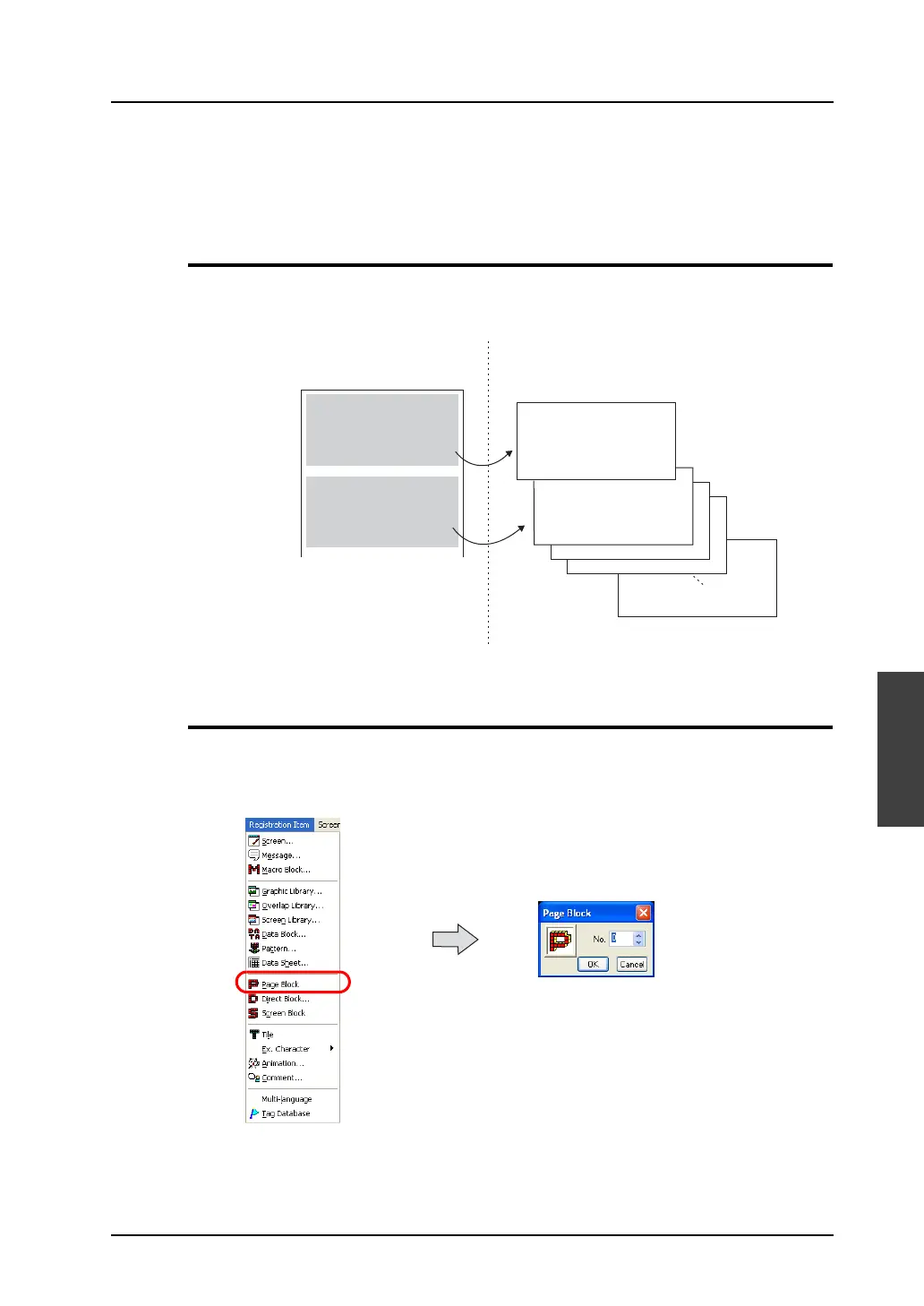
Registered messages can be divided into groups and registered in page blocks.
Page blocks are used in the alarm sub display mode (parts) or the message mode (parts).
Page Block Structure
A maximum of 1,024 page blocks can be registered.
One page block can contain 256 lines.
Calling a Page Block
Select [Page Block] from the [Registration Item] menu.
The [Page Block] dialog is displayed. Specify the page block number to be opened and click [OK].
(Alternatively, you can call the screen from the [Screen] menu in Project View.)
No. 0
No. 1
No. 2
No. 3
No. 4
No. 5
No. 6
No. 7
No. 8
No. 9
No.10
No.11
No. 0
No. 1
No. 2
No. 3
No. 1023
Control box emergency stop
The EMERGENCY STOP button
on the control panel is pressed.
Reset the button.
Message
Message group No. 3
Page block
Control box emergency stop
The EMERGENCY STOP button
on the control panel is pressed.
Reset the button.
Operation box emergency stop
EMERGENCY STOP button is
pressed on the operation box.
Reset the button.
A maximum of 1,024 blocks can be registered.
EMERGENCY STOP button is
pressed on the operation box.
Reset the button.



 To Next Page