Font Types
A1-2
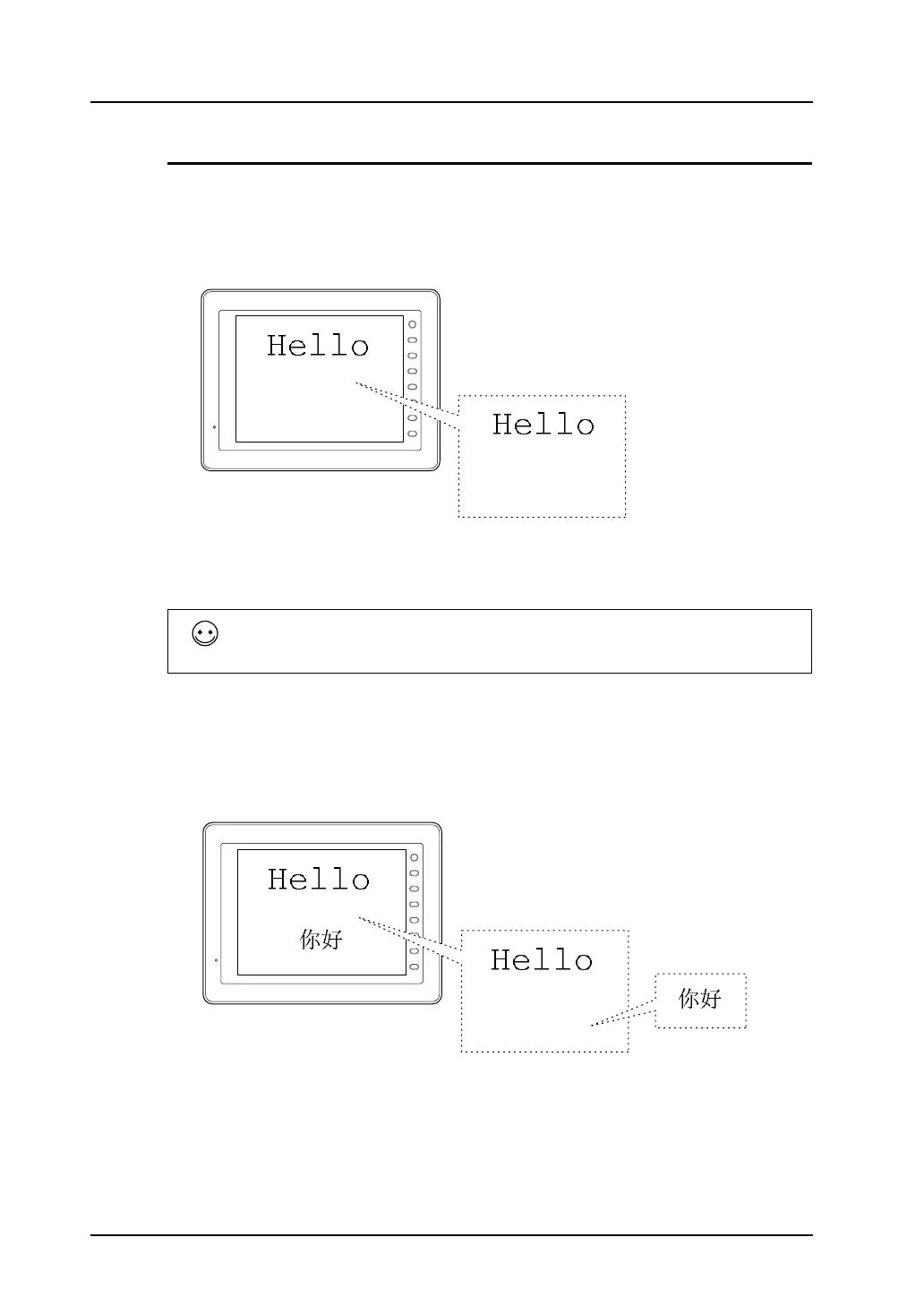
Differences between Fonts and Windows Fonts
Fonts
• When making font settings, click [System Setting] → [Font Setting].
• A maximum of eight languages, language 1 - language 8, can be set. Screens are displayed in set
languages when the font files are stored in the V8 unit or the CF card.
• When making font settings to be transferred to MONITOUCH, click [System Setting] → [Font
Setting] → [Transfer Font Setting].
Windows fonts
• Windows font setting is made for each item.
• When displaying smooth typefaces or small characters, or characters in different character codes
on the same screen, use Windows fonts so that text representation as desired will be achieved.
With a font setting made in a screen data file, the Windows font specified for the file is used in such
a manner as to draw character outlines graphically. Therefore, more memory tends to be needed
and limitations may apply depending on used functions.
For more information, refer to page A1-29.
When multiple fonts are selected in the [Transfer Font Setting] tab window, language
switch is enabled even without the use of a CF card. In this case, however, the screen
data capacity is decreased by the size of the font files.
F 1
F 2
F 3
F 4
F 5
F 6
F 7
SYSTEM
Font: English/Western Europe
← In this case, Chinese
cannot be displayed.
F 1
F 2
F 3
F 4
F 5
F 6
F 7
SYSTEM
Font: English/Western Europe
← Since Chinese cannot be
displayed, the Windows
font is used.
Windows font



 To Next Page