6.1 Transfer Methods
6-2
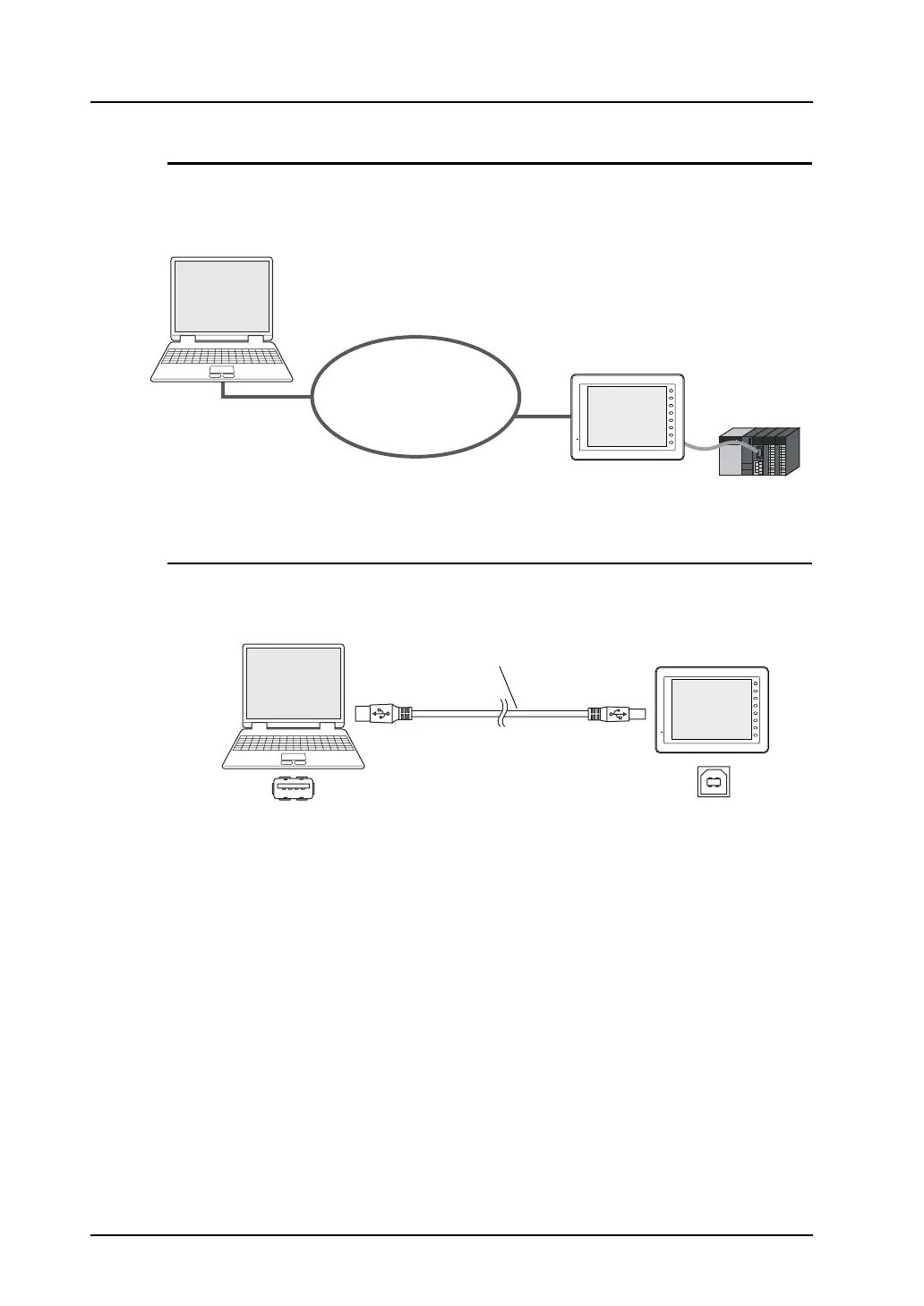
Ethernet (LAN Port)
Connect the LAN port on MONITOUCH and the computer via Ethernet. (For models other than the
V8i, a communication I/F unit is necessary.)
Use a LAN cable. (Use a cross cable when establishing peer-to-peer network.)
For transfer procedure, refer to page 6-19.
USB (USB-B Port)
Connect the USB-B port on MONITOUCH and the USB-A port on the computer using a USB cable.
For transfer procedure, refer to page 6-29.
Ethernet
PLC
F 1
F 2
F 3
F 4
F 5
F 6
F 7
SYSTEM
Computer
V8 series
(compliant with Ethernet)
F 1
F 2
F 3
F 4
F 5
F 6
F 7
SYSTEM
USB-A USB-B
V8 series
Computer
USB cable



 To Next Page