8.8 File Management
8-79
8
Useful Functions
File Comparison
Two screen data files are compared and the result is reported.
If necessary, you can copy a data item that exists at the source file but does not exist in the target file
on this window.
Operating Procedure
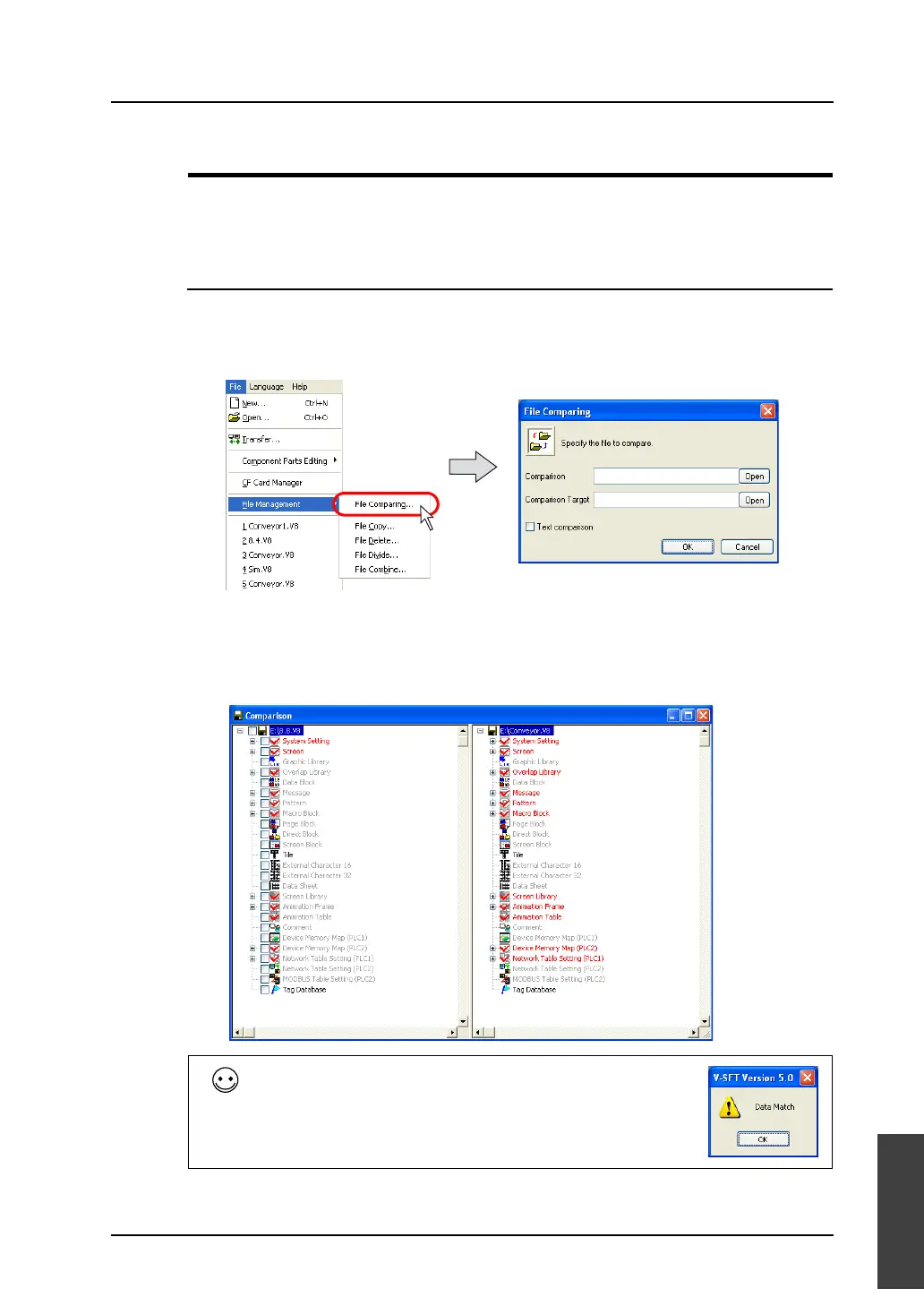
1. Select [File Managing] from the [File] menu.
2. Select [File Comparing].
3. The [File Comparing] dialog shown below is displayed.
Specify the files to be compared.
4. Click [OK]. File comparison is started. When any differences are found, the following window
appears.
For more information on the contents displayed in the window, refer to the next page.
When the files are consistent, a message “Data Match” is displayed.
Click [OK]. The [Comparison] window is displayed.



 To Next Page