5.13 Direct Block
5-64
5.13 Direct Block
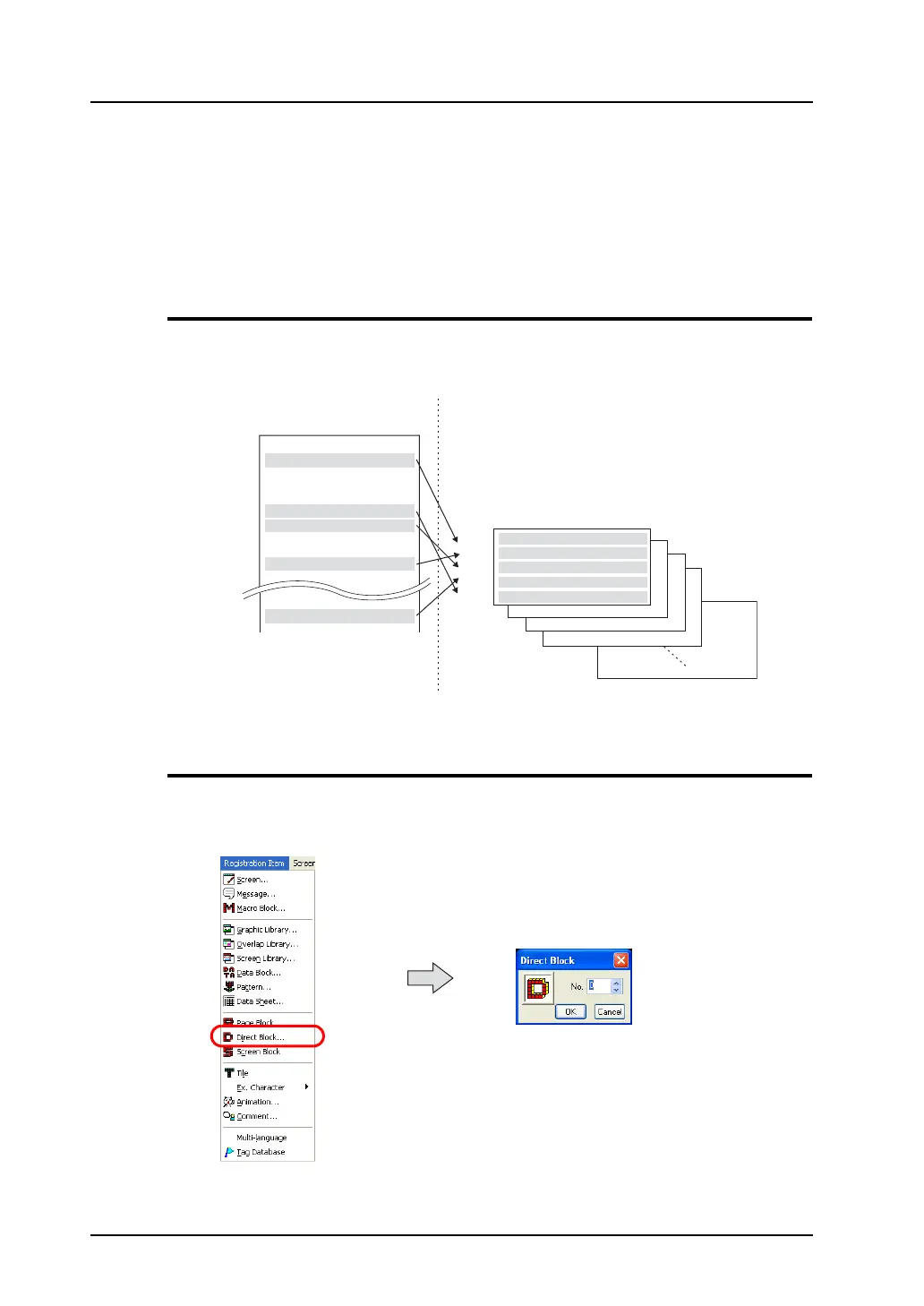
Lines selected as desired from the previously registered messages in different groups can be
re-registered in direct blocks.
Unlike page blocks, you can choose messages as desired line by line and register them in an arbitrary
order.
Direct blocks are used in the alarm sub display mode (parts) or the message mode (parts).
Direct Block Structure
A maximum of 1,024 direct blocks can be registered.
One direct block can contain 256 lines.
Calling a Direct Block
Select [Direct Block] from the [Registration Item] menu.
The [Direct Block] dialog is displayed.
(Alternatively, you can call the screen from the [Screen] menu in Project View.)
Check the desired block number range and click [OK].
The [Direct Block Edit] window is displayed.
(Alternatively, you can call the screen from the [Screen] menu in Project View.)
No. 0
No. 1
No. 2
No. 3
No. 4
No. 5
No. 6
No. 7
No. 8
No. 9
No.21
No.22
No. 1
No. 9
No. 6
No.22
No. 5
No. 0
No. 1
No. 2
No. 3
No. 1023
Message
Message group No. 2
A maximum of 1,024 blocks
can be registered.
MONITOUCH
General Specifications
Item
Content
Hardware Specifications
Input power AC 85 - 235
Display color 16 colors
Display area 640 × 480 dots
FUNC switch 8 pcs
Switch H24 × W40
Printer port 1port
Comm. port RS232C/RS422
Direct block
Block
General Specifications
Switch H24 × W40
Display color 16 colors
RS232C/RS422
Input power AC 85 - 235



 To Next Page