6.4 Transfer Procedure (Using a Communication Cable)
6-19
6
Transfer with V8
Ethernet
System Configuration
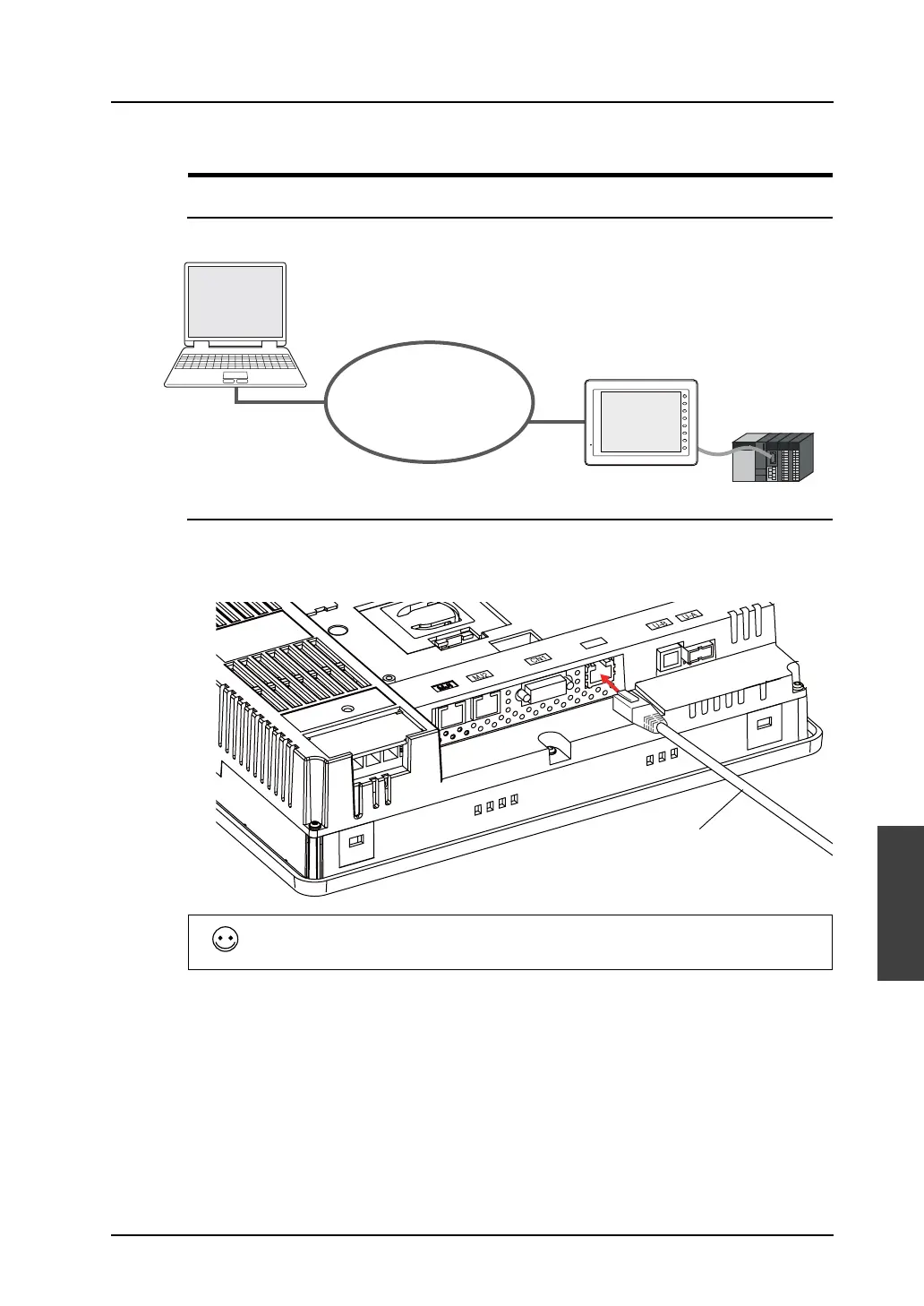
The data is transferred in the following system configuration via Ethernet.
Transfer Procedure from the Editor to MONITOUCH
1. Connect the LAN port of MONITOUCH (or LAN port of CU-03-3) and the computer using a LAN
cable.
E.g. V810iT (LAN port)
Ethernet
PLC
F 1
F 2
F 3
F 4
F 5
F 6
F 7
SYSTEM
Computer
V series
(compliant with Ethernet
(refer to page 6-1.))
Please provide your own LAN cable.
When connecting a LAN cable to the hub, prepare a straight cable. When connecting it to the
computer directly, provide a cross cable.
LAN
LAN cable



 To Next Page