6.4 Transfer Procedure (Using a Communication Cable)
6-20
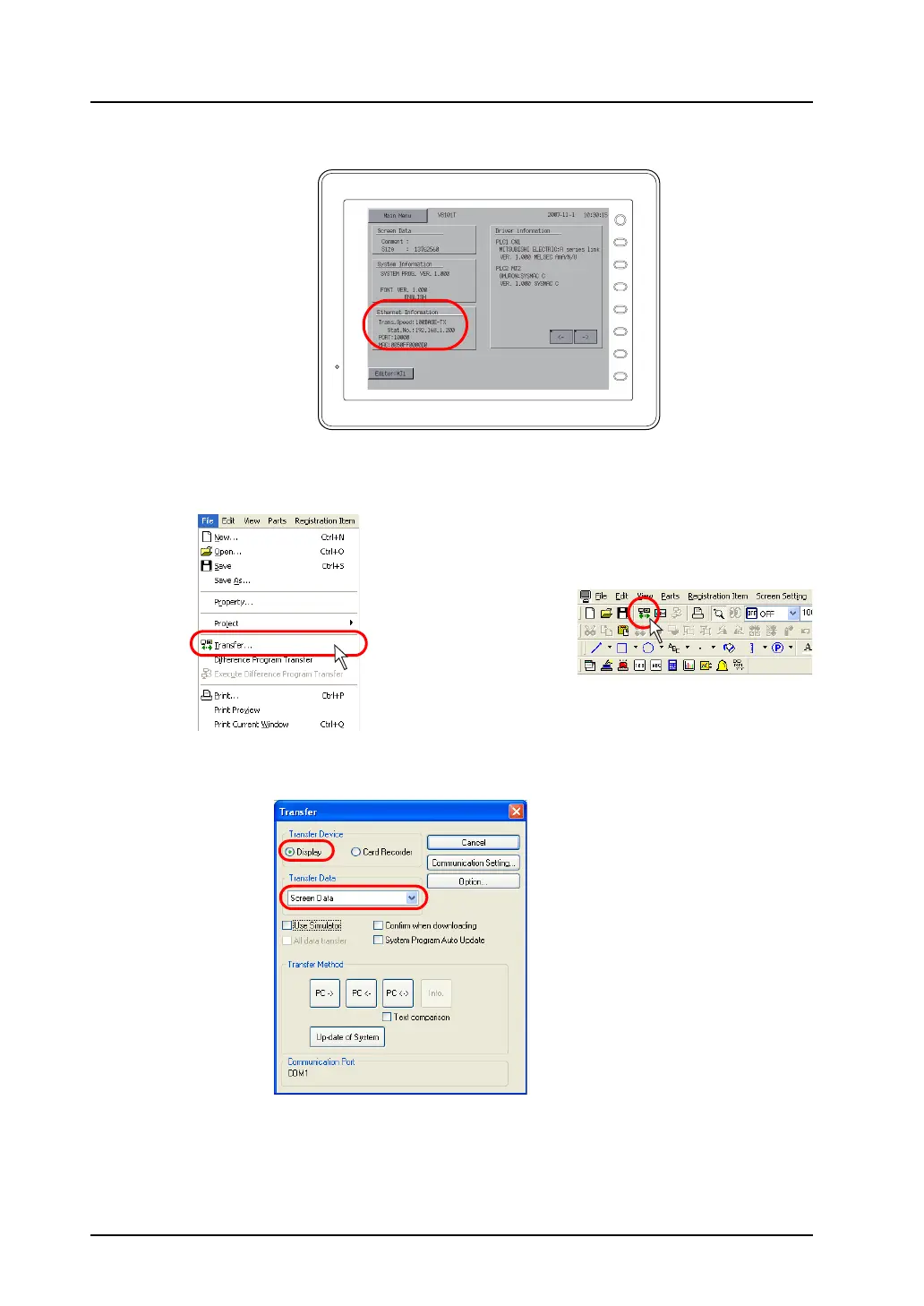
2. Check the setting, such as connecting status or IP address setting, on the Main Menu screen.
3. On the editor, open the screen data to be transferred.
4. Click [Transfer] from the [File] menu or click the [Transfer] icon on the toolbar.
5. The [Transfer] dialog is displayed.
Select [Display] for [Transfer Device], and [Screen Data] for [Transfer Data].
F 1
F 2
F 3
F 4
F 5
F 6
F 7
SYSTEM
OR



 To Next Page