3.6 Parts
3-49
3
Screen Editing
Placing Parts
There are four methods to place parts. This section provides each procedure to place the part.
From the Parts List
What is the parts list?
The “parts list” is the window which contains various parts and from which you can select a desired
part.
Parts can also be selected from the screen data file (extension: *.V8) in addition to the parts file.
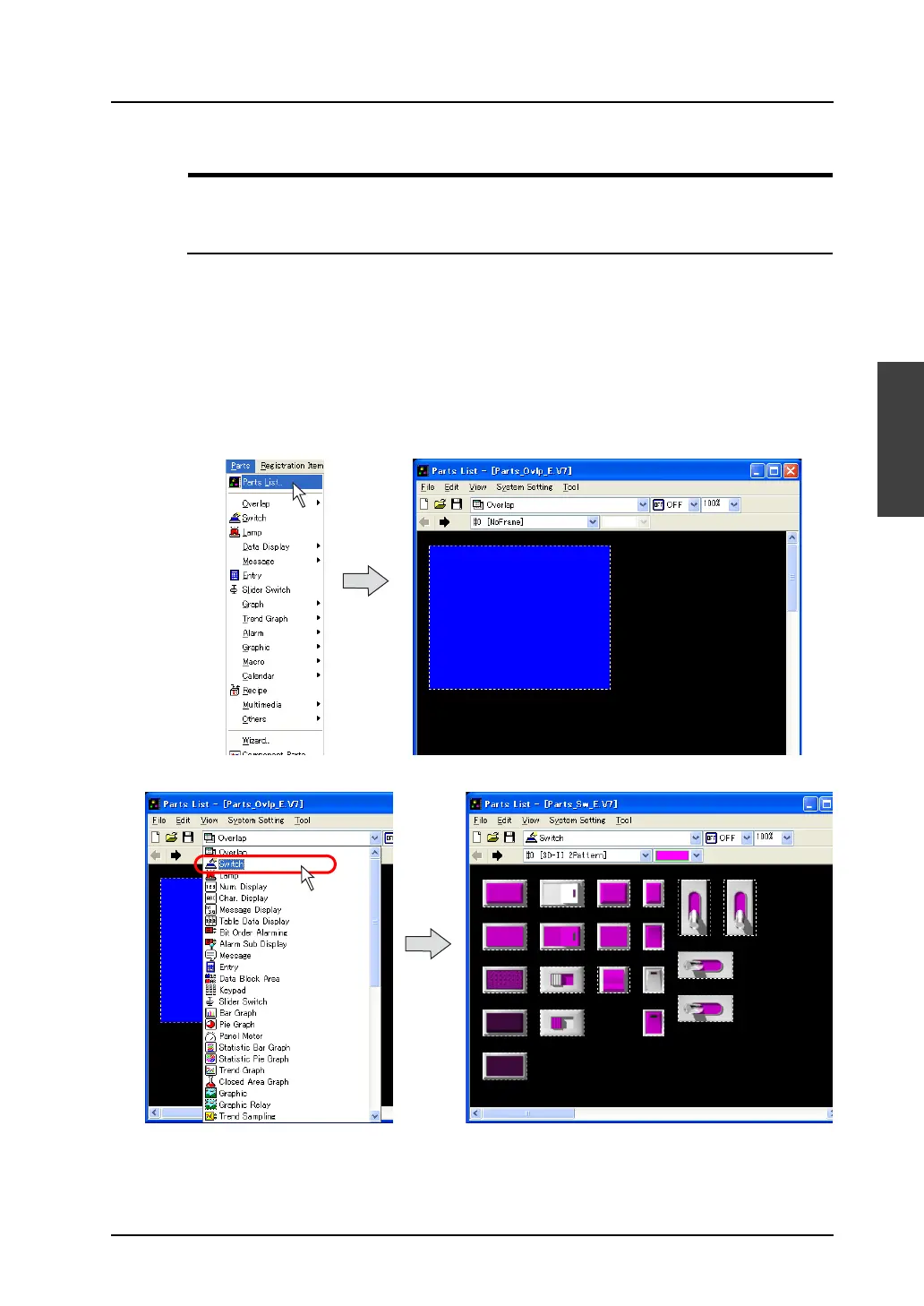
Placement procedure (e.g. switch)
1. Bring up the parts list on the screen.
Select [Parts List] from the [Parts] menu.
The [Parts List] window opens.
2. Select [Switch] from the pull-down menu. (When it has already been selected, go to step 3.)



 To Next Page