8.1 Simulator
8-8
Setting on MONITOUCH
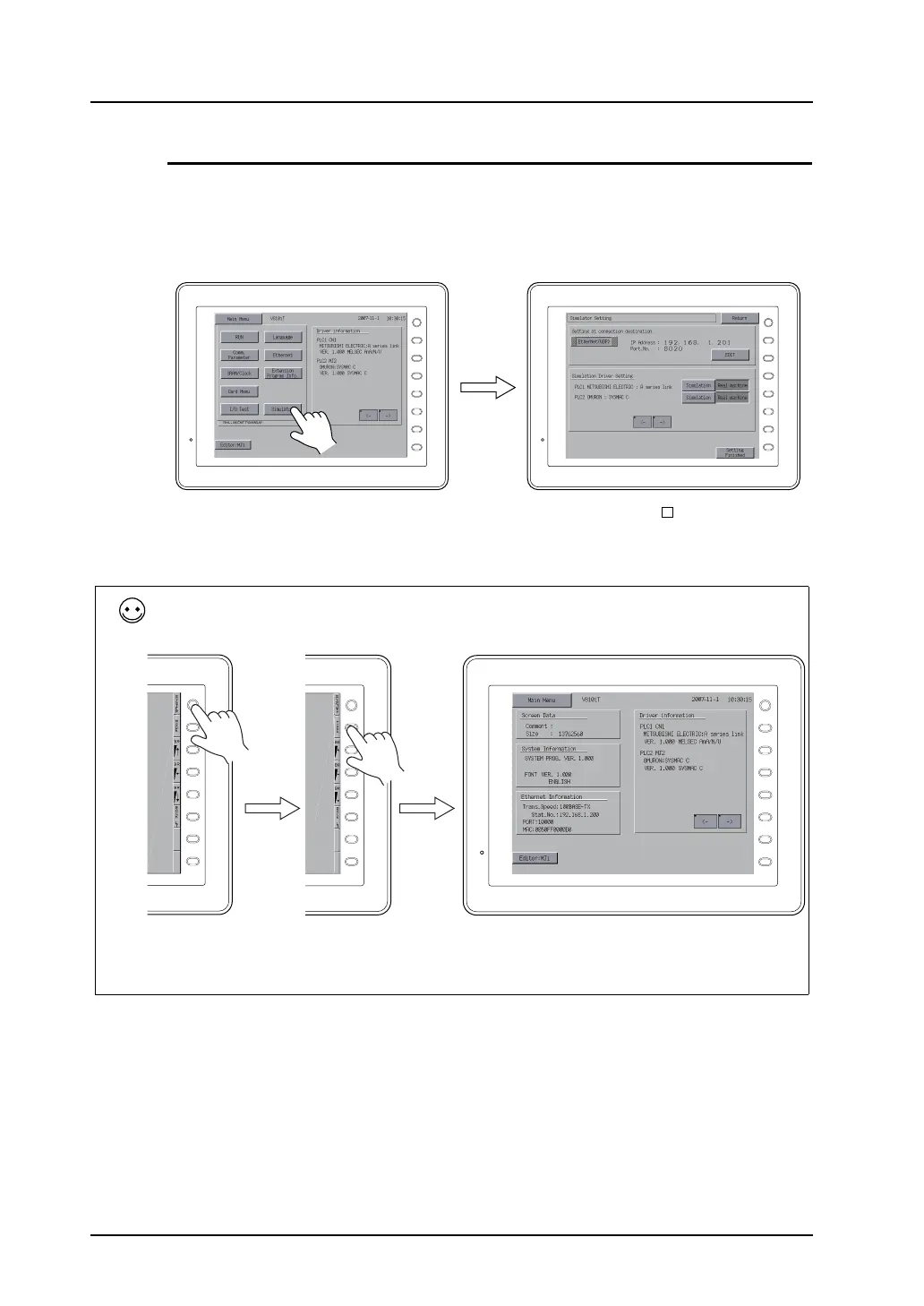
The use of Simulator instead of [Real machine] must be specified on MONITOUCH. Follow the steps
below.
1. After screen data transfer, press the [Main Menu] switch on the Main Menu screen displayed on
MONITOUCH. Next, press the [Simulator] switch.
* If the [Simulator] switch is inactive, screen data might be transferred with [ Use Simulator]
unchecked in the [Transfer] dialog or a transfer failure is suspected.
Locate the problem and resend the screen data.
F 1
F 2
F 3
F 4
F 5
F 6
F 7
SYSTEM
F 1
F 2
F 3
F 4
F 5
F 6
F 7
SYSTEM
To display the Main Menu screen:
Press the [SYSTEM] switch. When the menu is displayed, press the [F1] switch. Then the Main Menu screen is
displayed.
If the [SYSTEM] or [F1] switch does not work, the switch may be prohibited or holding down the switch for a certain
time may be required for the switch to work.
For more information, refer to the description regarding the function switches in the V8 Series Hardware
Specifications.
F 1
F 2
F 3
F 4
F 5
F 6
F 7
SYSTEM
F 1
F 2
F 3
F 4
F 5
F 6
F 7
SYSTEM
F 1
F 2
F 3
F 4
F 5
F 6
F 7
SYSTEM



 To Next Page