8.1 Simulator
8-7
8
Useful Functions
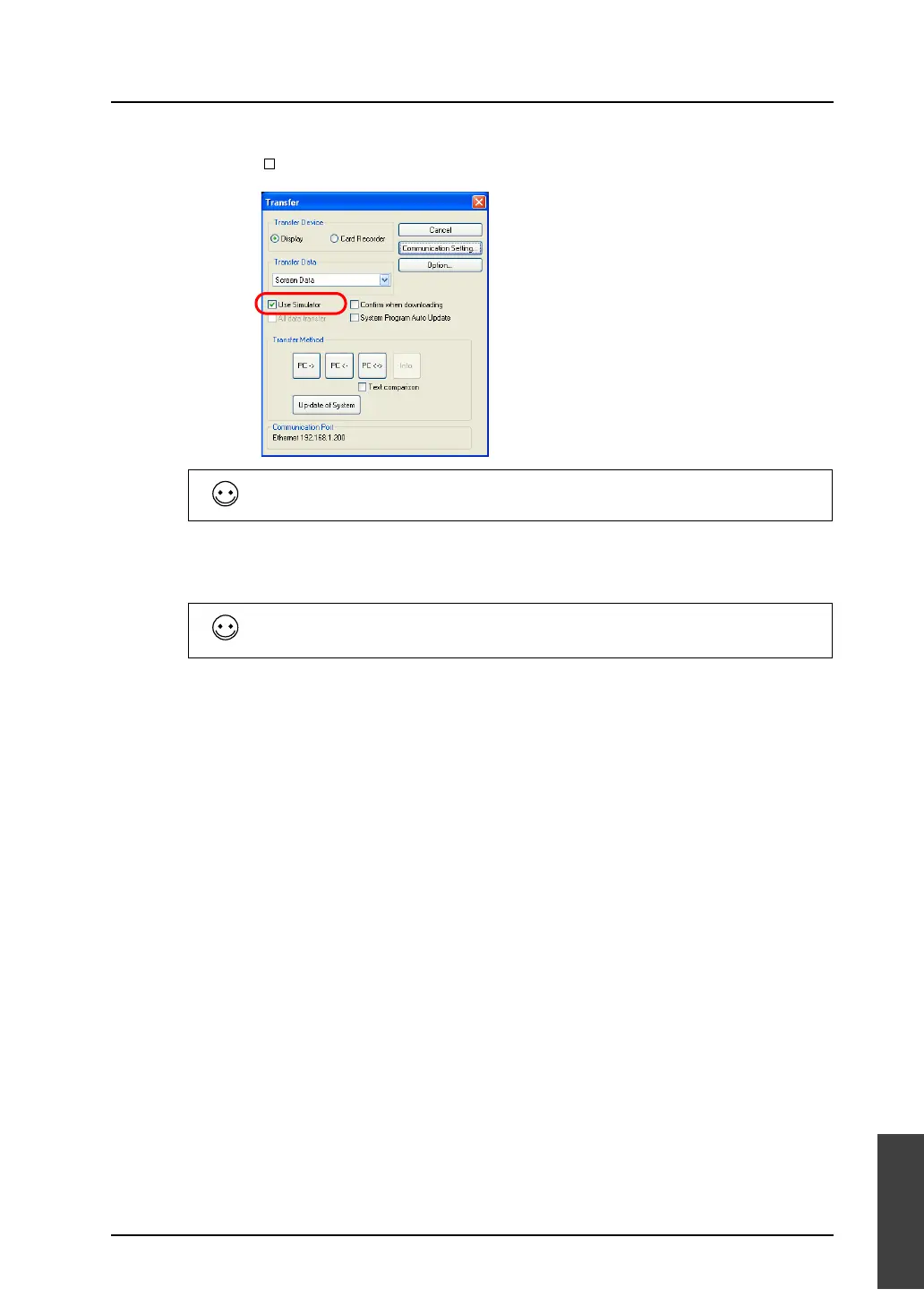
2. The [Transfer] dialog is displayed.
Check [ Use Simulator].
3. Select [Screen Data] for [Transfer Data] and click the [PC ->] button.
The screen data is transferred together with the Simulator program.
For the other setting items ([Communication Setting], etc.), refer to “6.4 Transfer Procedure (Using a
Communication Cable)” (page 6-10).
If you wish to transfer the Simulator program independently, select [Simulator Program] for [Transfer
Data] and click the [PC->] button.
In the file selection dialog that appears, select the target file and execute its transfer.



 To Next Page