1.2 Uninstallation
1-6
1.2 Uninstallation
This section describes the procedure for uninstalling the V-SFT Ver. 5. installed on the hard disk.
Uninstalling from Start Menu
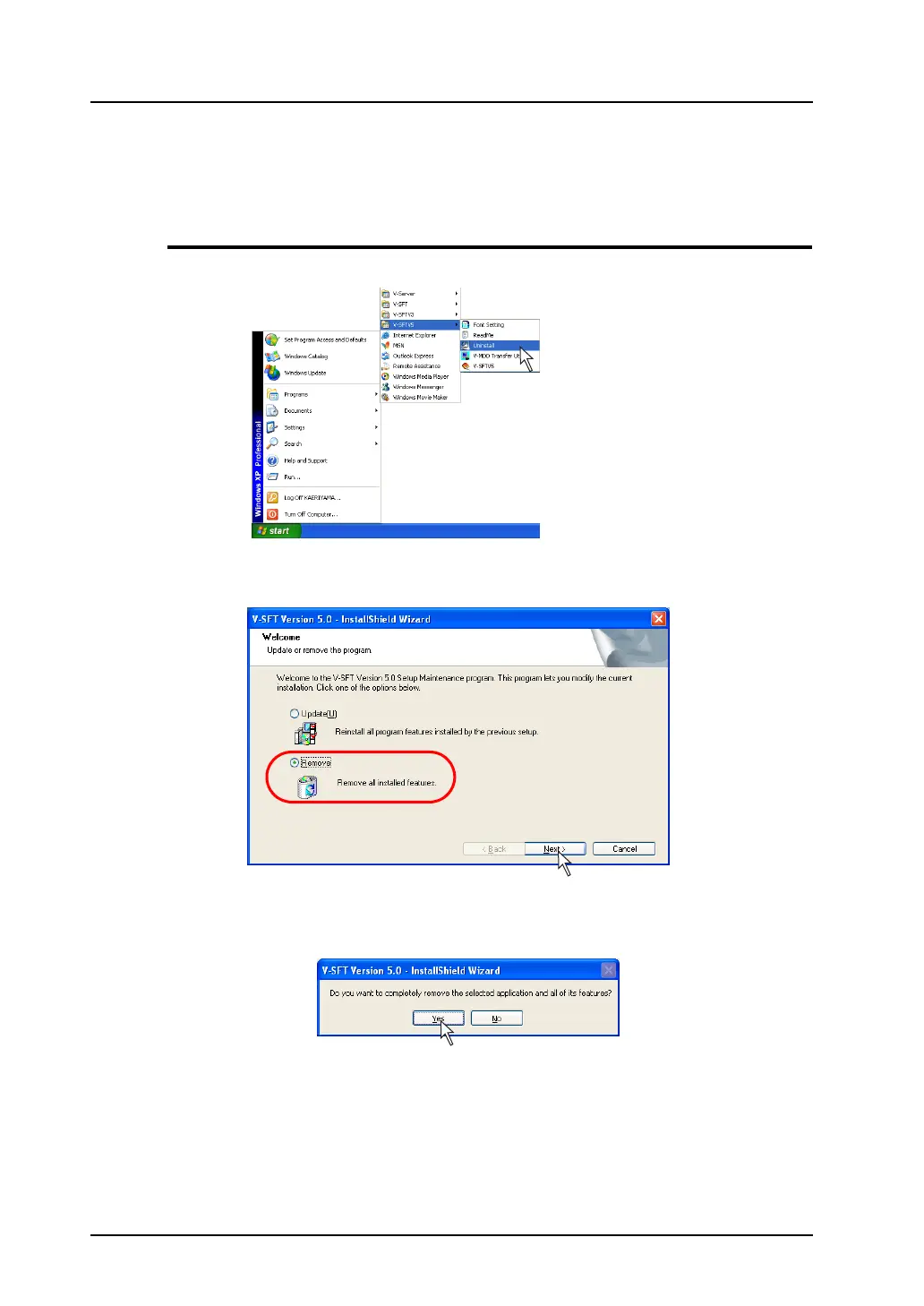
1. Click [Start] → [Programs] → [V-SFT5] → [Uninstall].
2. The following dialog is displayed:
Select [Remove] and click the [Next] button.
3. The following confirmation dialog is displayed.
Click the [Yes] button.



 To Next Page