3.7 Parts Placement and Setting
3-72
Multi-overlap (Call-overlap) Display
Placement procedure
The multi-overlap (or call-overlap) display is selected from the [Parts] menu or Catalog View.
The actual overlap display is edited in the overlap library.
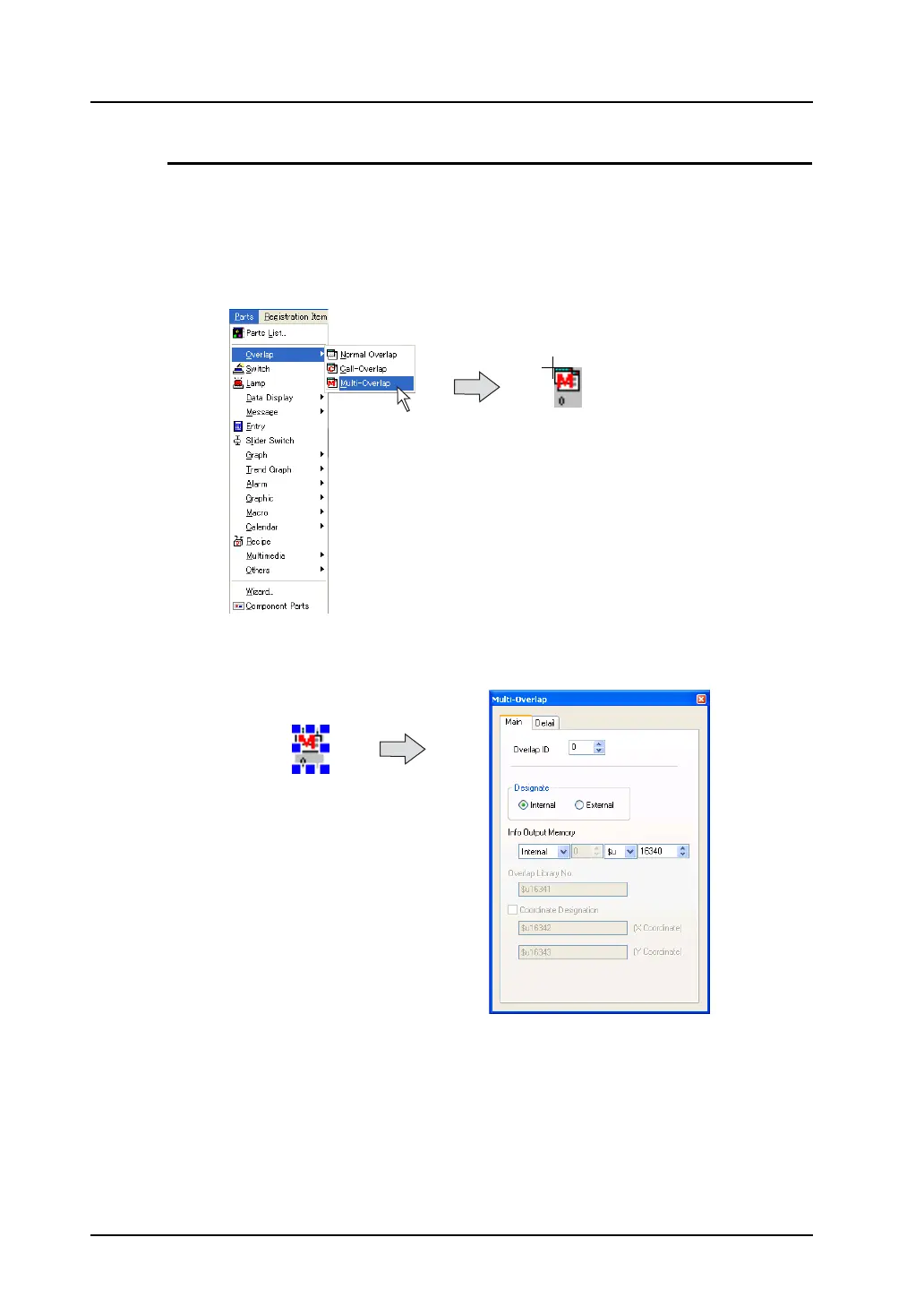
1. Click [Parts] → [Overlap] → [Multi-overlap].
The [Multi-overlap] icon appears on the screen.
2. Click the mouse in the desired position. The multi-overlap icon is placed.
The [Multi-overlap] item dialog is displayed at the same time.
* When the item dialog is not displayed, double-click the multi-overlap display.
Overlap display placement and editing
The multi-overlap display is placed or edited using the “overlap library.”
For more information on the “overlap library,” refer to “5.7 Overlap Library” (page 5-26).
The icon is displayed by moving
the mouse.



 To Next Page